Free for small shops
A free online store and POS for your shop, run from your phone
Kedaify gives your shop a store link buyers order from on WhatsApp, a POS for the customers in front of you, and the numbers for both, on the phone you already have. Buyers pay you directly, Kedaify takes no commission, and it works in any country, in your own currency.
- Cafés
- Restaurants
- Home bakers
- Clothing
- Grocery
- Salons
- Stays
- Classes
- No commission
- Any country, your currency
- Dashboard in English
- Nothing for buyers to install
From the first look to paid, on one phone
Every screen here is a real Kedaify demo store in English, recorded on a phone, in the order a sale happens.
1Sell from one link
Your products, photos, prices and options on a page of your own, yourshop.kedaify.com. Buyers fill a cart, and WhatsApp opens with the whole order written out. They press send, then pay you straight.
Your store linkPhotos, prices in your currency, open or closed. 
Options and add-onsThe price follows the size and extras they pick. 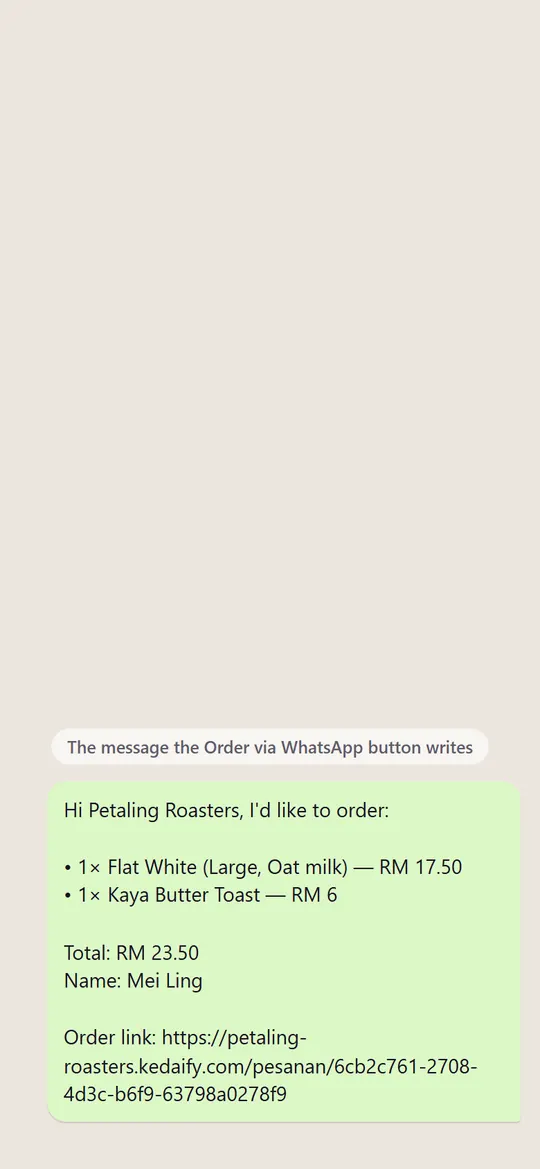
The order, already writtenEvery item and the total arrive in your WhatsApp. 
Paid straight to youYour QR or bank account, with the exact amount.
2Serve the tables and the counter
A QR on each table lets guests order when they're ready, with the table number on the order. Customers at the counter go through the POS on your phone: tap the items, take cash or e-wallet or both, and send the receipt.
Orders from the tableScanned at Table 4, and the order says so. 
Ring up a saleThree taps, options included, and the bill is ready. 
Split the paymentPart cash, part e-wallet, in one sale. 
The receiptPrinted on a Bluetooth printer or sent as a picture.
3Keep count of your stock
Turn on Track stock for a product and type how many you have. Every paid sale takes it down, online or at the counter, and at zero the item shows sold out instead of taking an order you can't fill. One tap lists what's running low.
Track stockType how many you have. Sales take it down. 
Sold out on its ownThe last two toasts go, and the tile says so. 
What's running lowOne tap lists the items about to run out. 
Stock in Pro10 toasts back in, and the cost per piece worked out.
4Know your numbers, then grow
Online orders and counter sales add up in one summary, and the end of day tells you what should be in the drawer before you count it. When a second branch opens or staff take turns at the till, Business gives each branch and each person their own place.
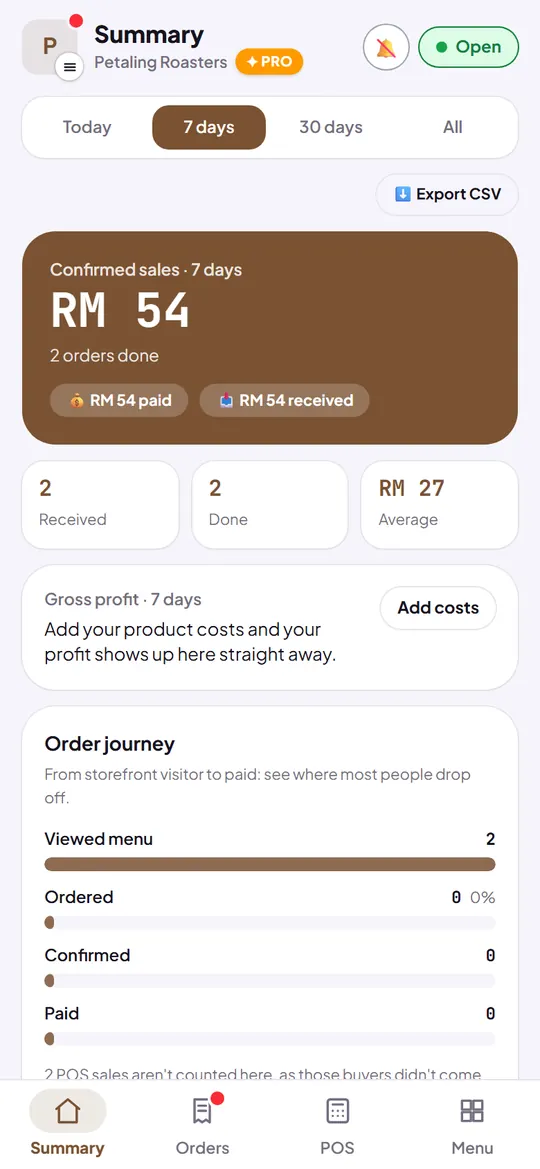
Today at a glanceSales, orders and the average, in one place. 
Close the day ProThe drawer total first, then the note-by-note count. 
Branches BusinessEach with its own address, hours and WhatsApp. 
Your team BusinessCashiers, managers or an accountant, each with their own sign-in.
Made for your kind of business
Choose what you sell when you sign up. Your store then uses the right words and the right way to take orders.
- Cafés and restaurantsMenuOptions and add-ons, table QR codes and the POS at the counter.
- Home bakers and foodMenuSizes and notes on each order, delivery or pickup, every order in one list.
- Clothing and boutiquesCollectionSizes and colours as options, and sold-out pieces kept on show.
- Shops and groceryProductsSearch across up to 10,000 products on Pro, stock counts and the POS.
- Salons, clinics and beautyServicesClients choose a service and send a booking request for you to confirm.
- Stays and homestaysRoomsGuests pick a room and send a booking request with their details.
- Classes and coursesClassesPeople ask to join, and the request comes to you with their details.
- Services and creatorsServicesYour work and your prices, with a button to ask you for a quote.
Start free, pay when it pays
Free has no time limit. Your first store can try Pro free for 14 days, and Business too, once per account. Paid plans are billed in US dollars by card.
Free
US$0for good
A store link, WhatsApp orders and the POS, with no commission.
- Up to 100 products
- Orders, the POS, stock and your summary
- Buyers pay you directly
- A small Made with Kedaify label
Pro
US$3.99a month
Or US$29.99 a year. For a shop that's selling every day.
- Up to 10,000 products
- Where your buyers come from, and ad pixels
- Table QR codes and the end of day count
- No Kedaify label
Business
US$12.99a month
Or US$109.99 a year. For more than one branch, or staff at the till.
- Up to 5 branches, each with its own stock
- A team of up to 10, each with their own sign-in
- Profit and loss and cash flow
- Everything in Pro
Demo stores in English
Real Kedaify stores set up as examples. Browse them, fill a cart, and see the order a buyer would send.
How it works
You add your products with photos, prices and options, and get a link of your own: yourshop.kedaify.com. Share it wherever your buyers are. They open it in their browser, fill a cart, choose delivery or pickup, and tap Order via WhatsApp.
WhatsApp opens with the order already written out, so the buyer presses send and you get every detail in one message. Each order is also kept in your list, with a page the buyer can check for its status.
The money goes straight to you
Kedaify doesn't sit between you and your buyers' money. A buyer pays into the bank account, PayNow number or e-wallet you add, and the pay screen shows them the exact amount. Kedaify takes no commission on any order.
The free plan has no time limit and holds up to 100 products. Pro adds more products, buyer sources, ad pixels, table QR codes and more, and your first store gets it free for 14 days. After the trial, Pro is US$3.99 a month or US$29.99 a year by card, or your store simply stays on the free plan.
Where Kedaify works today
Shops can sell from any country. A store outside Indonesia shows in English, with prices in its own currency written the local way (180 DA in Algeria, 180 € in France) and its WhatsApp number with the country code. Indonesian stores show in Bahasa Indonesia, in rupiah.
Your side is in English too: signing up, setting up, and the whole dashboard where you add products, take orders, run the POS and read your reports, with amounts in your currency. UPI payment links for India still need to be built.
What you get on the free plan
These lists come straight from the features as they are today, so they stay current.
For your buyers
- A photo catalog with categories and search, in 1, 2 or 3 columns
- Options and add-ons with their own price, like size, milk or toppings
- A cart that reaches your WhatsApp as one tidy message
- Payment by your own DuitNow or PayNow QR, or straight to your bank account or e-wallet, with a receipt the buyer can keep
- Delivery or pickup. You set the delivery fee: flat, free above an amount, or confirmed on WhatsApp
- Sale prices, automatic promos and voucher codes
- An order status page, and reviews from real buyers
- Order again in one tap
For you
- No commission. Buyers pay you directly, and Kedaify never holds the money
- Your own link: yourshop.kedaify.com
- Your own colors, logo and tagline
- Everything set up from your phone, with no extra app
- Up to 100 products on the free plan, 10,000 on Pro
- Pro free for 14 days on your first store, with nothing to pay up front
- Every order in one list, marked paid and done as you go
- Stock per product, counted down with every sale
- Sales, orders, best sellers and sales channels for any date range
- A notification on your phone when an order comes in, even with the dashboard closed
- Visitor counts and your busiest pages
Guides
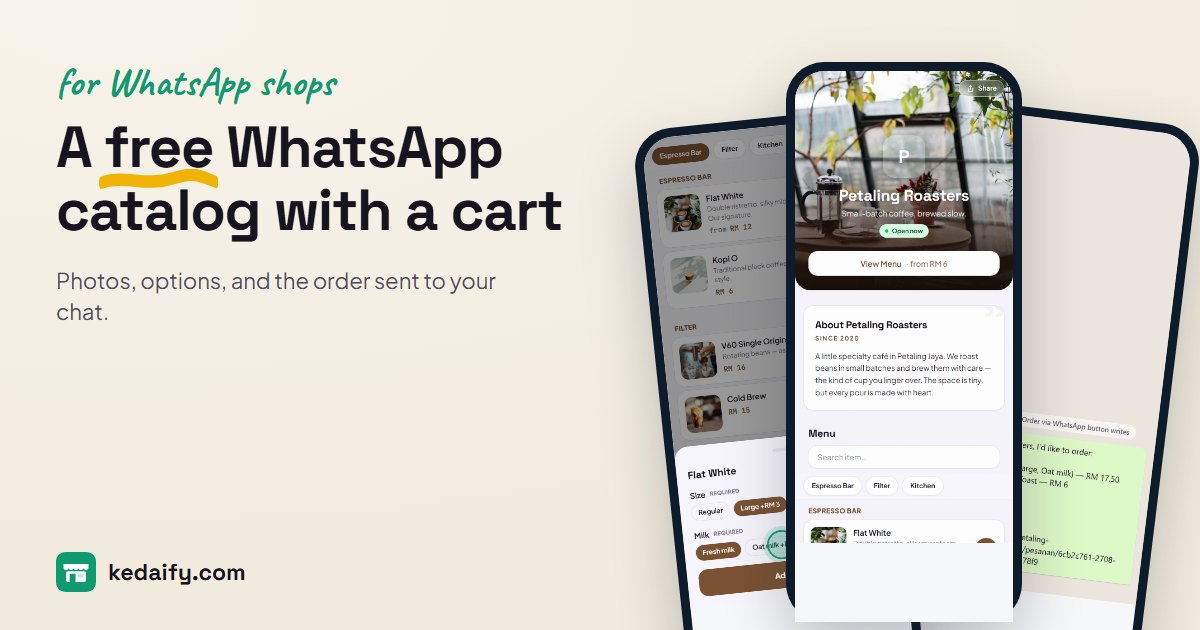 A free WhatsApp catalog with a cart that sends the order to your chatMake a free WhatsApp catalog link for your shop: photos, prices and options on one page, a cart, and orders that land in your WhatsApp as one tidy message. No commission.
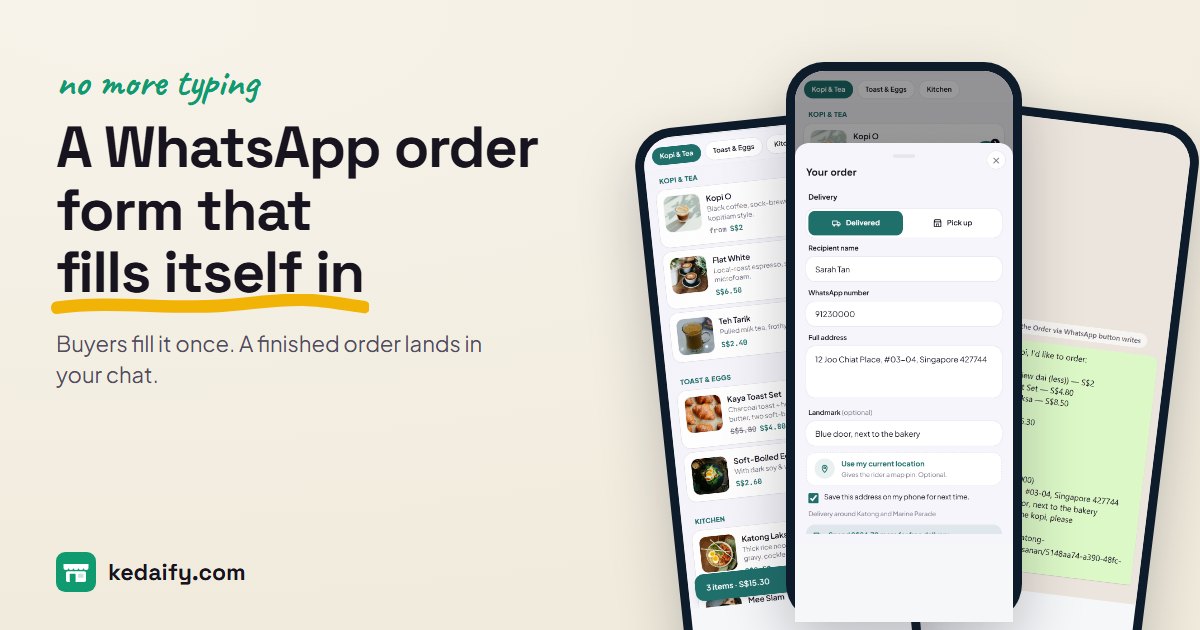 A WhatsApp order form that fills itself inCopy a free WhatsApp order form template, or use the automatic one: buyers choose items, add their address, and a finished order lands in your chat. Free, no commission.
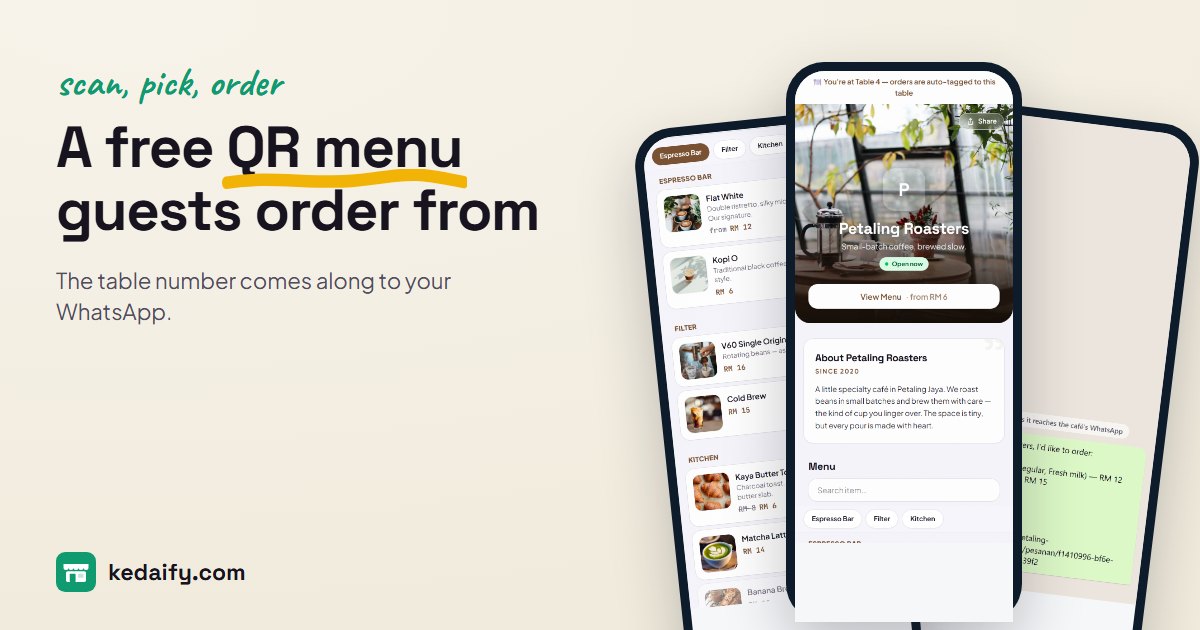 A free QR menu that guests can order fromPut your menu behind a QR code: photos, prices and what's sold out, with orders sent to WhatsApp and the table number attached. The menu link is free, with no commission.
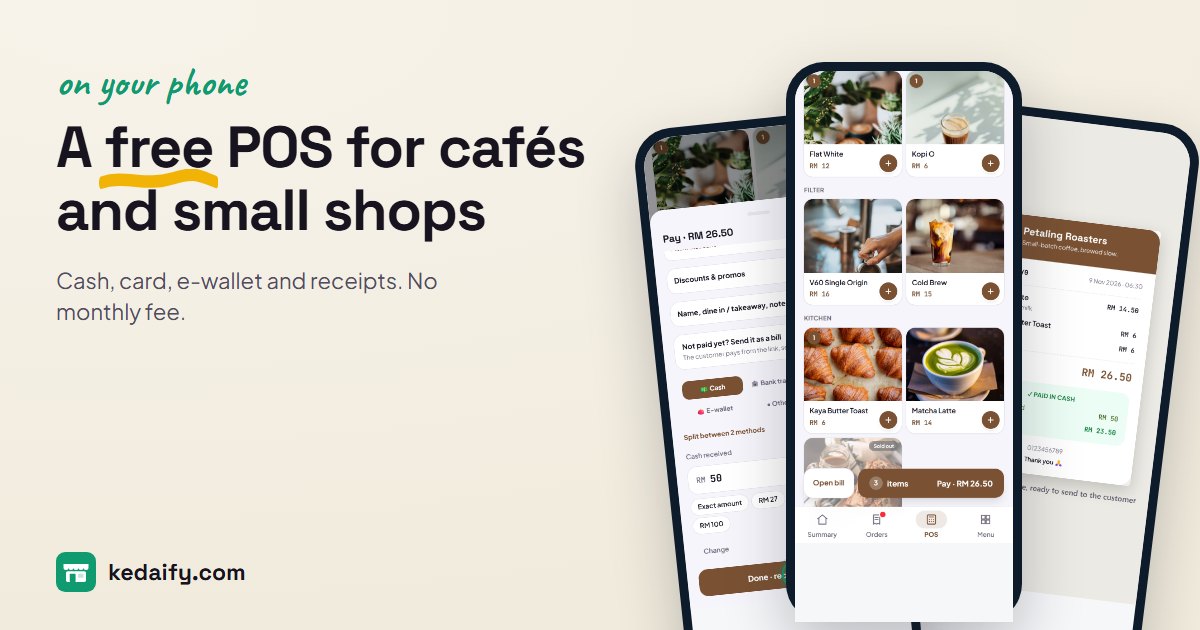 A free POS system that runs on the phone you already haveA free POS for cafés, stalls and small shops: tap what was bought, take cash, card or e-wallet, split a payment, and share or print the receipt. Runs in your browser. No monthly fee, no commission.
Questions people ask
Is Kedaify free?
Yes. The free plan has no time limit and takes no commission on orders. Your first store can try Pro free for 14 days.
What do my buyers need?
A phone with a browser. The order goes through WhatsApp, or straight to you when they pay to your payment QR or bank account. They don't install an app or make an account.
Which countries can I sell in?
Any country. Prices are in your own currency, and buyers order on WhatsApp or pay you by bank transfer.
Is the dashboard in English?
Yes. On any store outside Indonesia the whole dashboard is in English: products, orders, the POS, stock, reports and settings. Only Kedaify's own update posts are still in Indonesian.
How do buyers pay?
Straight to you: they scan your own DuitNow or PayNow QR, or transfer to the bank account or e-wallet number you add. The pay screen shows the exact amount, and you mark the order paid once the money arrives.
Do I need WhatsApp Business?
No. Orders go to whichever WhatsApp number you enter, normal or Business.