Selling online · 5 min read
How to start selling online from zero: 6 steps for beginners
Plenty of people want to sell online but get stuck at step one, because they don't know where to start. The good news: you don't need big money, a physical shop, or a listing on every app. Just the phone you already have and the six steps below. At the end there is a short section on what Kedaify can do for you, if you want your own store link.
1. Start with one product you know well
Don't try to sell ten different things at once. Pick one or two products you understand properly: you know what goes into them, how they are made or where to buy them, and you can answer a buyer's questions without hesitating.
An easy test: offer it to five to ten people you know. If some of them come back to buy again without being asked, the product is worth carrying on with.
- Products you can make or stock in small amounts at first, so your money isn't tied up.
- Products that are easy to deliver or hand over, if you don't have a courier you trust yet.
2. Work out your costs before you set a price
The most common beginner mistake is copying other sellers' prices, then finding out the profit is tiny or you are losing money. First work out the cost of each item: ingredients or stock, packaging, stickers, even gas or electricity if you can split it per item.
Once you know the cost, add the profit you want. If you later sell on a marketplace or a delivery app, remember their fees: the price there needs to be worked out again so the money you receive stays the same.
3. Take photos with your phone, but keep them tidy
Online buyers can only judge from photos and words. You don't need an expensive camera. A phone is enough if the photo is bright and clear.
- Shoot near a window in daylight. Avoid yellow indoor light and flash.
- Use a plain background: a wooden table, a cloth, or white paper.
- One main photo showing the whole product, plus one close-up or size photo.
- Write the name, the price and a short description: what is inside, size, options, and how long it keeps.
4. Set up an easy way to pay
The easier it is to pay, the less likely a buyer is to back out. To start, offer at least two options: bank transfer and a QR payment code. Many countries have a QR scheme (DuitNow in Malaysia, PayNow in Singapore, PromptPay in Thailand, for example). Ask your bank or e-wallet app how to get your own code, and check the conditions and fees with them.
Whichever way the buyer pays, always check that the money has really arrived before you send the order. Don't rely on a screenshot of the transfer.
5. Make one link for all your orders
If every buyer has to ask "what do you have, and how much?", you will get tired of answering the same chat all day. It is tidier to have one link with your products, prices and how to order, and share that link everywhere.
The link can be a WhatsApp Business catalogue, your own online store, or at the very least a WhatsApp link with the message already filled in. What matters is that it is always the same link, so buyers don't get confused.
- Put it in your Instagram, TikTok and Threads bios.
- Post it on your WhatsApp status and in groups you belong to, where promotion is allowed.
- Print it as a sticker or small card in every package, so buyers can order again.
6. Find your first buyers close to home
Your first buyers almost always come from people who already know you: family, friends, neighbours, colleagues. Don't be shy about offering. Ask for straight feedback and, if they are happy, take a photo of the product to share again.
After that, post regularly. It doesn't have to be daily, just steady: how you make it, buyer feedback, what is ready to order. Marketplaces and delivery apps can be added later, to reach new buyers who don't know you yet.
If you want your own online store on Kedaify
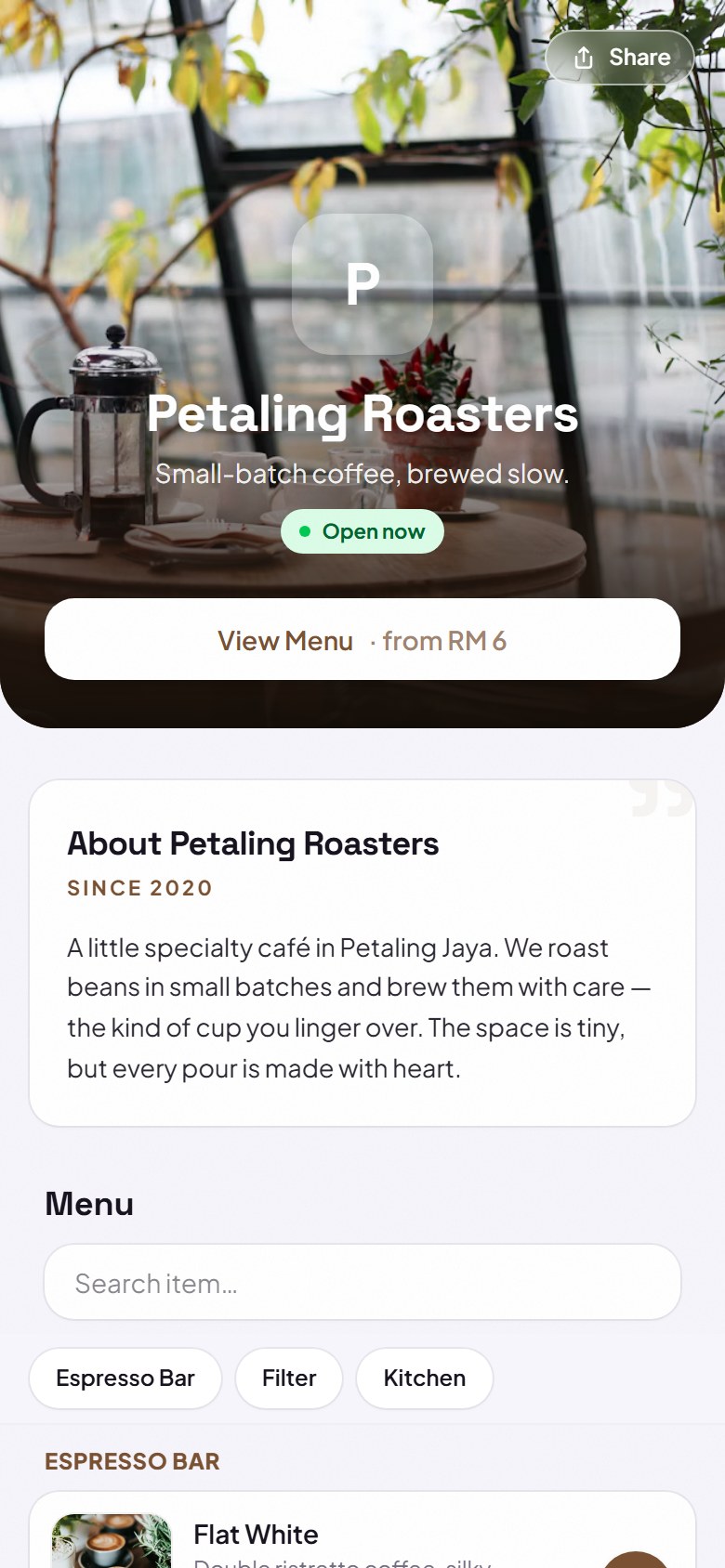
Kedaify can be the store link for step 5. You create a free store with a Google account or email, and get your own address like yourstore.kedaify.com. Add your products, prices and photos from your phone.
Buyers choose products on that link, and the order lands in your WhatsApp as a ready-made message. Buyers can pay cash, by bank transfer to you directly, or with your own QR payment code, and Kedaify takes no commission on orders. From the chat, you can mark an order as Paid once you have checked the money arrived.
The Free plan covers up to 100 products, with a small "Made with Kedaify" line on your store. Pro removes that line and adds full analytics, table QR codes, kitchen tickets and more than 100 products, and a new store gets a free trial of Pro. See Pricing for the details.
- You arrange delivery yourself: deliver it yourself, pick-up, or a courier.
- The QR payment code on Kedaify is your own: the buyer types in the amount, so always check the money that comes in.
Questions sellers ask
How much money do I need to start selling online?
You can start with a small amount of stock. The phone you already have is enough for photos, taking orders and promotion. Work out your cost per item first so your price doesn't lose you money.
Is it better to start on a marketplace or with my own store?
Many sellers use both: a marketplace to be found by new buyers, and their own store or WhatsApp for regular customers, so they don't pay fees every time.
How do I accept payment by QR code?
Ask your bank or e-wallet app how to get your own QR payment code, then display or share it. Check the conditions and fees with them directly.
Does it cost anything to make a store on Kedaify?
No, it is free for up to 100 products. Pro removes the Kedaify line and adds full analytics and more products, and a new store gets a free trial of Pro. See Pricing.