New feature · 1 min read
Bank transfer and the Paid mark
Buyers can pay by bank transfer or e-wallet with a clear receipt and amount, and you mark Paid separately from Done.
1. Bank transfer and e-wallet
Add a bank account or e-wallet. In the cart, buyers choose Bank transfer, then see your account number and an amount they can copy, plus a receipt they can save. After transferring, buyers tap “I have transferred” and the order lands in your dashboard.
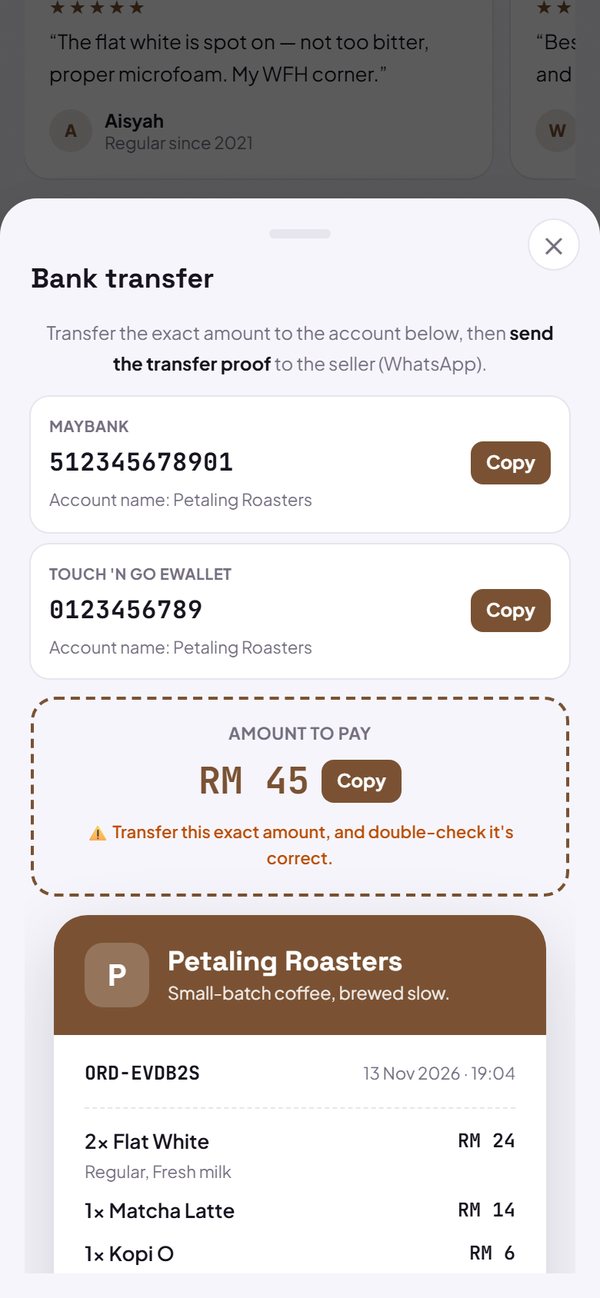
- The money goes straight to your account, Kedaify only makes the receipt.
- With a QR payment code, buyers scan your code and type the amount themselves.
How to use it: Settings → How to order & pay → Payments → Add account.
2. Mark Paid, separate from Done
In the Orders tab, mark Paid when the money has arrived and Done when the order has been handed over, or do both at once with Done & paid. The summary counts sales from orders marked Done, and shows how much has been paid.
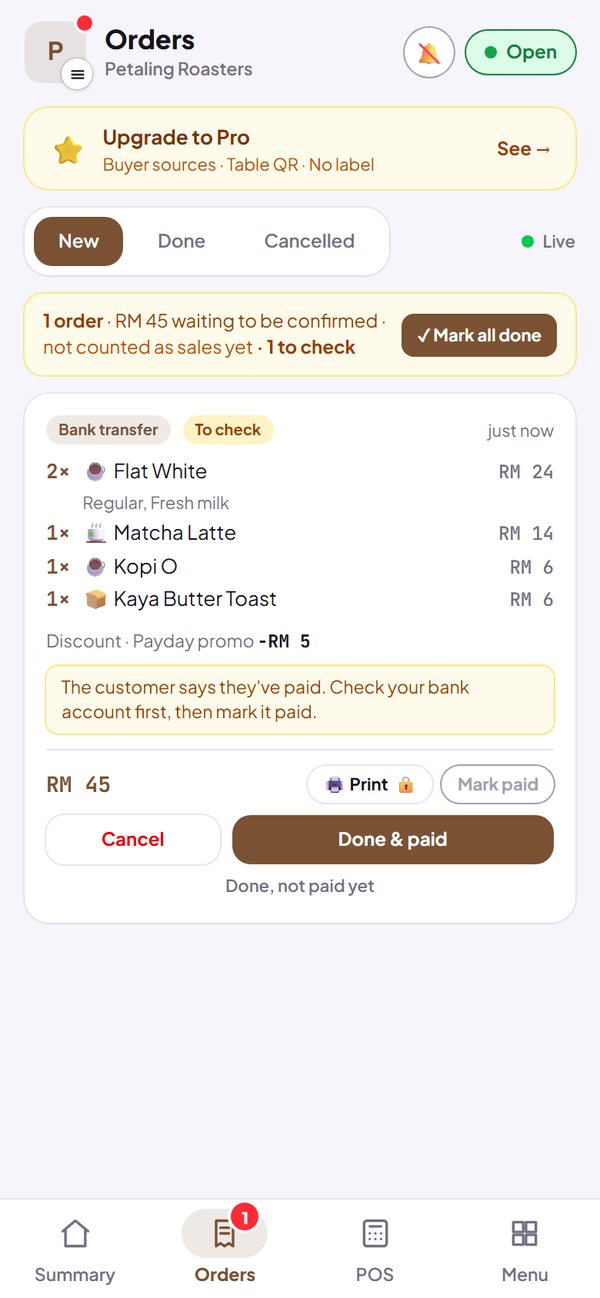
- Orders you have not confirmed are not counted as sales yet.
- Mark all done marks many orders at once.
How to use it: Dashboard → Orders.
3. The cart is not lost
What is in the cart is saved on the buyer's phone for 24 hours, so it is not lost if the page is closed or the buyer switches apps for a moment.
How to use it: Automatic, nothing to set up.
Questions about this release
Does Kedaify hold the buyer's money?
No. Transfer and QR payments go straight into the seller's account. Kedaify only makes the receipt and records the order.
When does a transfer order reach the dashboard?
After the buyer taps “I have transferred”. Check it against your account statement, then mark it Paid.