New feature · 2 min read
Property listings with their own page
A photo gallery, home specs, a shareable listing page, and bedroom and status filters for property stores.
1. Photo gallery and specs
Each listing can have several photos that buyers swipe through, plus neat specs: bedrooms, bathrooms, land size, building size, floors, carport, certificate, furnishing, and whether it is for sale or for rent.
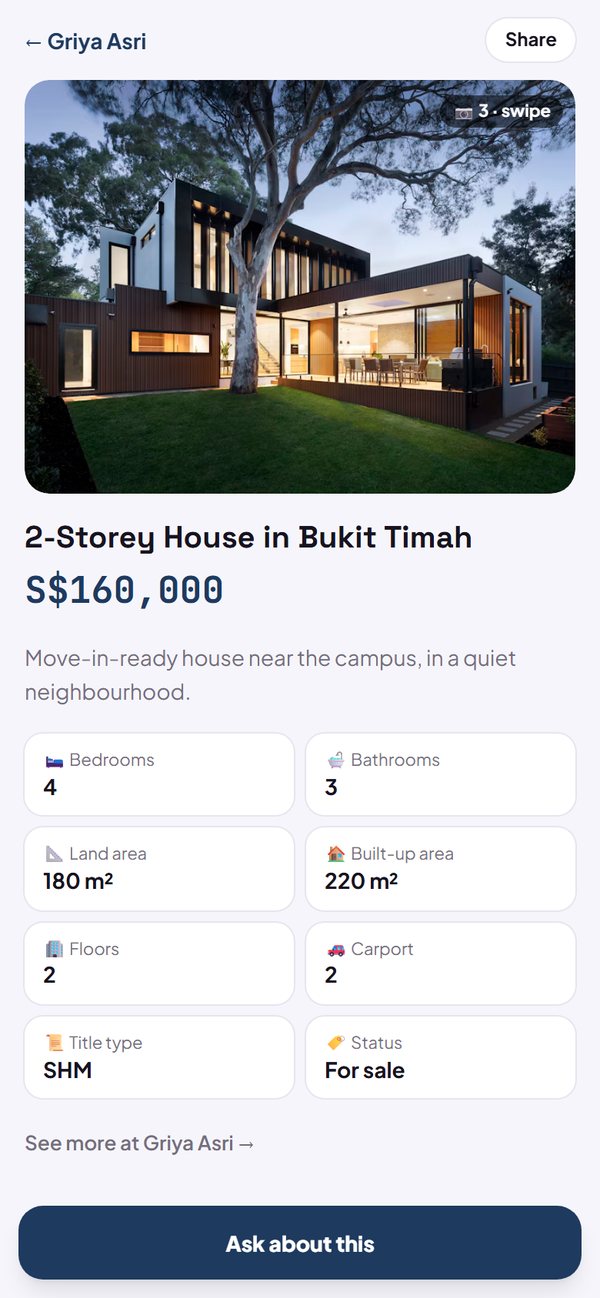
- A summary of rooms and size shows in the listing list.
- Up to 5 photos per listing from the dashboard.
- Fill in specs in each listing's form, or all at once with Bulk upload.
How to use it: Settings → Store look → Business type → Property & Real Estate.
2. A listing page you can share
Every listing has its own address, for example yourstore.kedaify.com/listing/dago-house. When it is shared on WhatsApp or Instagram, the link shows the first photo, the name and the price. The Ask about this listing button opens your WhatsApp with the listing link in the message.
- The Share button copies the listing link.
- Below it is a prompt to see other listings in your store.
How to use it: Tap a listing in your store → Open listing page.
3. Bedroom and status filters
In a property store, buyers can filter listings by number of bedrooms and by status (For sale / For rent), then sort from cheapest or most expensive.
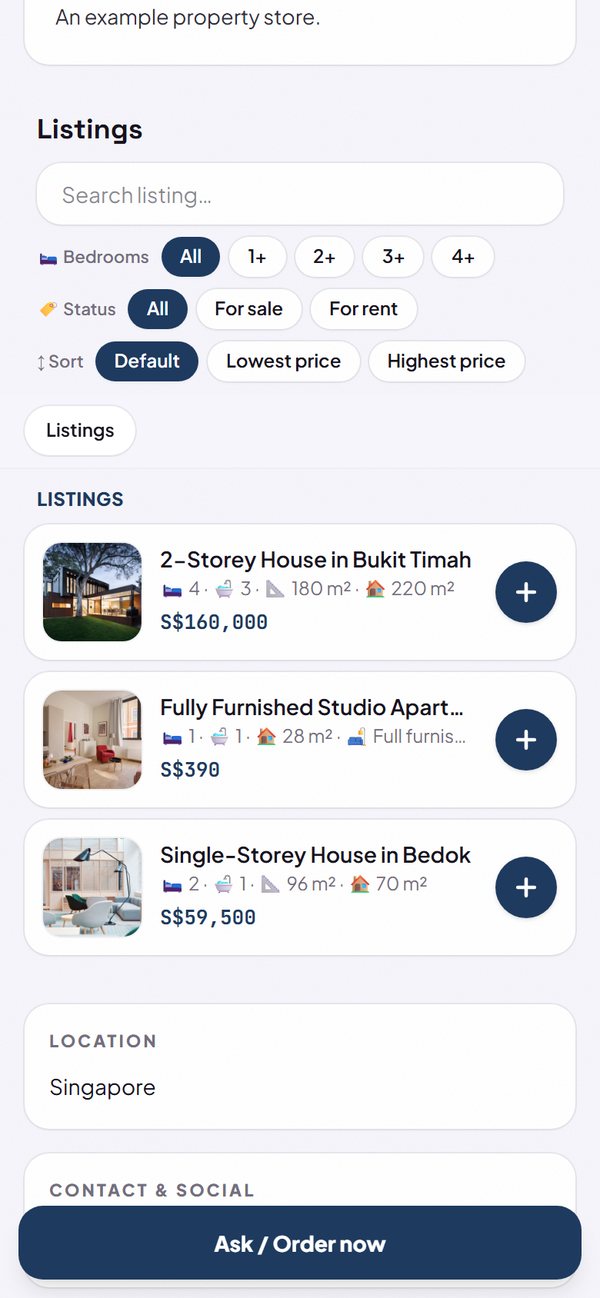
- The status filter shows when your listings have more than one status.
- Reset filters brings back all listings.
How to use it: Automatic in stores with the Property & Real Estate business type.
Questions about this release
Is there a price range filter?
Not yet. Listings can be sorted from cheapest or most expensive, but they cannot be filtered by price range yet.
Can I use this for something other than property?
The photo gallery and listing page work for any business that takes enquiries or bookings. The home specs and filters are only for the Property & Real Estate business type.