Guide · 3 min read
Best seller label: buyers see what sells most
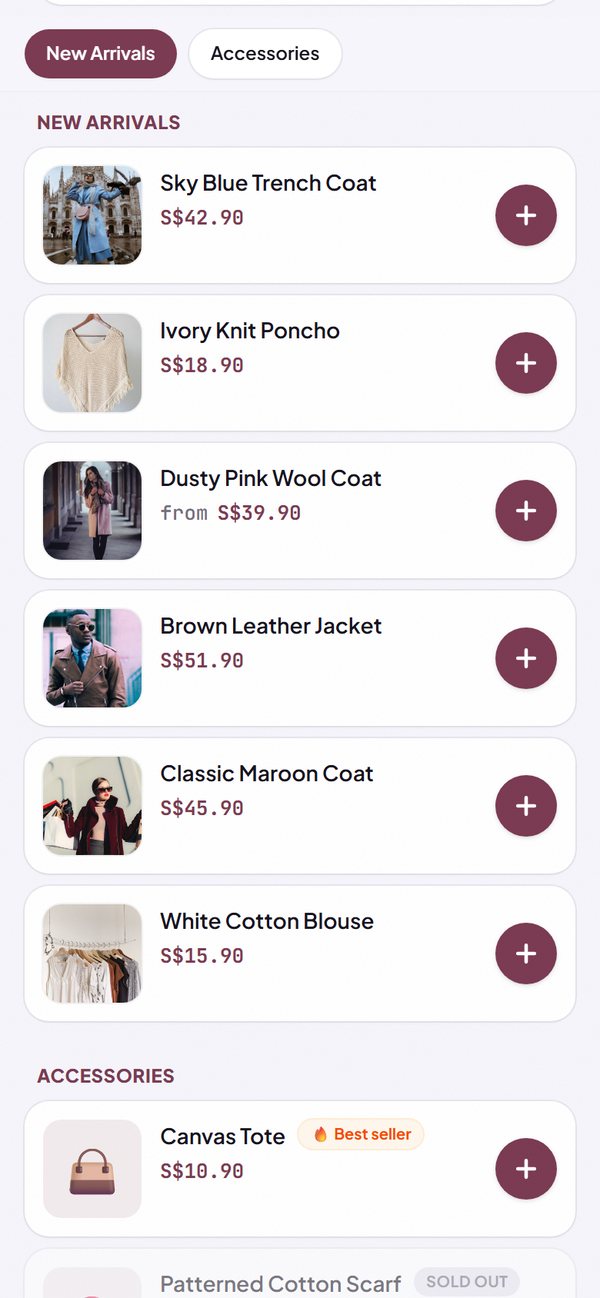
A buyer who opens your store for the first time often doesn't know what to order. The 🔥 Best seller label helps them choose: the three products people buy most are marked automatically, right in your product list. You don't need to set anything up. Here is how it works and how to make the most of it.
1. It shows up in your store by itself
Kedaify counts how many of each product sold in the last 30 days. The three products with the most sales get the 🔥 Best seller label. If your sales shift, the label moves on its own.
- You can't pick it by hand, so buyers can trust the label.
- In a store set to Indonesian, the label reads Terlaris.
How to use it: Automatic in your store.
2. It sits alongside discount and low stock labels
In grid view, the Best seller label sits in the corner of the product photo, below the discount label if the product is on promo, and above the stock label if only a few are left. In list view, the label is next to the product name.
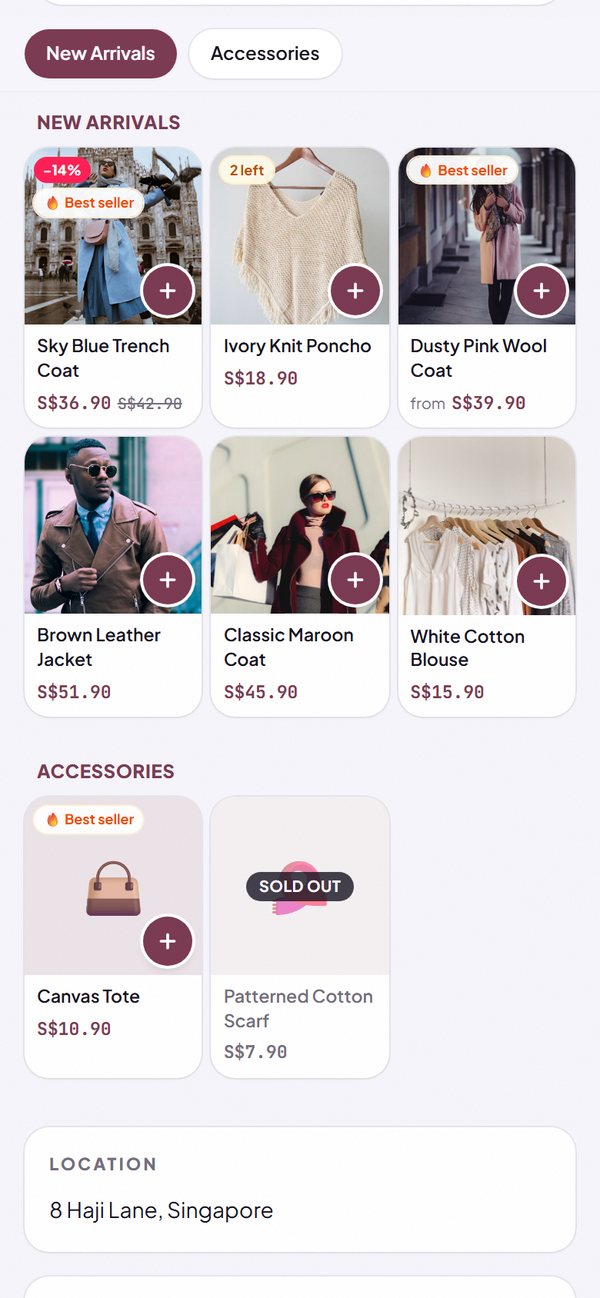
- A product that is sold out doesn't show the Best seller label until it can be ordered again.
- It works for stores with a big catalogue too.
How to use it: Automatic, in both list and grid view.
3. What gets counted
What counts is the number of items sold, not the number of orders: one order with 3 cups counts as 3. Every order that comes into Kedaify is counted, from the online store and from POS mode, except cancelled ones. A product needs at least 2 sold in 30 days to get the label.
- All options of one product count together, for example a Flat White in Regular and Large.
- An order you cancel drops out of the count at once.
- Orders placed through delivery apps aren't recorded in Kedaify, so they aren't counted.
How to use it: Automatic.
4. See the full ranking in Summary
Buyers only see the top three. You can see your eight best sellers with how many sold, in the Summary tab, for today, 7 days, 30 days or all time. The label in your store uses the 30-day count.
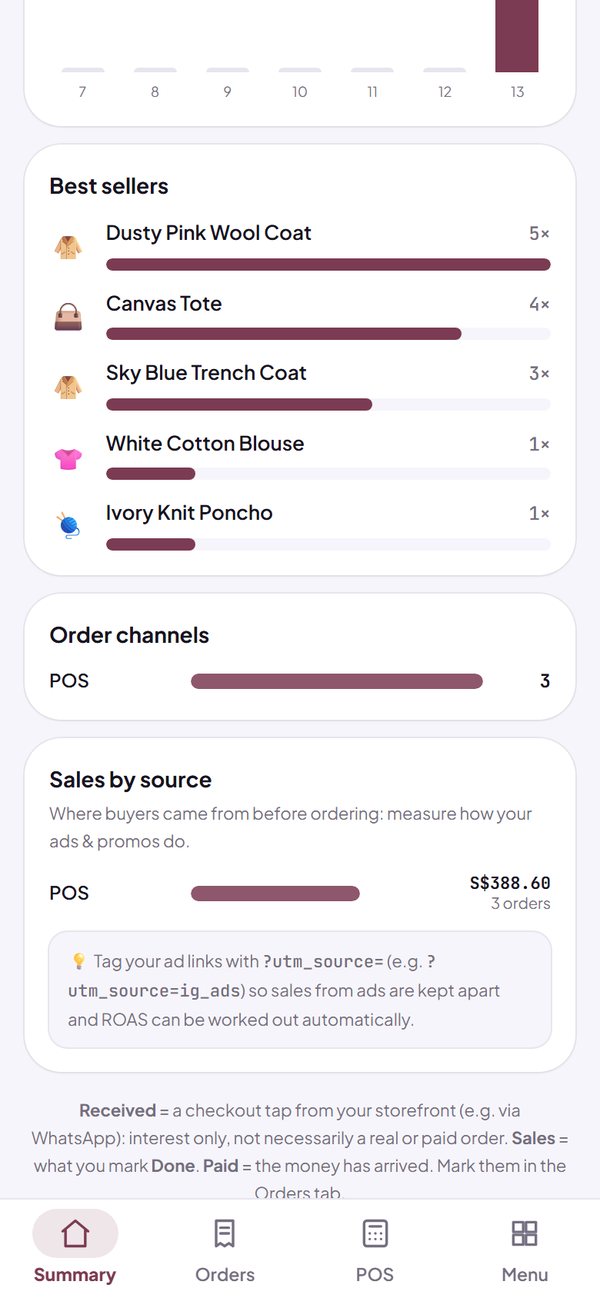
- Every range is free: today, 7 days, 30 days and All.
- POS sales and online orders are combined in the same list.
How to use it: Dashboard → Summary → Best sellers.
5. How to make the most of it
The Best seller label works best when the product is easy to find and always ready to sell. A few things you can do from the Menu tab:
- Move the category with your best sellers to the very top, so buyers see it first.
- Use a clear photo, because in grid view the label sits on the photo.
- Turn on Track stock for your best sellers, so no order comes in when it's sold out.
- Don't rename a product that is selling well: sales are counted by name, so a new name starts from zero.
How to use it: Dashboard → Menu.
Questions about this guide
Can I choose which products get the Best seller label?
No. The label comes from sales, so buyers can trust it. To push a certain product, put it on a promo price or move its category to the top.
Why does my store have no Best seller label yet?
The label shows once a product has sold at least 2 in the last 30 days, from orders that weren't cancelled. If your store takes bookings or leads instead of orders, the label doesn't show.
Do sales in POS mode count?
Yes. POS sales and online orders are recorded in the same place, so both decide the best sellers.
How fast does the label change?
The count updates when your store is opened, with a delay of a few minutes at most.
Is the Best seller label paid?
No. The label shows in every store, including the Free plan. Every range in Summary is free too.