New feature · 3 min read
Buyers can save and share their receipt
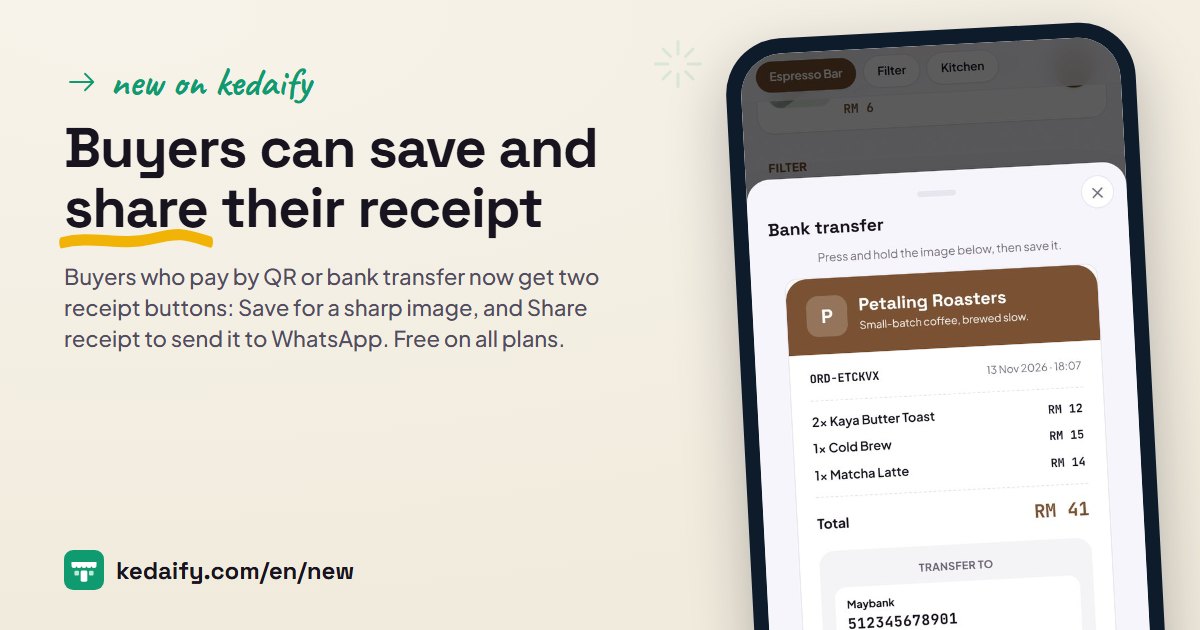
After a buyer picks QR or Transfer in the cart, they see a receipt with their order, the amount to pay, and your QR payment code or bank account. Now they can save that receipt as an image or share it right away, no screenshot needed. At the end of this post there's one question for you.
1. Save: a sharp receipt image
The Save button makes a high-resolution receipt image, 1,280 pixels wide, and saves it to the buyer's phone. Your QR payment code inside it is drawn in full detail, so it can still be scanned from the gallery in a banking or e-wallet app that supports it.
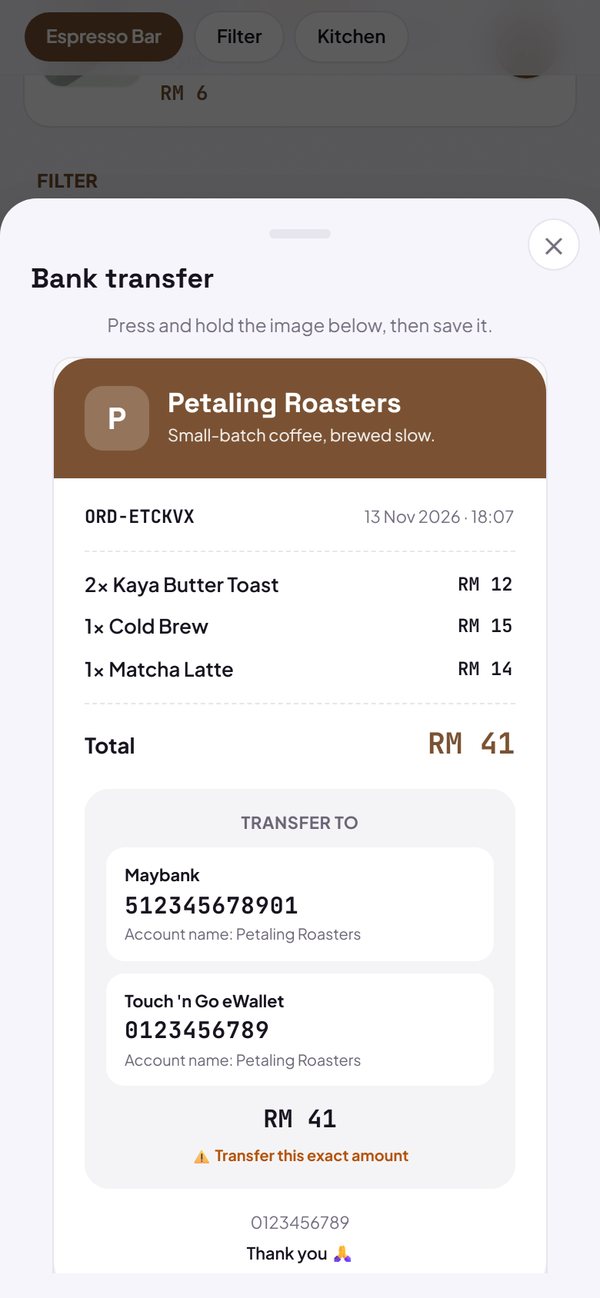
- The order number, product list, total and amount to pay are all saved.
- Opened from Instagram, TikTok or Facebook? The browser inside those apps can't download files, so the receipt shows as an image: press and hold, then choose save.
How to use it: Automatic in your store, when the buyer picks QR or Transfer.
2. Share the receipt to WhatsApp
Share receipt opens the share menu on the phone, so the buyer can send the receipt image through WhatsApp, for example together with proof of transfer. On a computer with no share menu, the receipt is saved as an image.
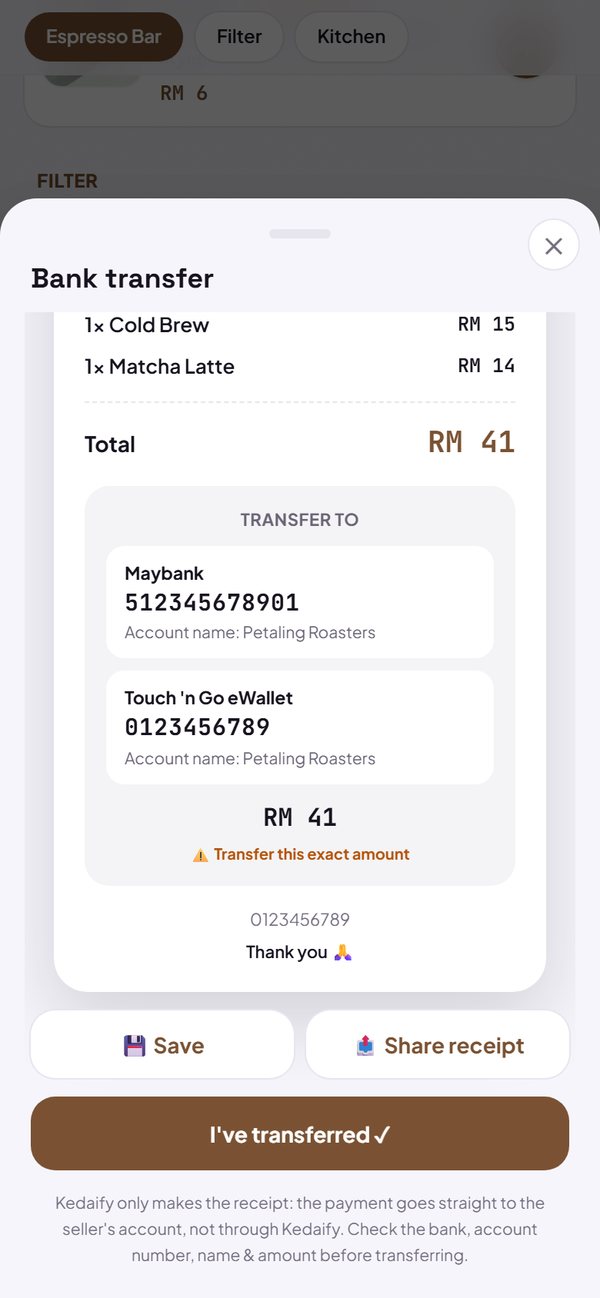
- A new order shows in the dashboard after the buyer taps I've paid or I've transferred.
How to use it: Automatic in your store, under the receipt.
3. Tip: a receipt for buyers who order by chat
A buyer ordering through WhatsApp? Open your store, put their order in the cart, pick QR or Transfer, then tap Share receipt and send it to the buyer. They just pay the amount on the receipt.
- This receipt isn't recorded as an order yet. To get it into your sales and stock, record the sale in POS mode once it's paid; POS is free on every plan.
How to use it: Your store → cart → QR or Transfer → Share receipt.
4. What feature do you want next?
We built these buttons after seeing how stores use receipts day to day. If something still makes your work harder, or there's a feature you're waiting for, tell us in the What's new tab of the dashboard. Short is fine.
- For example: "change the stock of many products from one list" or "send a bill to the buyer before they pay".
- You can attach a screenshot.
- Replies and the status of your idea show in the same tab.
How to use it: Dashboard → What's new → Suggest a feature.
Questions about this release
Are Save and Share receipt paid?
No. Both are on every plan, including Free.
Why won't my receipt download in Instagram?
The browser inside apps like Instagram, TikTok and Facebook doesn't allow downloads. The receipt shows as an image: press and hold, then choose save.
Does a saved receipt mean the order has come in?
Not yet. The order is recorded after the buyer taps I've paid or I've transferred.
Do buyers who order through the WhatsApp button get a receipt?
The receipt shows when the buyer picks QR or Transfer. Orders sent through the WhatsApp button go as a chat message, without a receipt.