New feature · 3 min read
Now you can see where your buyers come from
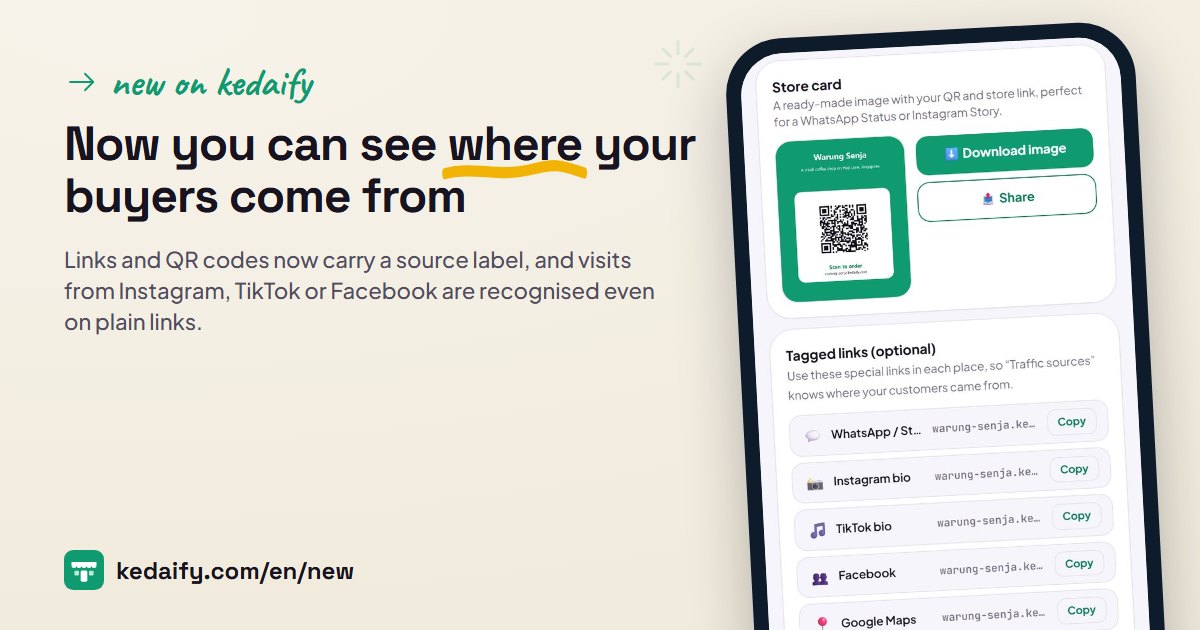
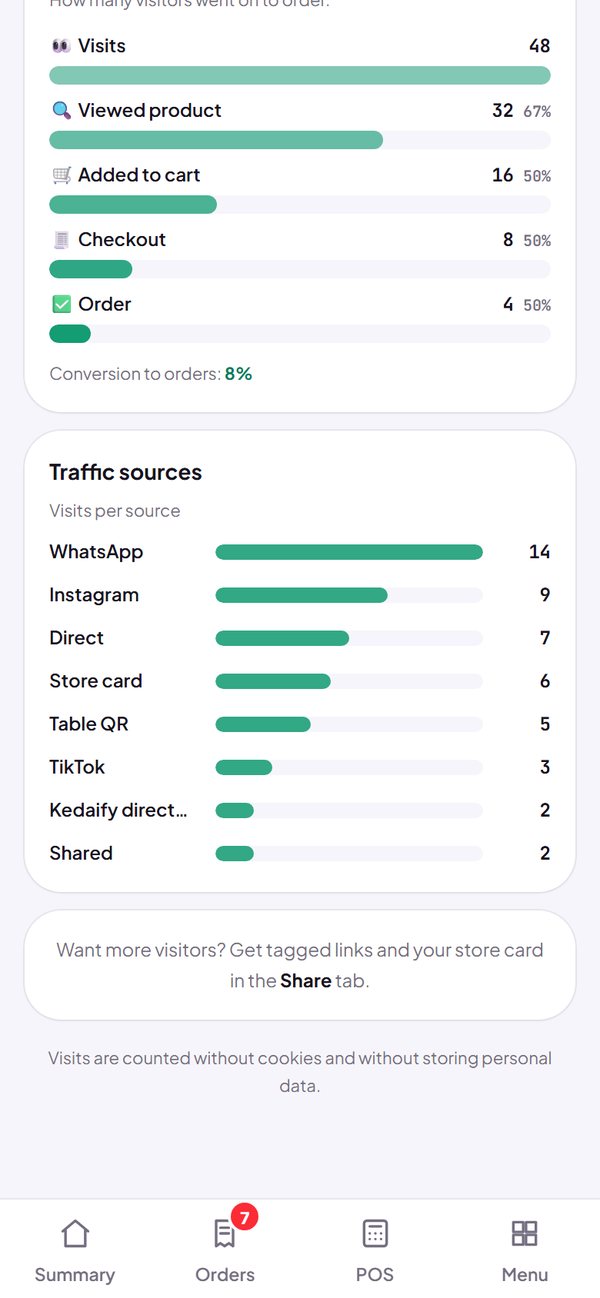
Until now most visits to your store showed up as Direct, with no sign of where they came from. Now every link and QR code you share from the dashboard carries a source label, and Kedaify recognises people who open your store from inside the Instagram, TikTok or Facebook app.
1. Links and QR codes from Kedaify are now labelled
The QR on your store card, the QR poster and the table QR now carry their source label. So does the Share button in your store: when a buyer shares your store with a friend, visits from that link are counted as Shared. You don't need to set anything up.
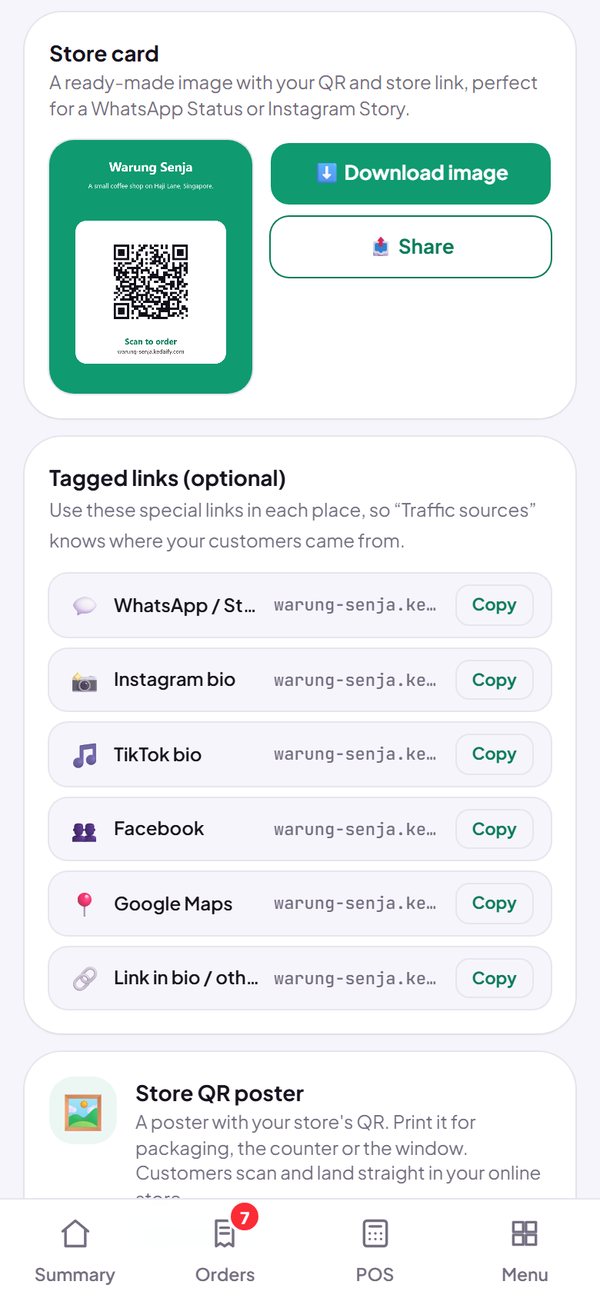
- Store card, QR poster, table QR and Shared each get their own row in the report.
- Labelled links per channel (WhatsApp, Instagram, TikTok and more) are still in the Share tab, free.
- QR codes you already printed still open your store; print them again so the visits are counted too.
How to use it: Dashboard → Share.
2. Visits from Instagram, TikTok and Facebook are recognised
When your store link is opened inside the Instagram, TikTok or Facebook app, Kedaify now recognises the app, even if the link is plain with no label. The same goes for visits from Meta, Google or TikTok ads.
- A plain link opened from WhatsApp is still counted as Direct, because WhatsApp leaves no trace. Use the labelled WhatsApp link from the Share tab.
- Traffic sources now count visits, not the number of pages opened, so the numbers are more accurate.
- No cookies, and no personal data about visitors is stored.
How to use it: Dashboard → Traffic → Traffic sources (Pro).
3. Sales by source, including POS and table QR
In Summary, Sales by source shows where buyers came from before they ordered. Sales made at POS now show as POS, and orders from a table show as Table QR, instead of Direct. One platform is also no longer split into several rows: facebook.com, m.facebook.com and fb become one row, Facebook.
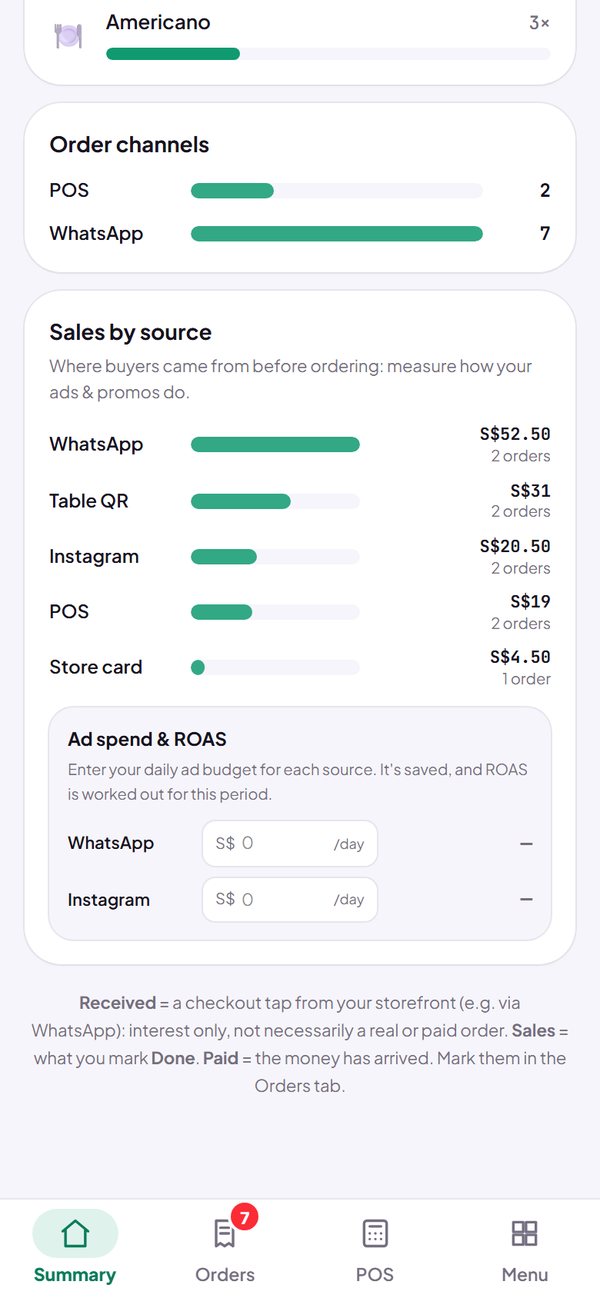
- It works for past orders too: earlier POS sales and table orders are read the same way.
- ROAS is only worked out for sources you can advertise on, not for POS or QR.
How to use it: Dashboard → Summary → Sales by source (Pro).
Questions about this release
Is this a paid feature?
Labels on links and QR codes, and the recording of visits, are on for every plan including Free, so your data starts building today. The Traffic sources view in the Traffic tab and Sales by source in Summary are part of Pro.
Why are some visits still counted as Direct?
Direct means there is no trace: a plain link opened from WhatsApp, a link someone typed in, or a bookmark. To get them counted, share a labelled link from the Share tab, for example the WhatsApp link for Status and groups.
Do I have to replace the QR codes I already printed?
Not required. Old table QR codes still count as Table QR, for both visits and orders, because the table number is part of the link. Old poster and store card QR codes still open your store, but their visits are counted as Direct. Print them again from the Share tab if you want those visits counted.
Does Kedaify store visitors' personal data?
No. Only the source is stored, for example instagram, with no cookies and no name or phone number. The source for an order is kept on the buyer's phone for 30 days, so a buyer who comes from Instagram and orders next week is still counted as from Instagram.
Will my link get longer?
Labelled links do have ?utm_source= added at the end. The main link in the Share tab stays plain, which suits a bio.