New feature · 3 min read
Big catalogue: an online store with up to 10,000 products
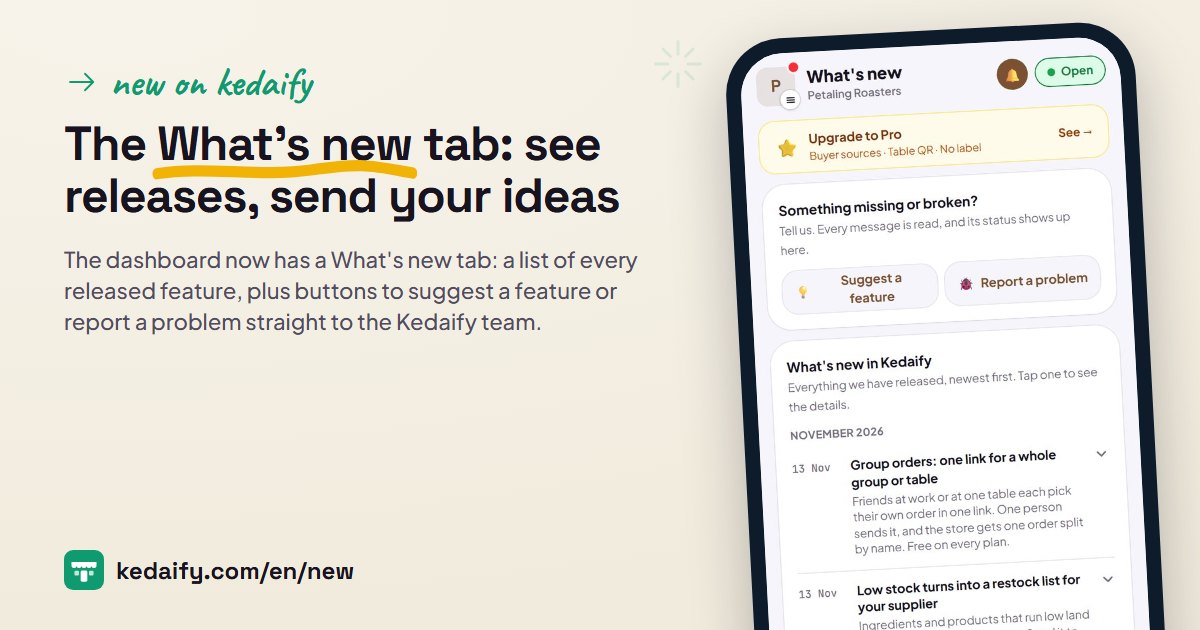
A regular Kedaify store fits roughly 200 to 800 products, depending on how long the descriptions are. That's enough for a small shop or boutique, but not for a store bringing in thousands of products. A big catalogue keeps your products apart from your store settings, so one store fits up to 10,000 products, and buyers still open the same store.
1. Start from Bulk upload
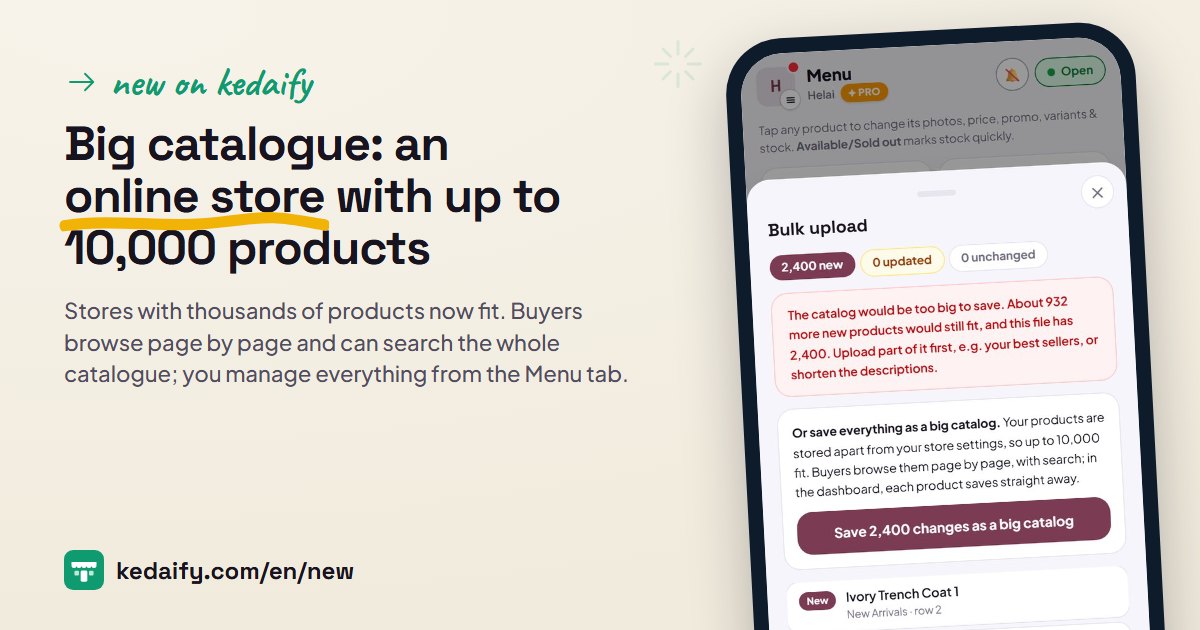
When your Bulk upload file is too big for a regular store, the preview tells you how many products still fit. Below it is the option Save as big catalogue: all the products in the file are saved at once, and the products already in your store move over too.
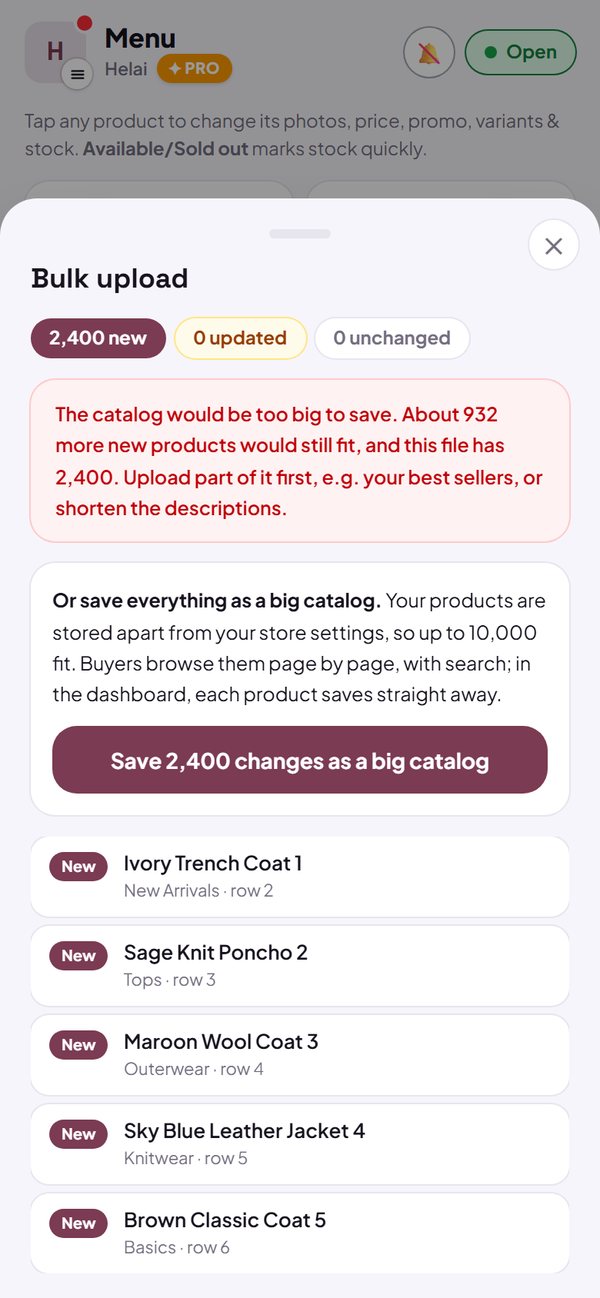
- Fits up to 10,000 products per store.
- More than 100 products is part of Pro, including during the Pro free trial.
How to use it: Dashboard → Menu → Bulk upload → Save as big catalogue.
2. What buyers see
Buyers open your store as usual. Products load page by page, and the next page appears by itself as they scroll, so the store stays quick to open even with thousands of products. Category buttons show how many products are in each category.
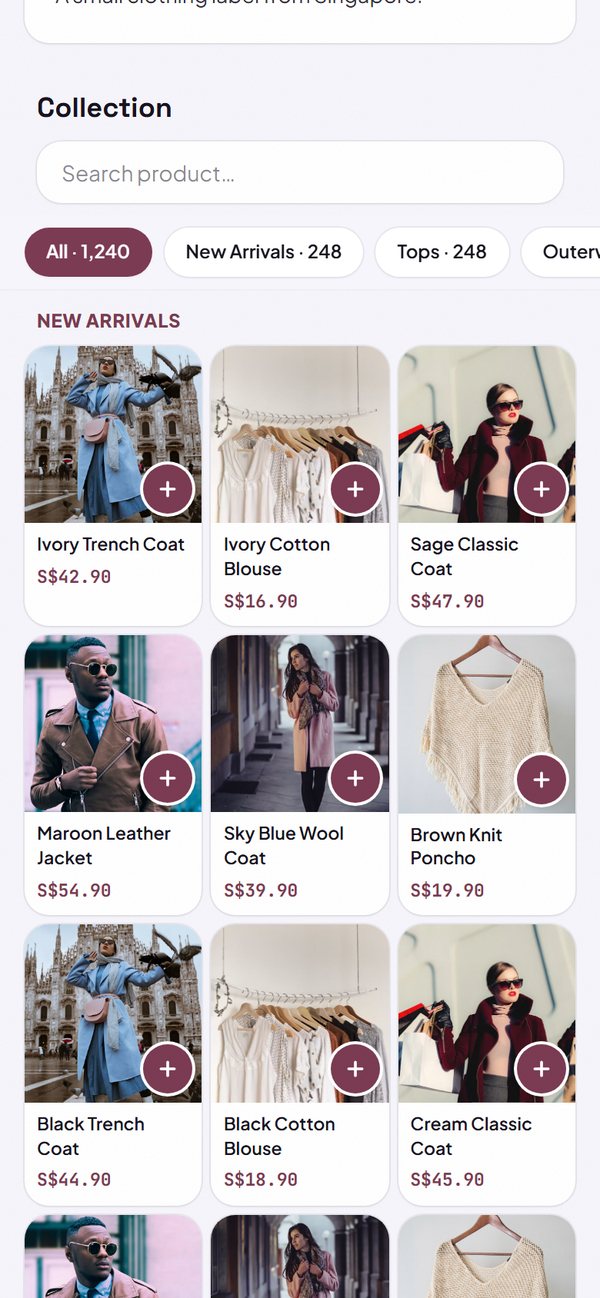
- The 3-column shop-window layout still works.
- Cart, WhatsApp checkout, QR payment code and bank transfer work as in a regular store.
How to use it: Automatic for stores with a big catalogue.
3. Search the whole catalogue
The search box in your store looks through every product, not just the ones on screen. Buyers type a name or a kind of item, and matching products from the whole catalogue show up right away.
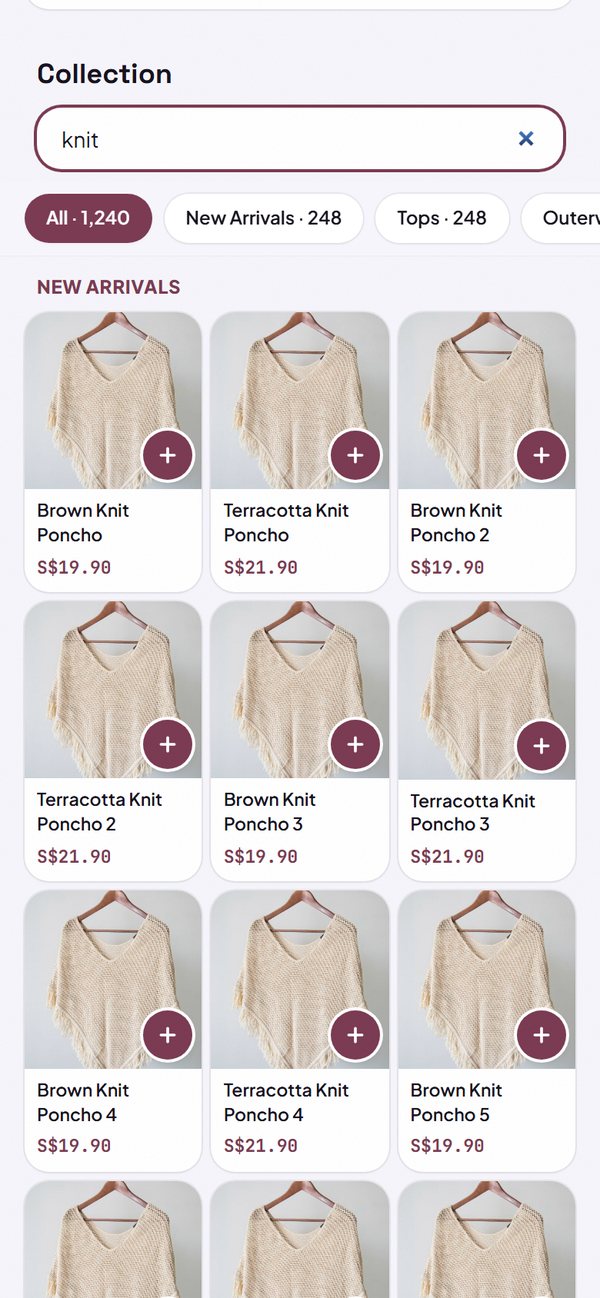
- Search runs on the server, so it stays fast even with thousands of products.
How to use it: The Search products box on the store page.
4. Manage thousands of products from the Menu tab
In the Menu tab, find a product by its name or code, filter by category, then change a price or photo or mark it In stock or Sold out. Every change saves straight away, with no Save button. Bulk upload and Bulk photos still work, and only the products that changed are saved.
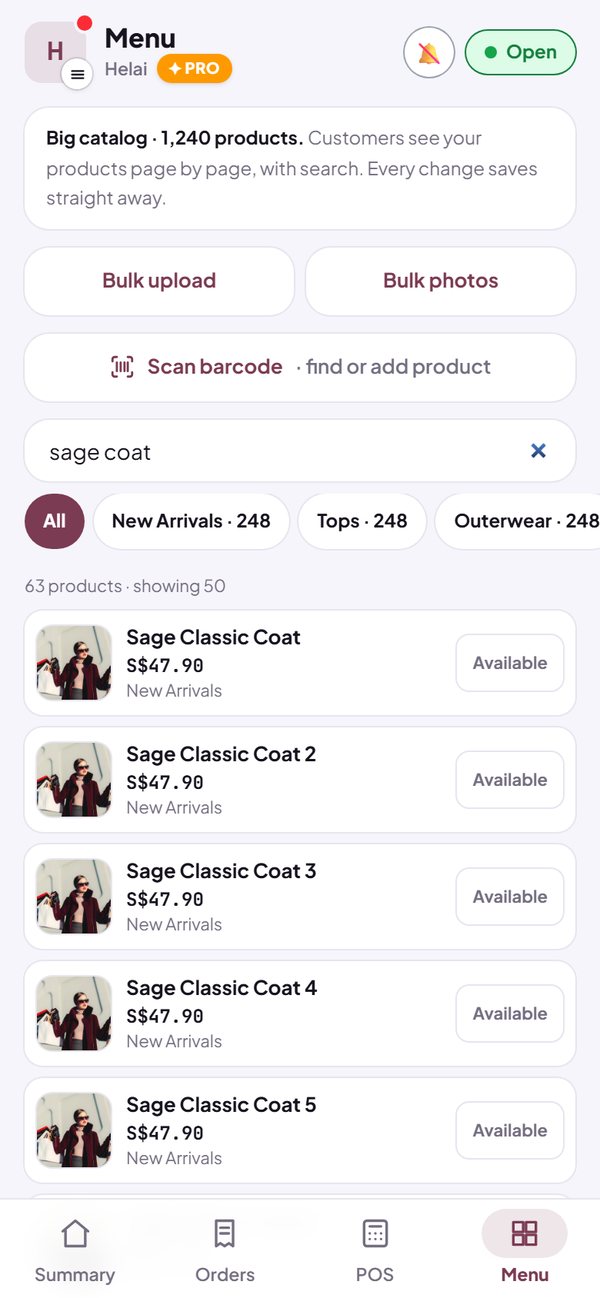
- You can set the category order from the Menu tab.
- Uploading the same file again doesn't create duplicates.
How to use it: Dashboard → Menu.
5. Orders, stock and POS keep working
The price on every order is worked out from the full catalogue on the server, so WhatsApp orders, orders paid by QR and bookings stay correct even with thousands of products. In POS, search the whole catalogue and tap a product to add it to the cart.
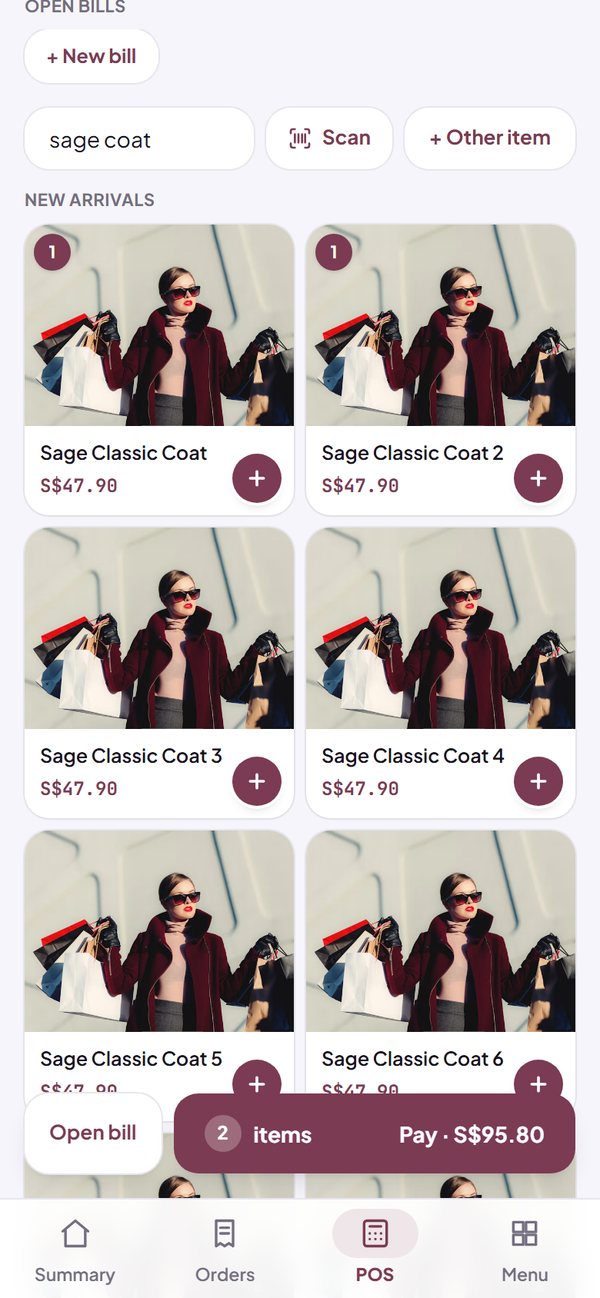
- Stock counting per product or per size still works.
- The product catalogue for Meta and Google ads (Pro) includes all your products.
How to use it: Dashboard → POS.
Questions about this release
How many products fit?
The Free plan allows up to 100 products. Pro, including the 14-day free trial, allows up to 10,000 products per store: a regular store fits roughly 200 to 800 products depending on description length, and anything above that is saved as a big catalogue.
Is the big catalogue a paid feature?
More than 100 products needs Pro. During the 14-day Pro free trial everything is open, including the big catalogue.
Will my store get slow?
No. Buyers load products page by page, and the next page only loads as they scroll, so the first page opens quickly.
What happens to my products if Pro ends?
All products stay on sale and can be edited one by one; nothing is deleted or hidden. Adding new products or using bulk upload needs Pro again.
Can a big catalogue be turned back into a regular store?
Not yet. The big catalogue is for stores with too many products for a regular store; buyers still see the same store.