New feature · 2 min read
The What's new tab: see releases, send your ideas
Kedaify keeps adding features, and not every seller has time to read the blog. Now the list is in your dashboard: the What's new tab shows everything released, newest first. From the same tab you can suggest a feature or report a problem, then follow its status.
1. Everything that has been released
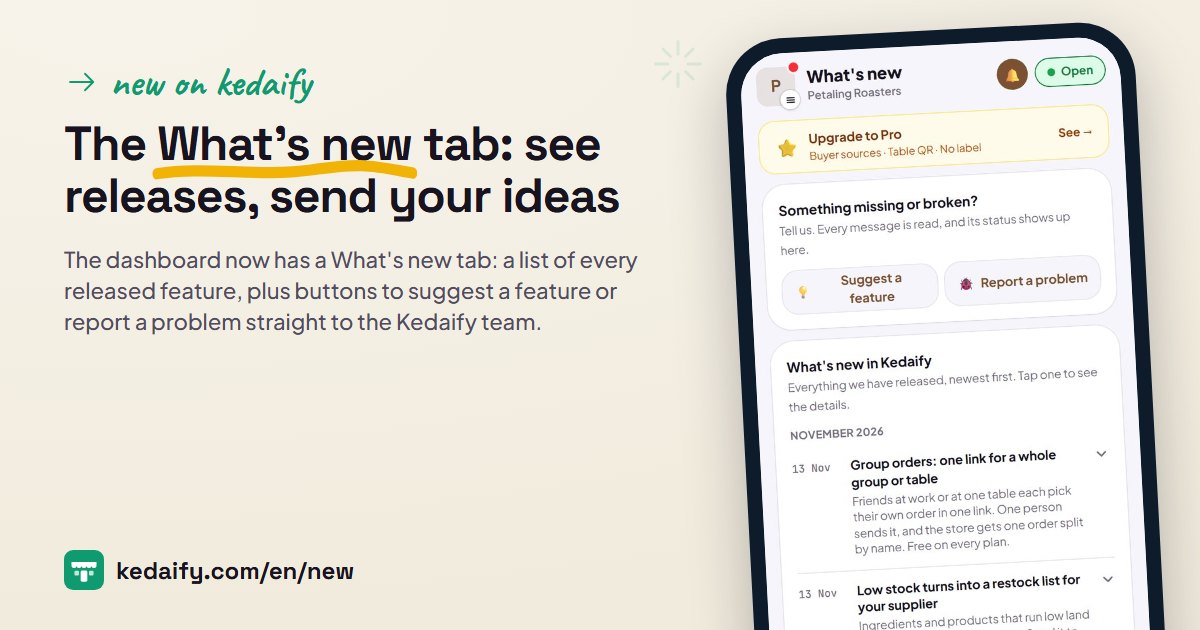
The What's new tab is at the far end of the dashboard tab row. It lists every released feature, newest first, grouped by month. Each row shows the date, title and a short summary. Tap one to see what it does and how to use it, or open the full post on the blog.
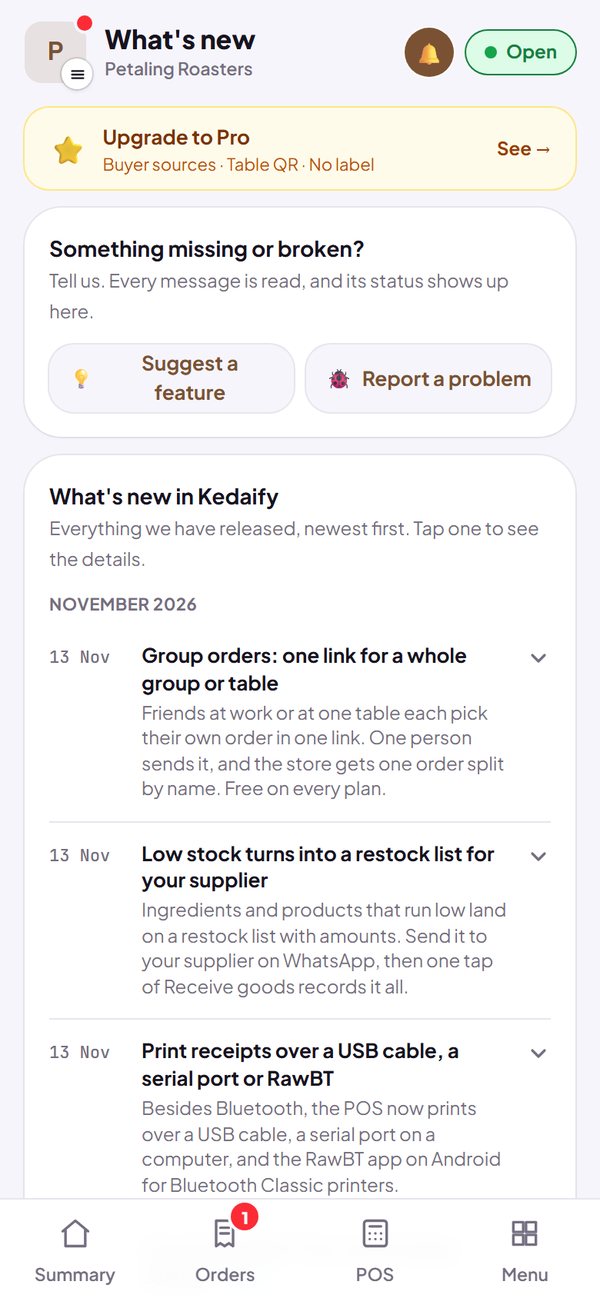
- A red dot on the What's new tab shows when there's a new release since your last visit.
- Releases that appeared since your last visit are marked New.
- It works for every store, Free or Pro.
How to use it: Dashboard → What's new.
2. Suggest a feature and report a problem
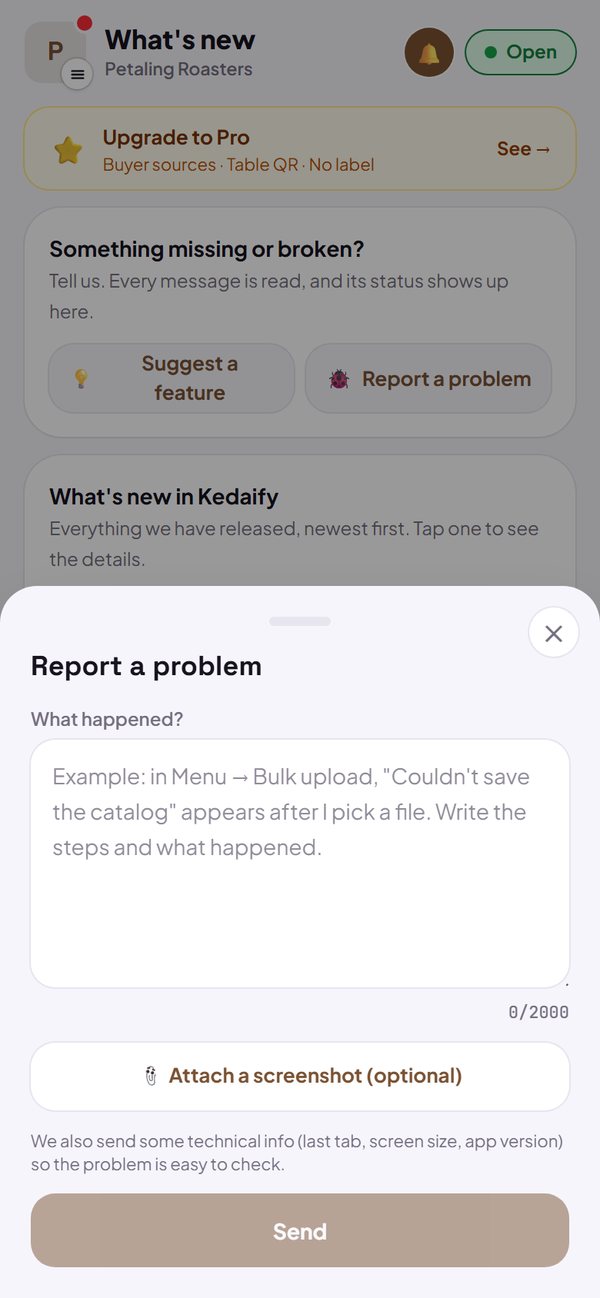
Above the release list are two buttons: Suggest a feature and Report a problem. Write in your own words, then send. A problem report can have a screenshot attached, and we also send some technical info so the problem is easy to check. Your note then shows in the same tab, with its status.
- Statuses: Sent, Read, In progress, Done, or Not planned.
- Sometimes there's a reply from the Kedaify team under your note.
- The technical info sent: the last tab you opened, screen width, app version and browser type.
How to use it: Dashboard → What's new → Suggest a feature or Report a problem.
Questions about this release
Who reads my note?
The Kedaify team. We read every note, then update its status under your note, sometimes with a reply.
What gets sent with it?
The text you write, a screenshot if you attach one, and technical info: the last tab you opened, screen width, app version and browser type. Your buyers' data is not sent.
Is there a limit?
Ten notes per store per day.