New feature · 3 min read
Your daily break-even: the least to sell each day, from your own costs
This one came from a coffee stall owner who had just started renting a place: tell me the least I need to make a day so I don't end the month in the red. It's now on your Summary, called Your daily break-even. A Pro feature.
1. Enter your costs once, rough numbers are fine
On your Summary, tap Your daily break-even. Enter what you pay every month, like rent, electricity and water, internet and monthly wages. Then what you pay every day you open, like daily wages, ice and gas. Anything you recorded under Expenses in the last 30 days is filled in for you.
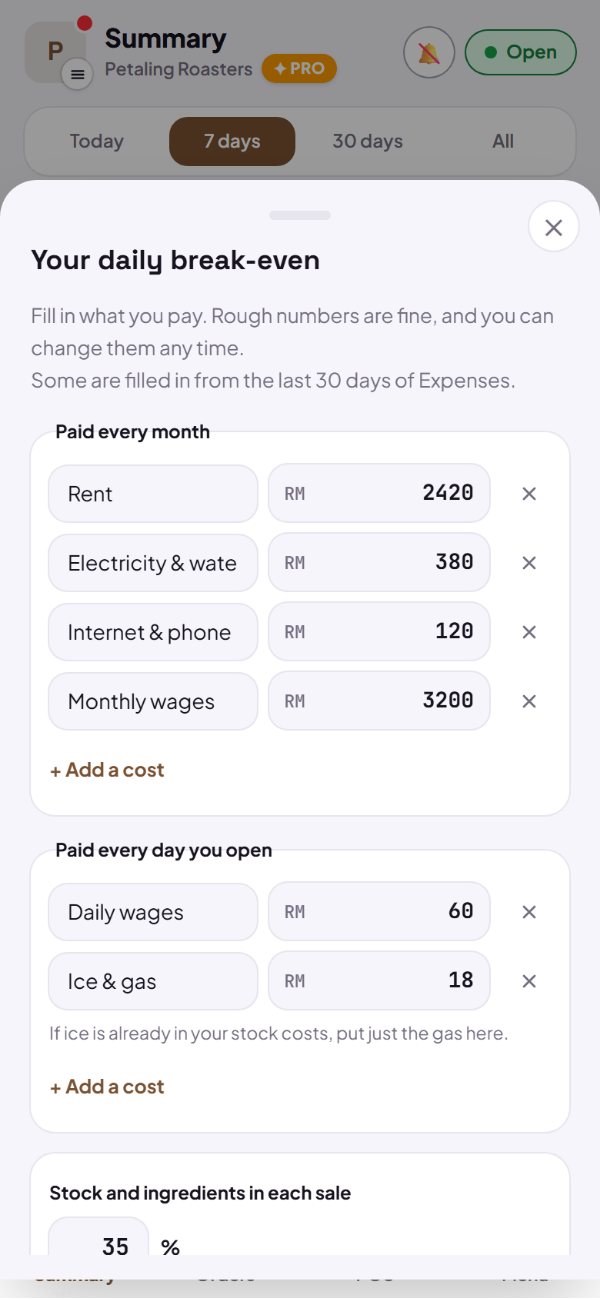
- Add, rename or remove any cost.
- Days open a month come from your opening hours, and you can change them.
- Change any number whenever you like.
How to use it: Dashboard → Summary → Your daily break-even → Work it out.
2. The least you need to sell each day
Kedaify spreads the month's costs over the days you open, adds the daily costs, then allows for the part of each sale that goes back into stock and ingredients. Out comes the least you need to sell each day to cover everything.
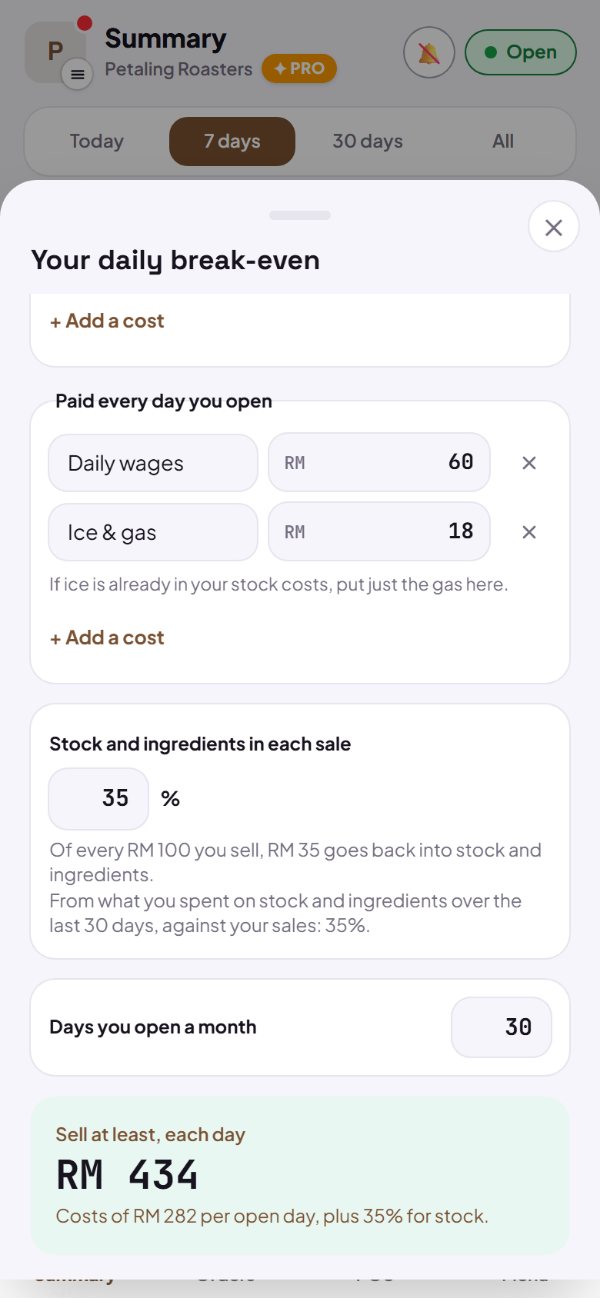
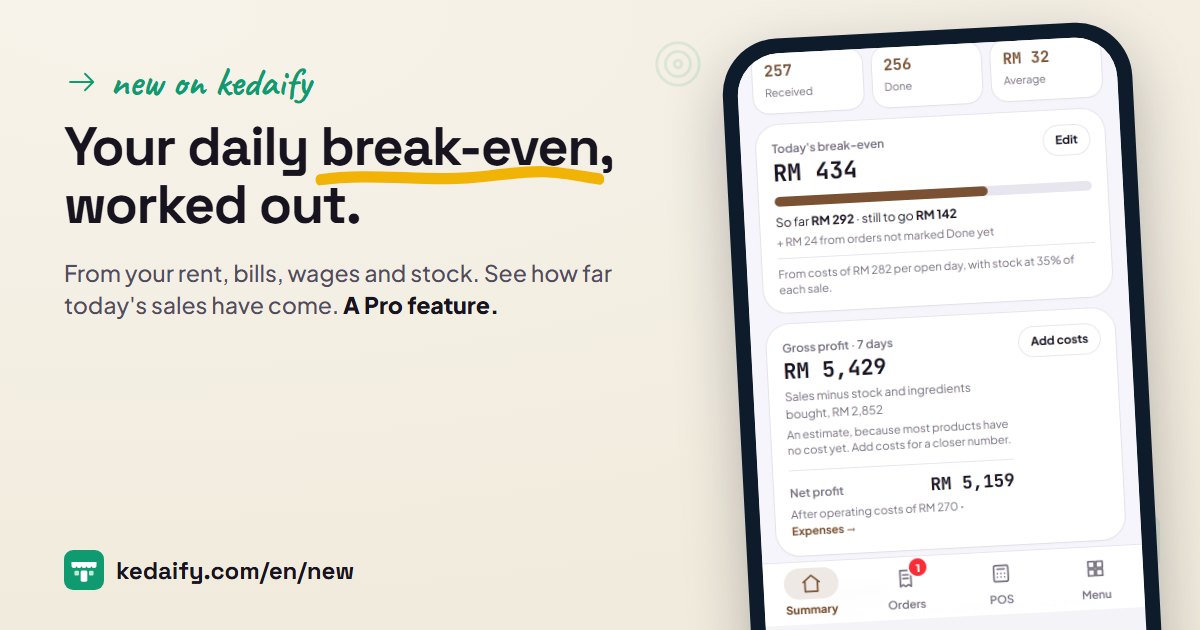
- For example: RM 282 of costs per open day with stock at 35% means selling at least RM 434 a day.
- The stock share comes from your product costs, or from what you spent on stock and ingredients when most products have no cost yet.
- Ice that's already in your stock costs doesn't need to go in the daily costs too.
How to use it: Your daily break-even → Save target.
3. Every day: how much so far, how much to go
Once the target is saved, your Summary shows today's break-even, what you've sold so far and what's still to go. When you reach it, the card says so: every sale from here on is profit.
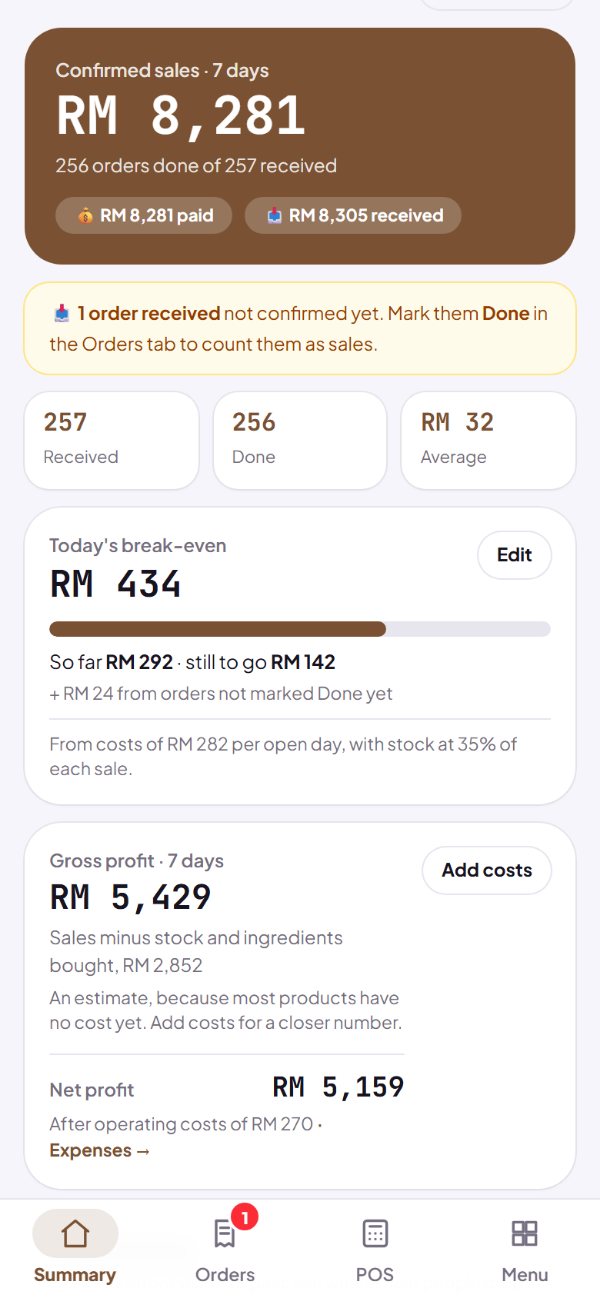
- It counts orders marked Done.
- Orders not marked Done yet show on a line of their own.
- Tap Edit to change the costs, the stock share or the days you open.
How to use it: Dashboard → Summary.
4. Stock you buy never counts twice
When your products have a cost, profit comes from that cost, and stock purchases are just recorded as money out. When most products have no cost yet, the purchases are used instead: sales minus what you bought, marked as an estimate. One way per period, so the same stock never counts twice.
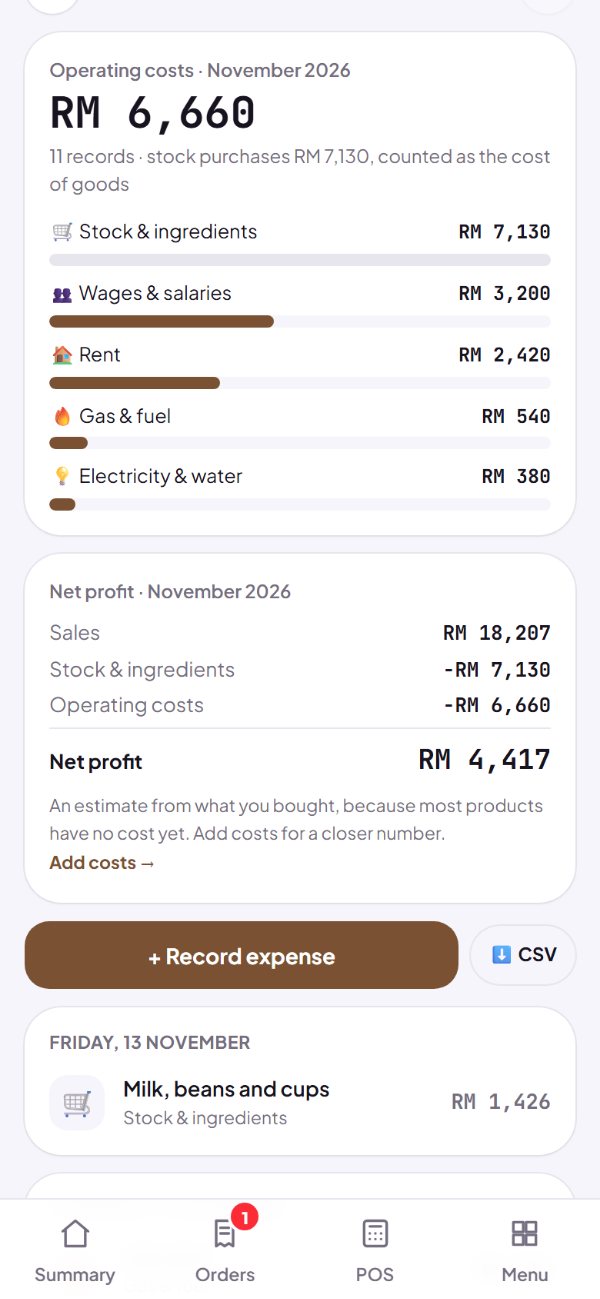
- It applies to gross profit on your Summary and net profit under Expenses.
- Add costs per product or by recipe for a closer number.
- The books on Kedaify Business keep using product costs.
How to use it: Dashboard → Expenses.
Questions about this release
Which plans have it?
Pro and Business, including the 14-day Pro trial for new stores. It's on your Summary.
Why don't I see the card on my Summary?
Your Summary shows once your store has its first order. Stores with several branches can't use it yet.
Why does the stock share come from my purchases?
When less than half of the last 30 days of sales have a cost, Kedaify uses the last 30 days of stock and ingredient purchases against your sales. Add your product costs and it follows those instead.
A big stock run makes my profit look odd. Why?
When profit comes from purchases, a big stock run on one day makes that day look like a loss. Look at 7 or 30 days, or add product costs so profit is counted when the goods sell.