New feature · 3 min read
Group orders: one link for a whole group or table
Office lunches and table orders often turn into a long chat that someone has to add up. Now everyone picks their own in the same link, everyone can see who ordered what, and the store gets one order already split by person.
1. Start from the cart, send the link to your group
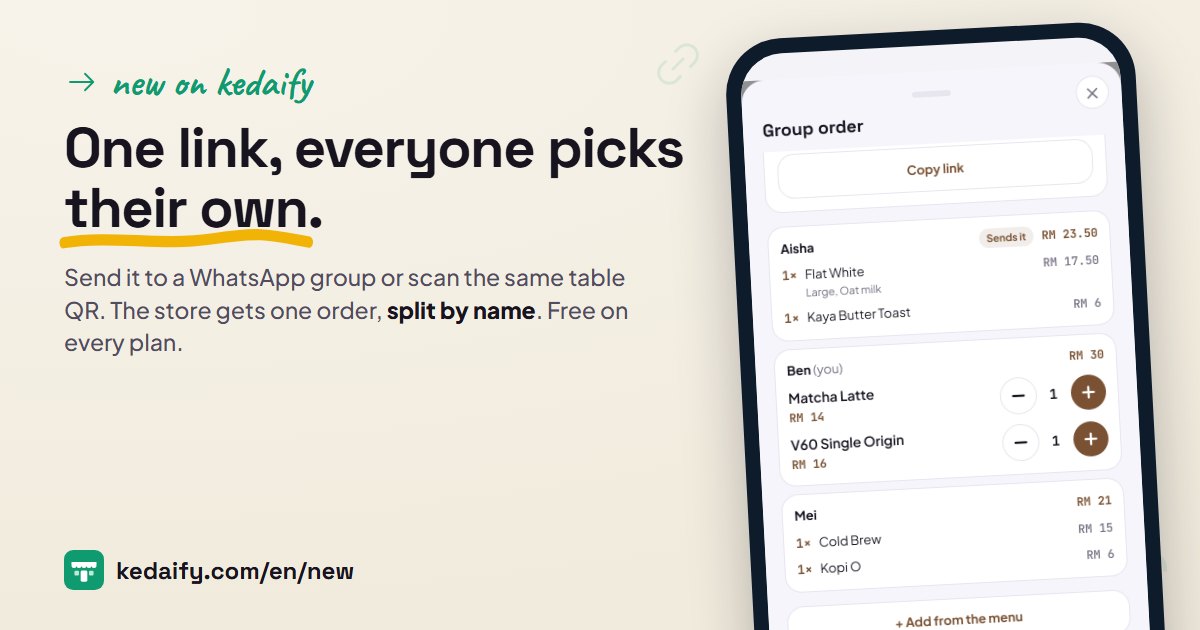
A buyer fills the cart as usual, then taps Order together. What's in the cart becomes their part of the order, and Kedaify makes a link to send to a WhatsApp group.
- Whoever opens the link types a name and picks from the menu.
- Send the link to a WhatsApp group, copy it, or share it through another app.
- Up to 20 people in one group order.
How to use it: In the store: fill the cart → Order together → Send to a WhatsApp group.
2. Everyone picks their own, and everyone can see it
Each person adds to the order under their own name. Everyone else's picks show up within a few seconds, so nobody has to add things up in the chat.
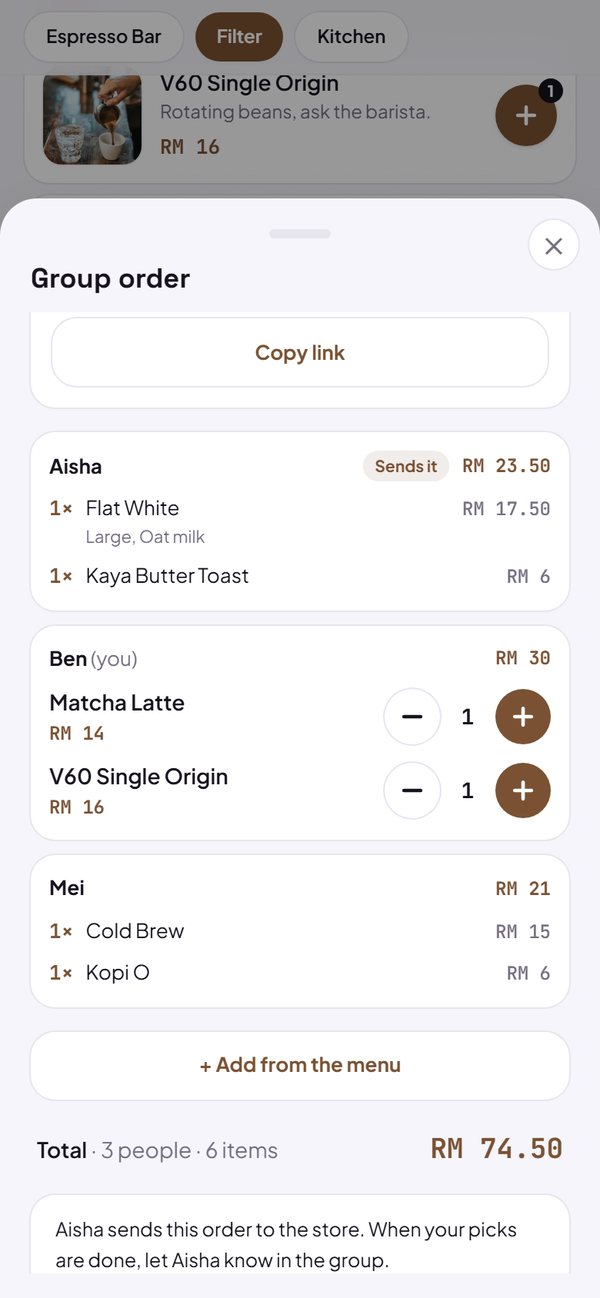
- Only the person who picked something can change it.
- Each person's amount and the total show while picking.
- What's already in your cart can come along when you join.
How to use it: Open the link from the group → type your name → Join.
3. One table, one order
In stores that use table links or table QR codes, a friend who scans the same table's QR sees that the table is ordering together and taps Join. The order comes in with the table number.
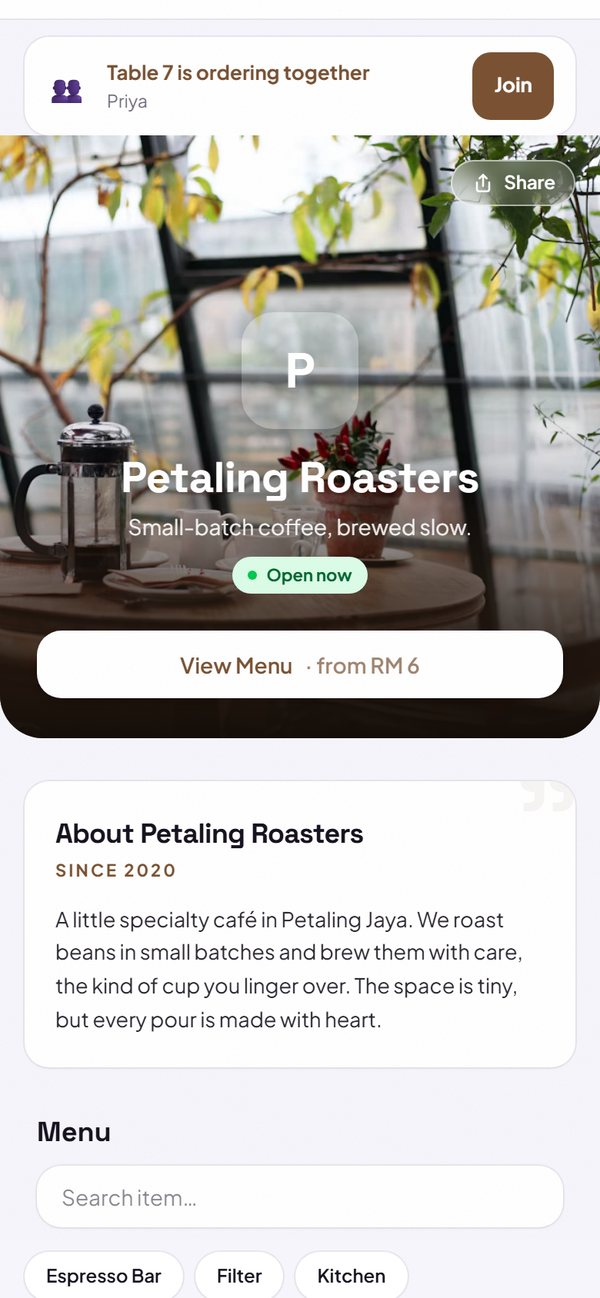
- Anyone at that table can send the order to the store.
- After 30 minutes without a change, the table's group order closes, so the next guests start fresh.
- Anyone who would rather order alone still can.
How to use it: At the table: scan the table QR → Join.
4. One person sends it, the store sees it split by name
With a group link, the person who started it sends it. The order is saved with the store first, then the group order closes, so the same order can't be sent twice.
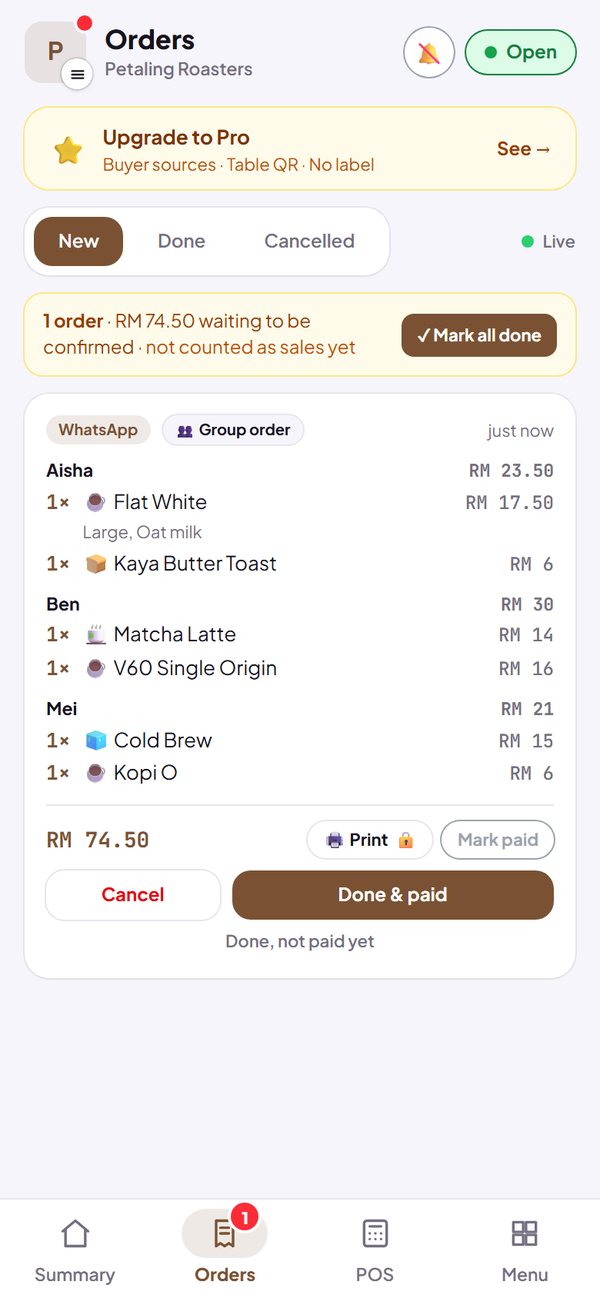
- The WhatsApp message to the store lists each person's order with their subtotal.
- In the dashboard's Orders and on the order status page, every item says whose it is.
- Prices are worked out again from the store's menu, never taken from the buyer's phone.
- Payment works as usual, from the order status page.
How to use it: Group order → Send the order on WhatsApp.
Questions about this release
Does it need switching on?
Yes. Group orders stay off until you turn them on in Settings › How to order & pay, so your cart doesn't change unless you choose it. On the Free, Pro and Business plans.
Do buyers need an account?
No. They open the link and type a name. The phone is recognised, so their part stays theirs when they open the link again.
How do people pay?
A group order is paid as one order, from the order status page as usual. Each person's subtotal is listed, so it's easy to split in the group.
Can we use a voucher?
Not yet. Vouchers work when you order on your own from the normal cart.
What if the person who started it never sends it?
A group link closes by itself after 6 hours without a change, and after a day at most. Nothing in it is sent. The person who started it can also close it at any time.
Can I change a friend's order?
No. Each person can only change their own.