New feature · 2 min read
Your dashboard menu is now at the bottom
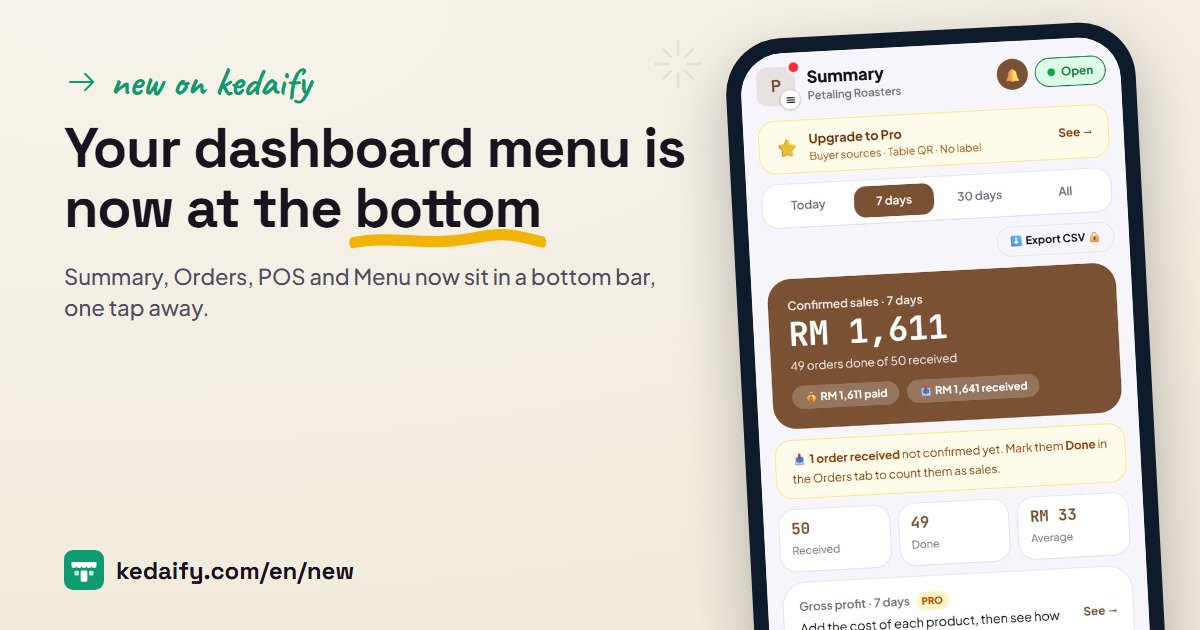
Before, every dashboard menu sat in one row at the top, and on a phone only three or four showed. Orders, one of the most used, needed a swipe first. Now the four menus you use most are at the bottom of the screen, and the rest is one tap on your store logo. The menu names are the same, they just moved.
1. Four daily menus at the bottom of the screen
Summary, Orders, POS and Menu now sit in a bottom bar. These are the four menus store owners open most, so they are always one tap away from any page. The count of new orders still shows on Orders, so you see it the moment someone orders.
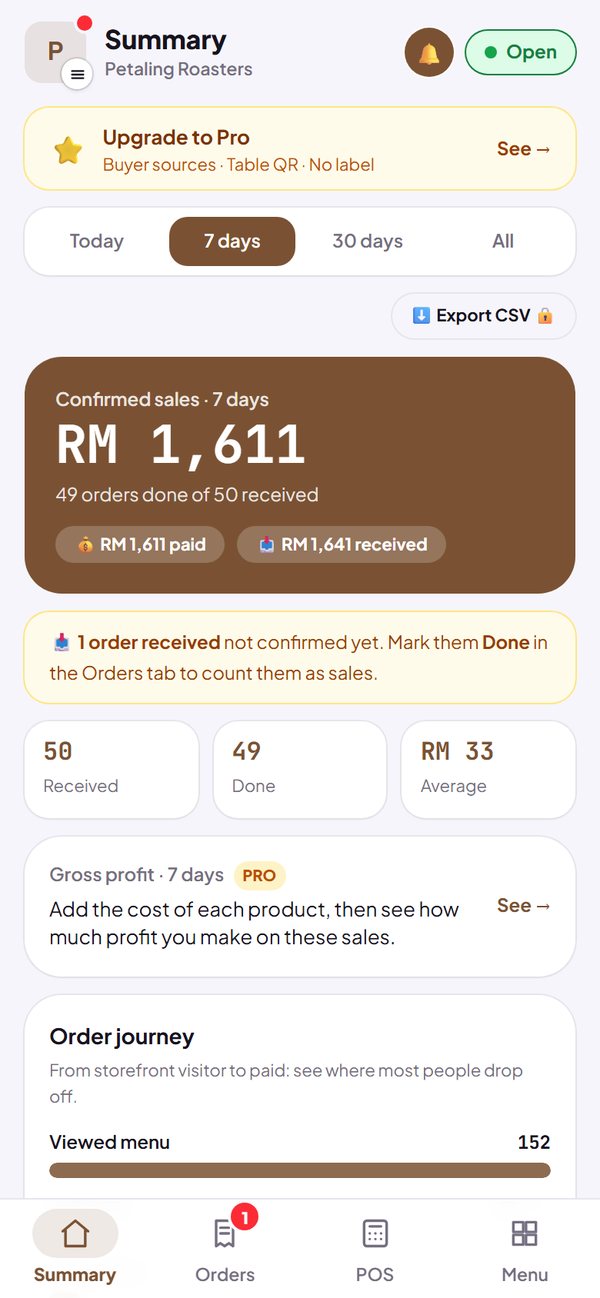
- The bottom bar is on every dashboard page, on phones and tablets.
- The Pay button in POS and the Save button in Menu and Settings now sit right above the bottom bar.
- Stores that take bookings or enquiries see Summary, Leads, Menu and Share, because they don't use POS.
How to use it: Automatic for every store, Free or Pro.
2. Everything else is in your store logo
Tap your store logo at the top left. The menu drawer opens from the left with every dashboard menu in three groups: Sales, Store and Reports. Pick one and the drawer closes by itself. The Pro plan, What's new and Sign out are at the bottom of the drawer.
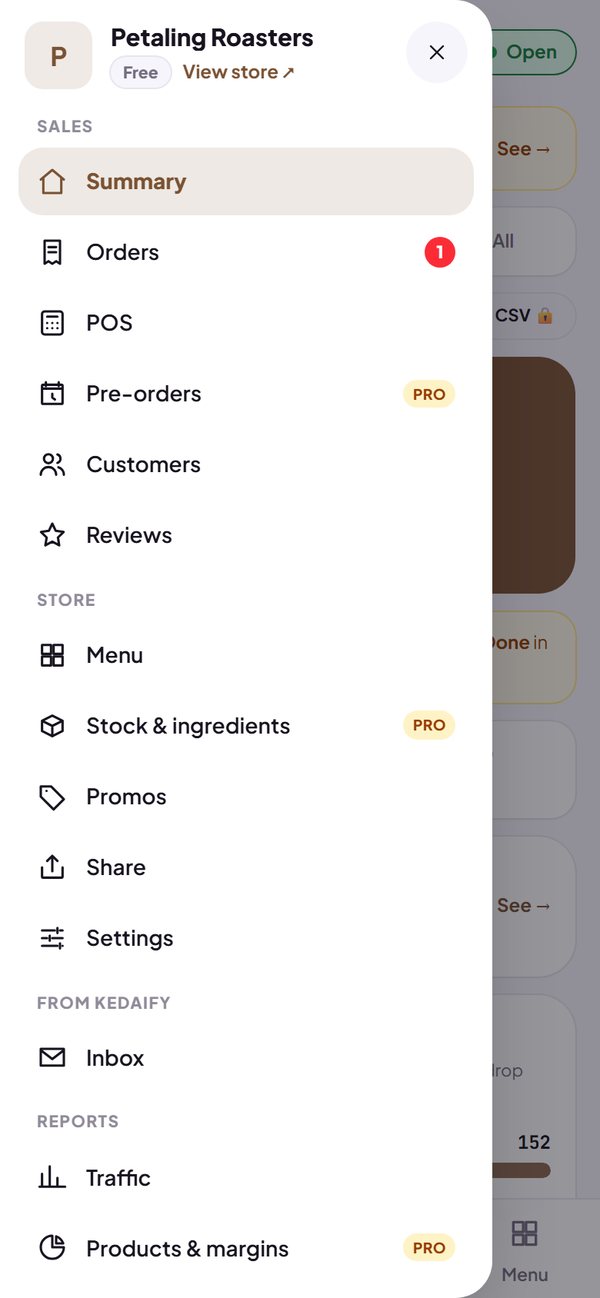
- The menu names are the same: Reviews, Promos, Share, Settings, Traffic and What's new.
- Close the drawer by tapping outside it, tapping ×, or pressing Back on an Android phone.
- A red dot on the logo means something is new in the drawer, for example a new post in What's new.
- On a laptop, the drawer becomes a side menu that stays open.
How to use it: Tap the store logo at the top left of the dashboard.
3. A quick hint the first time you open it
The first time you open the dashboard after this update, a short hint points to your store logo and the bottom bar. Tap Got it to close it, or Show me the menu to open the drawer straight away.
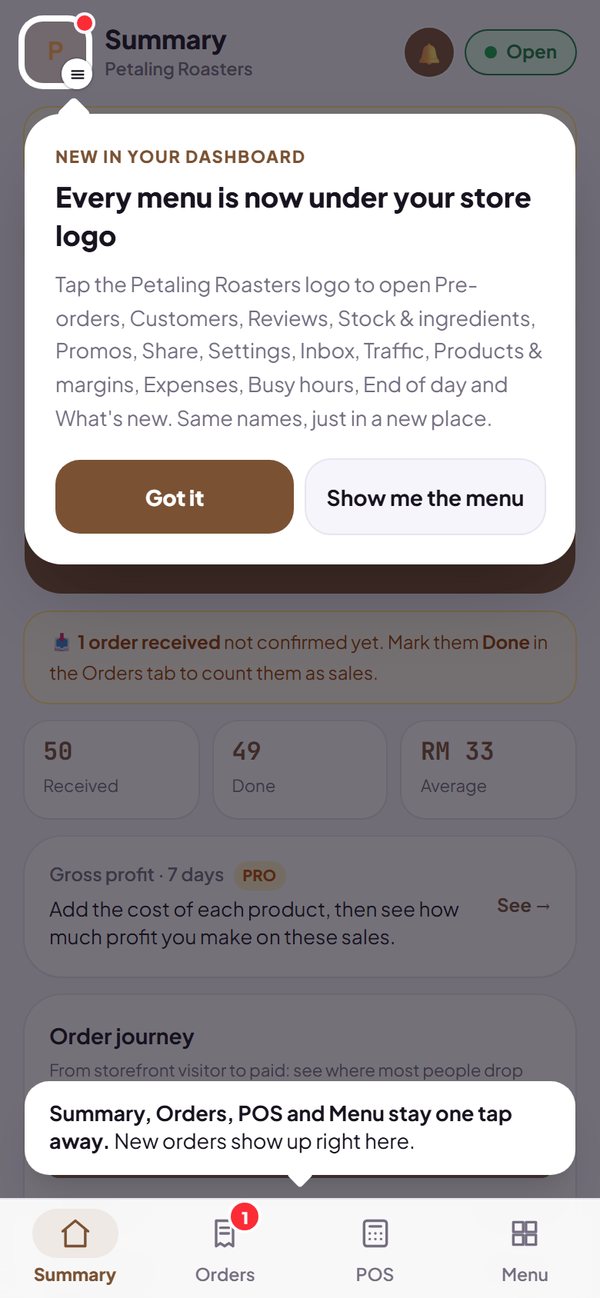
- The hint shows only once on each phone or browser.
- On a laptop you won't see it, because the side menu is already visible.
How to use it: Shows up once by itself, on a phone.
Questions about this release
Is any menu gone?
No. Every menu is still there with the same name. Only the place changed: four in the bottom bar, the rest in the drawer from the store logo.
Where did Sign out go?
To the bottom of the drawer. Tap the store logo, then Sign out.
Is this a Pro feature?
No. The new navigation is for every store, Free or Pro.
Why are those four menus at the bottom?
Summary, Orders, POS and Menu are the menus store owners open most in the Kedaify dashboard. Stores that take bookings or enquiries see Leads and Share instead, because they don't use POS.