New feature · 2 min read
Edit an order before it's paid: the customer wants one more, just change it
The order came in on WhatsApp, then the customer messages: one more of those, or drop that one. Until now the way out was to cancel and ask them to order again. Now every order that isn't paid yet has Edit order. Free on every plan.
1. Add, change or remove items
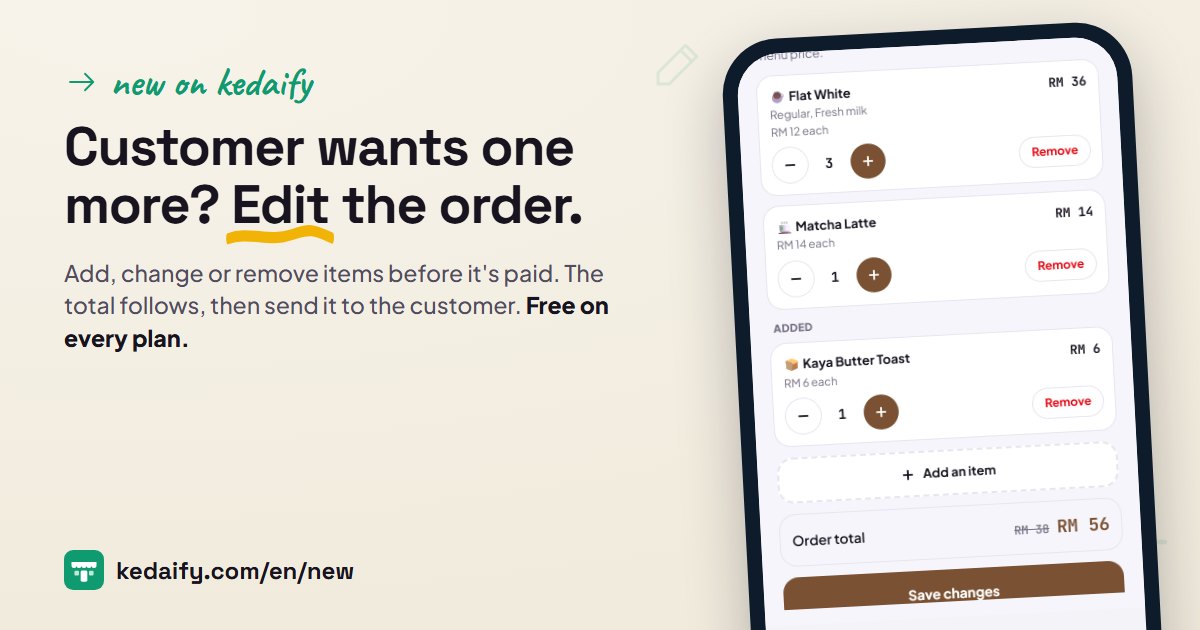
Open Orders, then tap Edit order on an order that isn't paid yet. Each item has fewer, more, and Remove. Add an item opens your menu: search, tap, and pick its options if it has any.
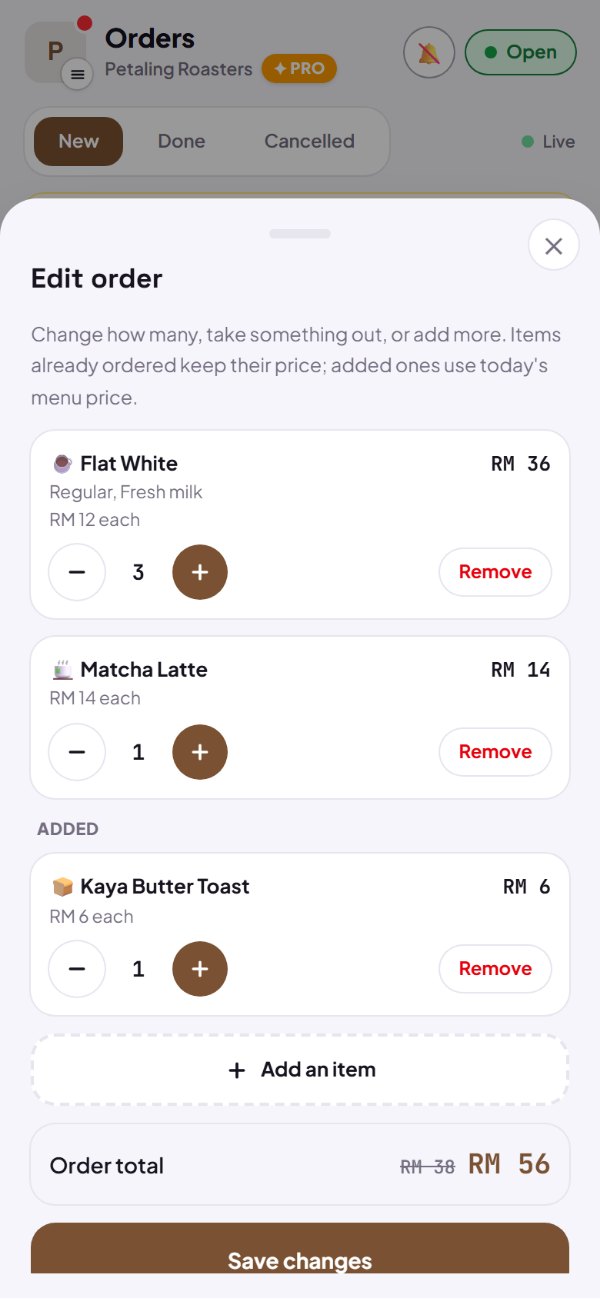
- Items already ordered keep the price the customer saw.
- Added items use today's menu price, with their options.
- The old total is struck through and the new one shows straight away.
- Removed the wrong one? Tap Undo before saving.
How to use it: Dashboard → Orders → Edit order.
2. Send the updated order to the customer
Once it's saved, the WhatsApp message for the customer is ready: every item as it is now, the total, and the order link. Tap Send on WhatsApp, pick their chat, send.
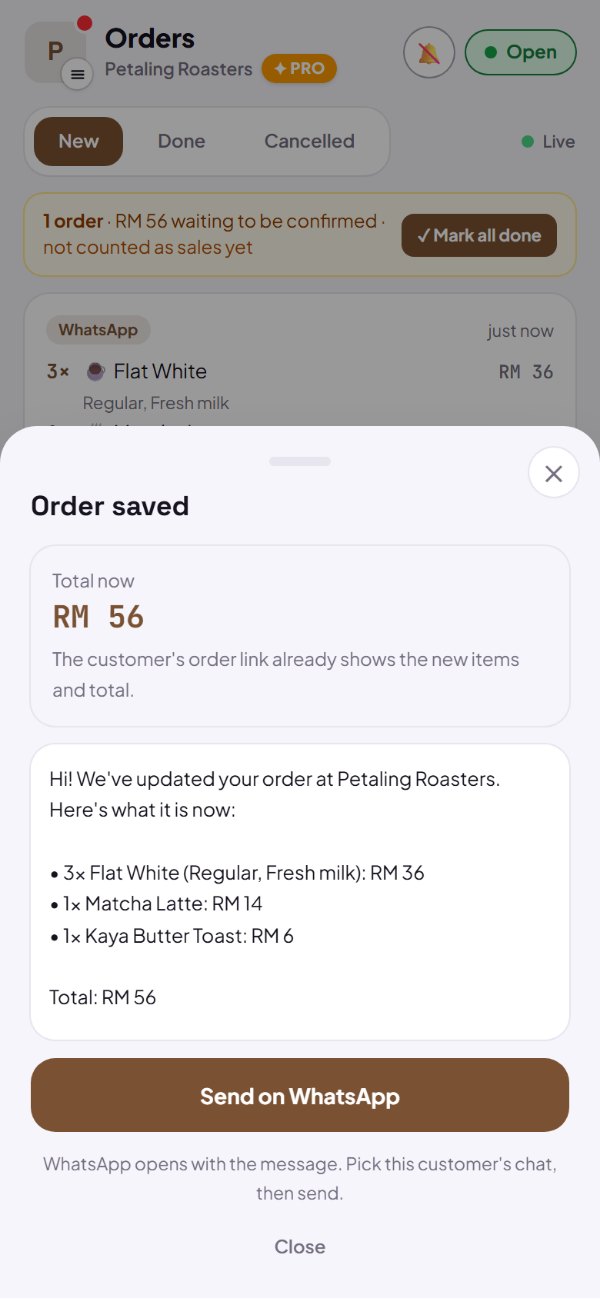
- Delivery orders go straight to the customer's number.
- Promos and delivery fees are written in when there are any.
- Something sold by weight on it? Weigh it first, then send the final total.
How to use it: Order saved → Send on WhatsApp.
3. The customer's order link changes too
A customer who opens their order link sees the new items and total, with Changed by your store and the time. They pay the new total from there too.
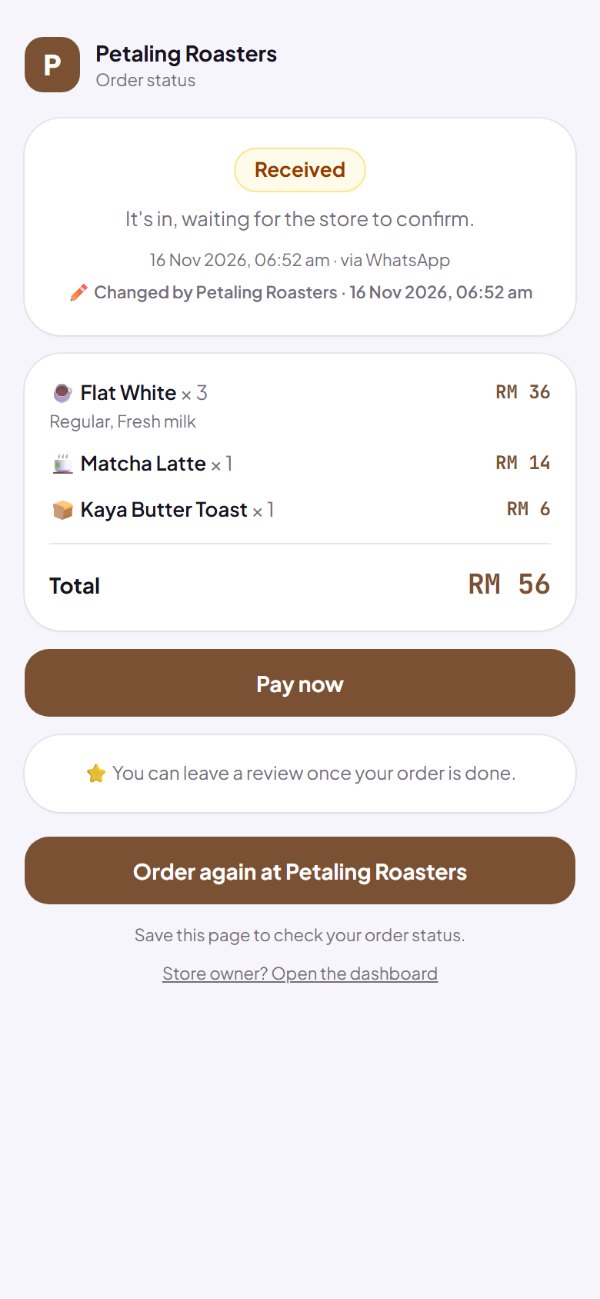
- In Orders, an edited order is marked Edited.
- Stock follows: added items are held, removed ones go back.
- A paid order can't be edited any more.
How to use it: The customer's order link.
Questions about this release
Can I edit an order that's already paid?
No. Edit order is there until the order is marked Paid or a payment is recorded on it. After that it stays as it is, so your money records match.
Do the prices of items already ordered change?
No. Items already on the order keep the price the customer saw. Only added items use today's menu price.
What if the order has a promo?
The promo discount stays the amount it was, and never more than the items come to.
The customer said they'd paid, then asked to add something?
You can still edit it until you mark it Paid. Kedaify reminds you to check the difference with them.
Orders from delivery apps?
Those are changed in the delivery app. Edit order is for orders that come into your own store.
What does it cost?
Nothing. It's free on every plan.