New feature · 2 min read
Sell by weight online: priced per kg, the total after weighing
Prawns, squid, meat, fruit: the price is only known once it's weighed. Online stores usually want a fixed price, so many sellers end up typing in a made up one. Now any product can be Sold by weight: customers see the price per kg, you weigh their order, and the total works itself out. Free on every plan.
1. Set a price per kg, per 100 g, per lb or per oz
Open Menu, tap the product, then switch on Sold by weight. Pick the measure, type the price, save. In your store it reads like RM 38/kg.
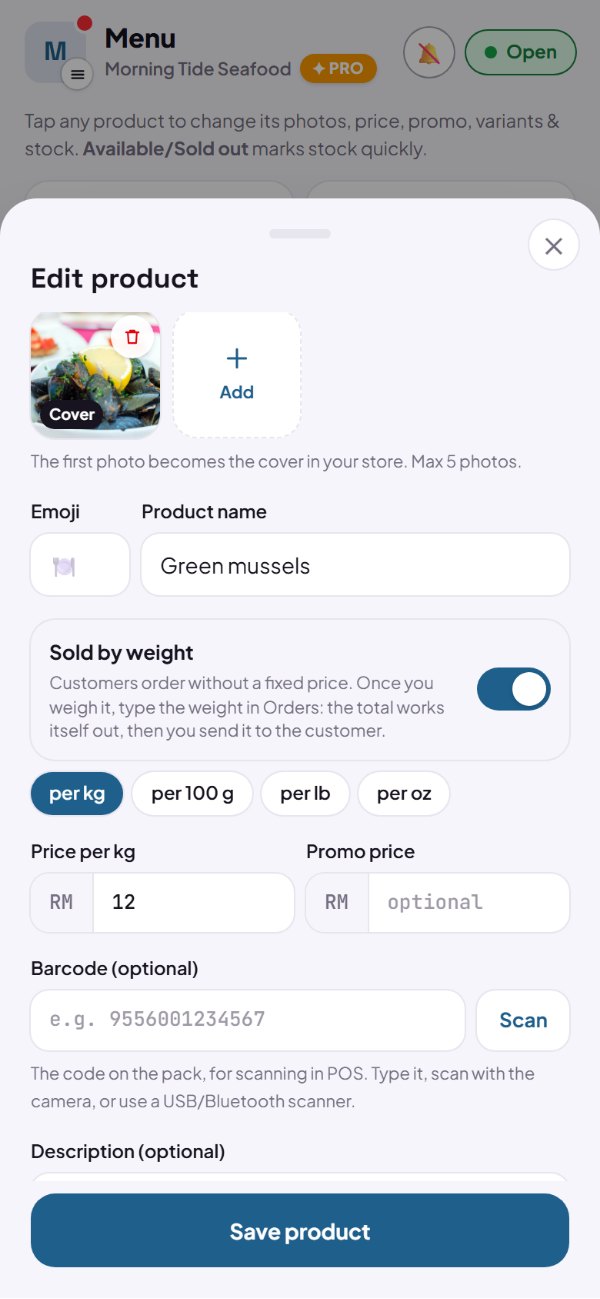
- Per product: everything else keeps its usual price.
- Options still work, like Whole or Cleaned.
- In the POS, the product asks for its weight when you tap it.
- Stores outside Indonesia can price per lb or per oz too.
How to use it: Dashboard → Menu → product → Sold by weight.
2. Customers order without a fixed price
In the cart, a weighed item shows its price per kg and Final price after weighing. The total reads plus weighed items, so there's never a confusing zero price.
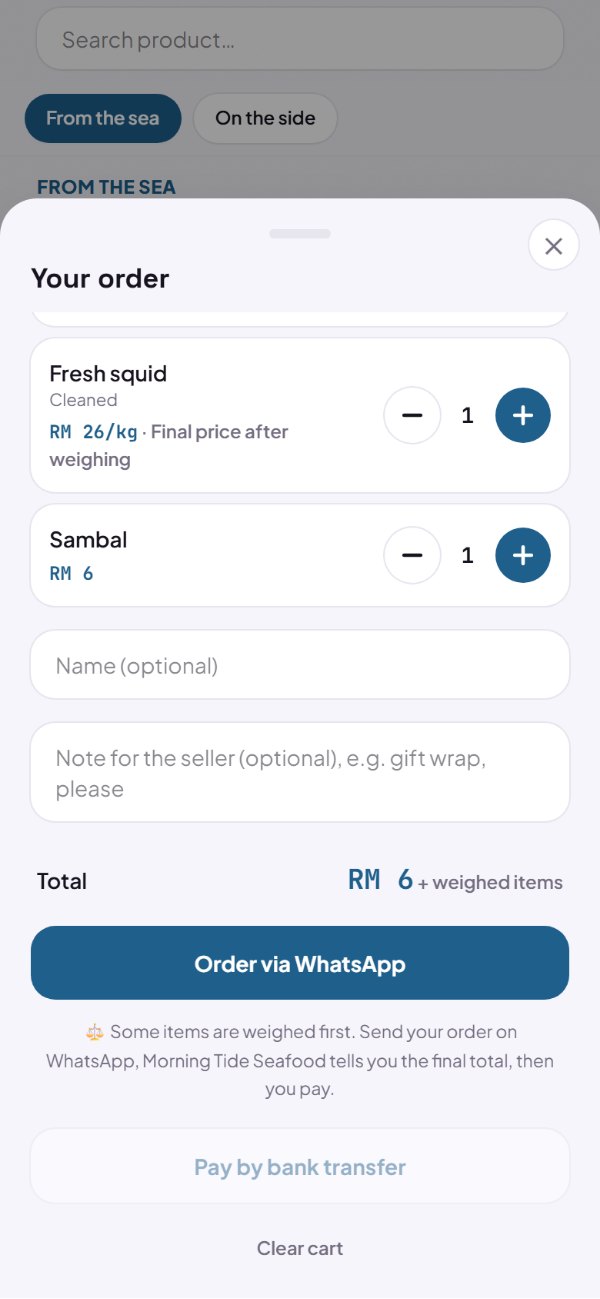
- Paying up front by transfer waits until you send the final total.
- Ordering on WhatsApp works as usual.
- Items with a fixed price still count in the total.
How to use it: Automatic for products sold by weight.
3. Weigh it, type the weight, the total is done
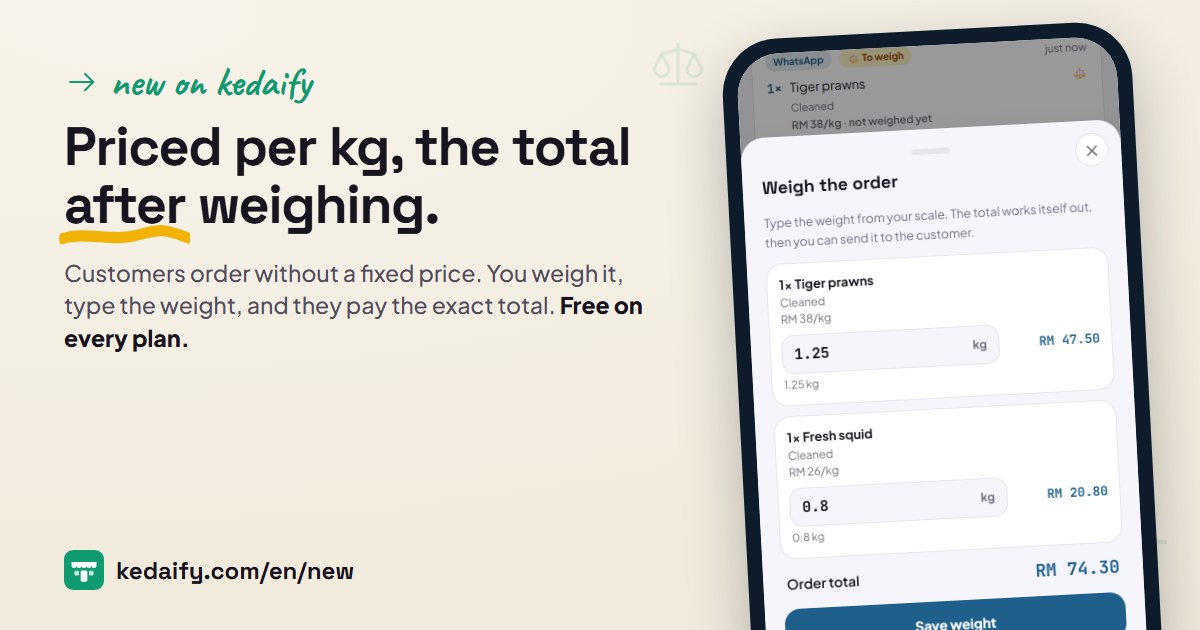
Orders that need weighing are marked To weigh. Tap Weigh & send the total to the customer, type the weight from your scale, and the total works itself out as you type.
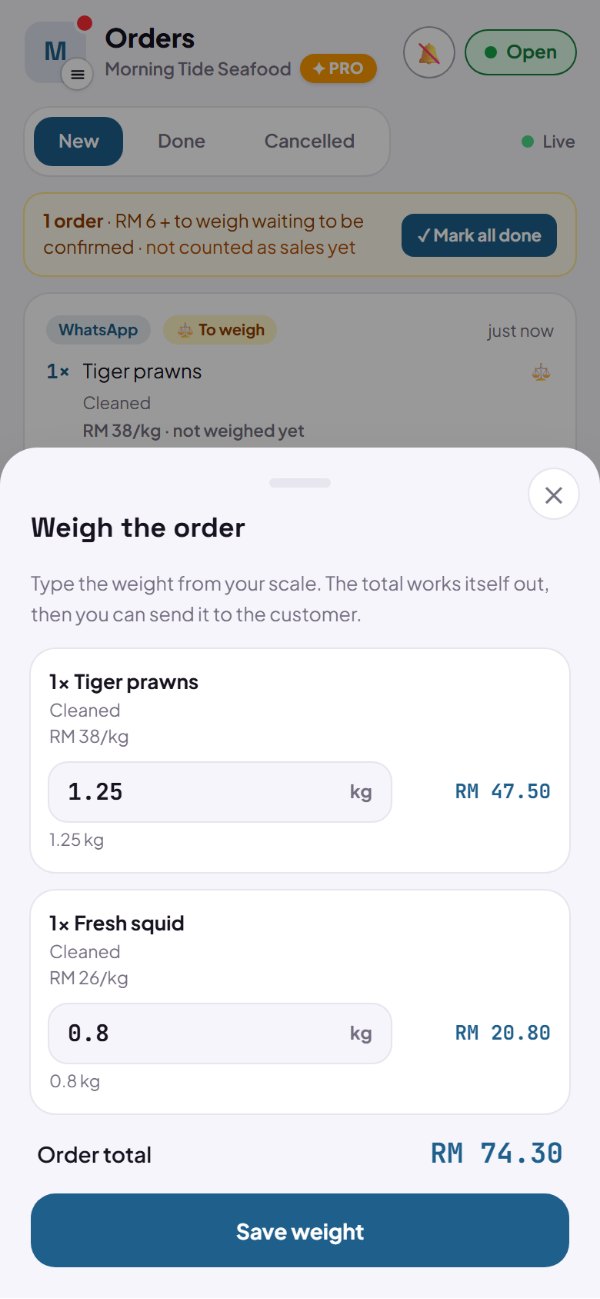
- Type it as 1.25 kg.
- A typo? Tap Edit weight and the new weight replaces the old one.
- Once saved, the WhatsApp message with the weights, the price per kg and the total is ready.
How to use it: Dashboard → Orders → Weigh & send the total to the customer.
4. Customers pay the exact total
The customer's order link shows each item's weight, the price per kg and the final total. Pay now appears once you've weighed it.
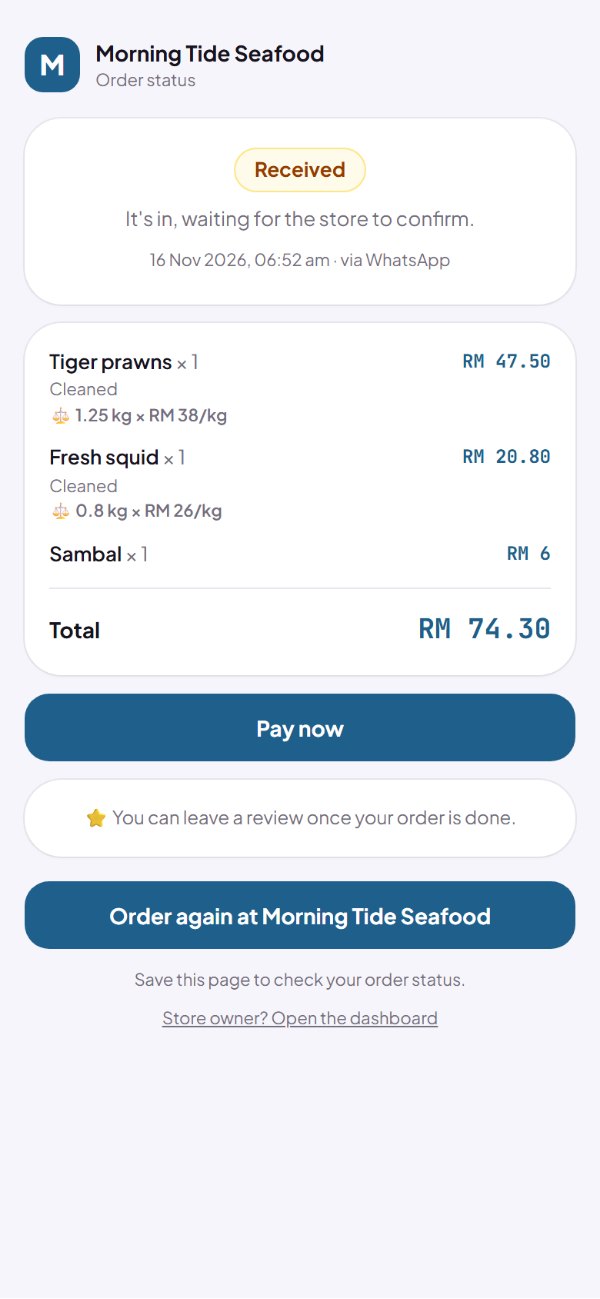
- Before it's weighed, the page says the order is being weighed.
- The page checks by itself, so the total appears without reloading.
How to use it: The customer's order link.
Questions about this release
What sells well by weight?
Anything whose price is only known once it's weighed: seafood, fish, meat, chicken, fruit, vegetables, cake or nuts.
Can I price per 100 g, per lb or per oz?
Yes. Pick the measure when you switch on Sold by weight, then type the price for that measure.
What if I type the wrong weight?
Tap Edit weight on that order. The new weight replaces the old one and the total follows.
Can customers pay by transfer up front?
Once you've weighed it and sent the total. Until then paying up front waits, so nobody pays the wrong amount.
What does it cost?
Nothing. It's free on every plan.