New feature · 2 min read
Enquiry form for services, classes and property
Customers pick a service, fill in a short form, and the message goes straight to your WhatsApp. It is saved neatly in your Leads tab.
1. Enquiry and quote form
Not every business suits a shopping cart. For services, classes, rooms to rent or property, buyers pick the service they are asking about, then fill in their name, WhatsApp number, the time they want, and a message. They tap Send via WhatsApp, and the message opens in WhatsApp, ready to send to you.
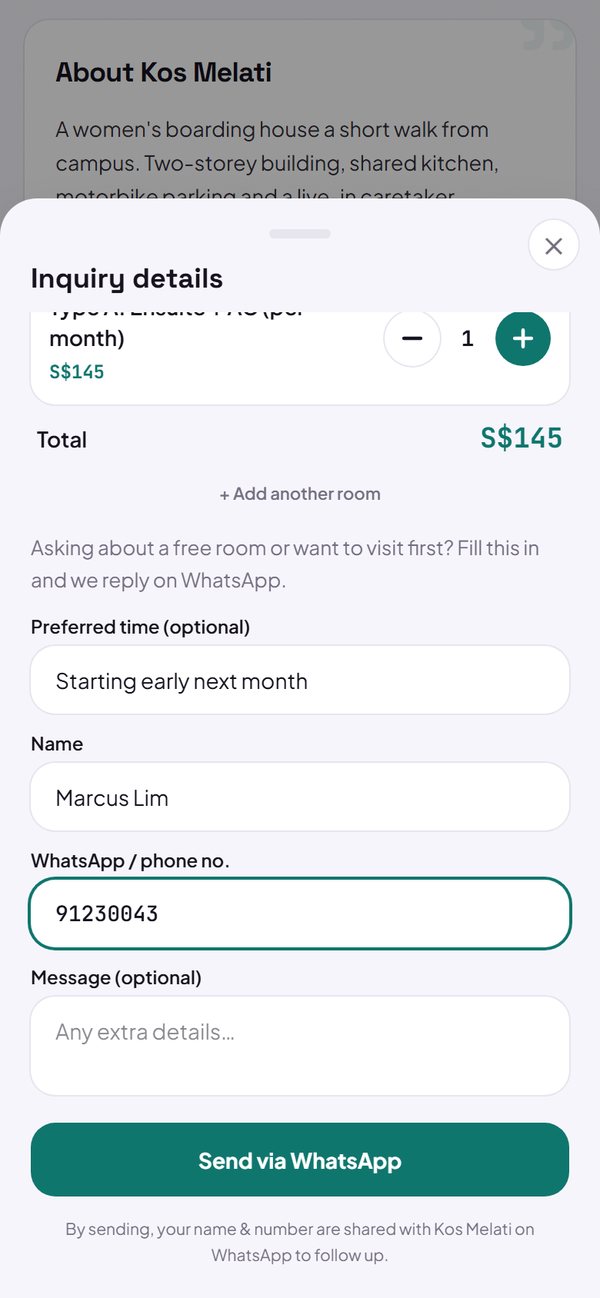
- Buyers can pick several services at once, with the total shown.
- You can write an opening line above the form.
- A note says the buyer's name and number are sent to your store.
How to use it: Settings → How to order & pay → How customers order → Enquiry / quote form.
2. The Leads tab
Every enquiry is saved in the Leads tab, split into New, Contacted and Done. Tap Reply on WhatsApp to answer with a ready-made greeting, then mark the status so no customer slips through.
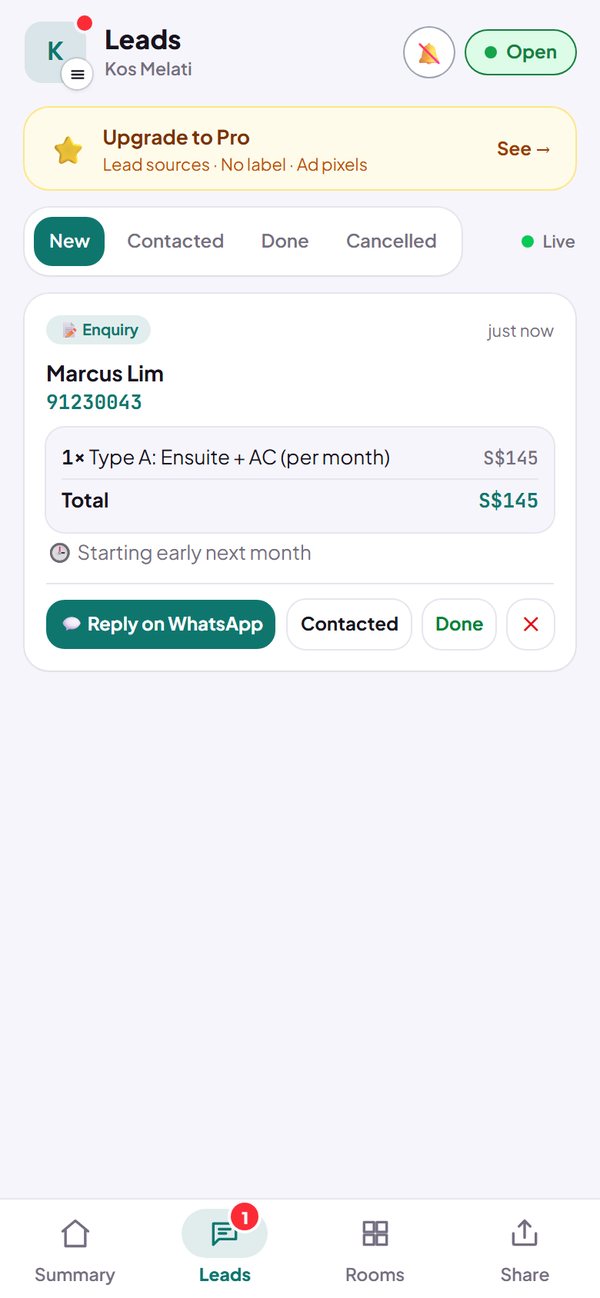
- You get a notification when a new lead comes in.
- A lead that drops out can be marked ✕.
How to use it: Dashboard → Leads.
3. Lead summary
The Summary tab becomes a lead summary: how many came in, how many you marked done (conversion), leads per day, and the services people ask about most.
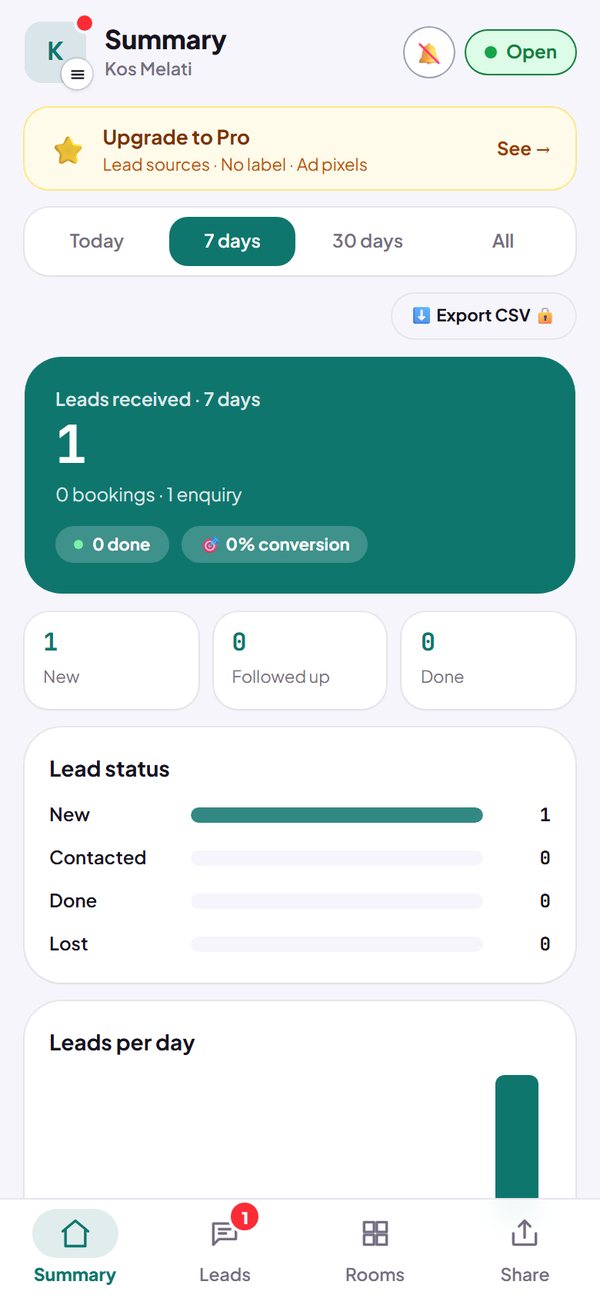
- Today, 7 days, 30 days and all time: free.
- Lead sources: Pro.
How to use it: Dashboard → Summary.
Questions about this release
Is a lead saved even if the message is never sent?
Yes. A lead is saved when the buyer taps Send via WhatsApp, before the message is actually sent. If a message never arrives, say hello first using their number.
Which business types use the enquiry form?
Services, Content Creator, Education & Courses, and Property & Real Estate use the enquiry form from the start. Other business types can switch to it in Settings → How to order & pay.
Is the enquiry form a paid feature?
No. The form, the Leads tab and the summary for every time range are free. Lead sources are on the Pro plan.