New feature · 2 min read
Low stock turns into a restock list for your supplier
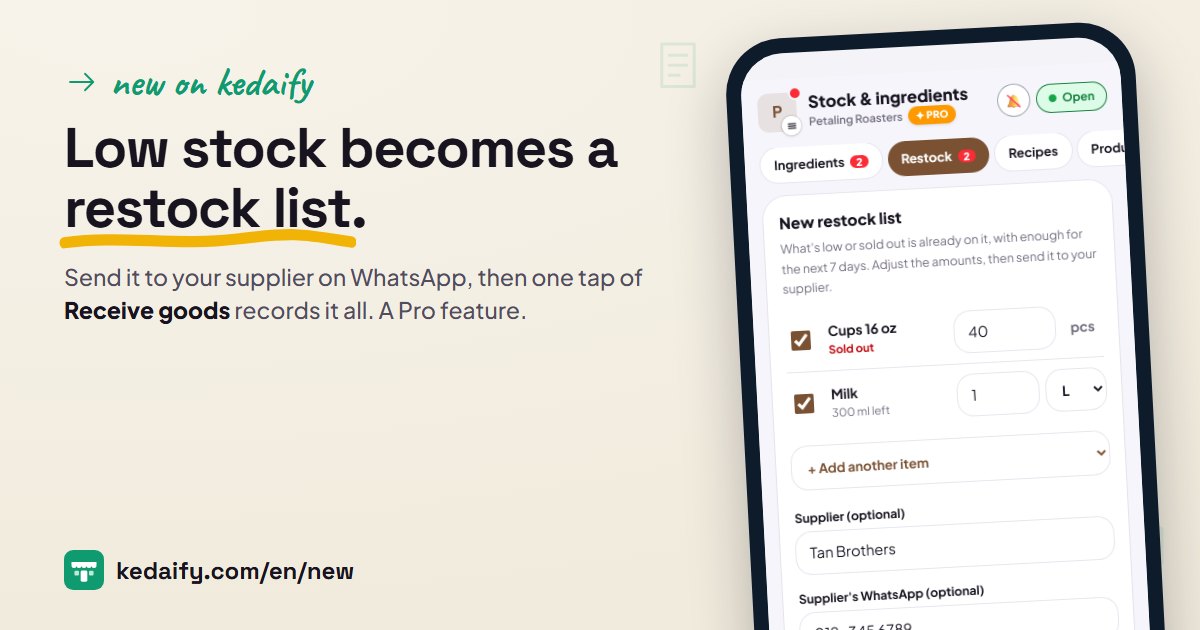
Restocking usually starts with checking the shelves one by one and typing a list into a chat. Stock & ingredients now has a Restock tab: what's low is already on the list, the amounts are worked out, and the goods are recorded in one tap when they arrive. A Pro feature.
1. What's low is already on the list
Ingredients and products at their low-stock level, or sold out, appear on a new restock list by themselves. The amount covers the next 7 days based on the last 7 days of use, at least twice the low-stock level, minus what's left.
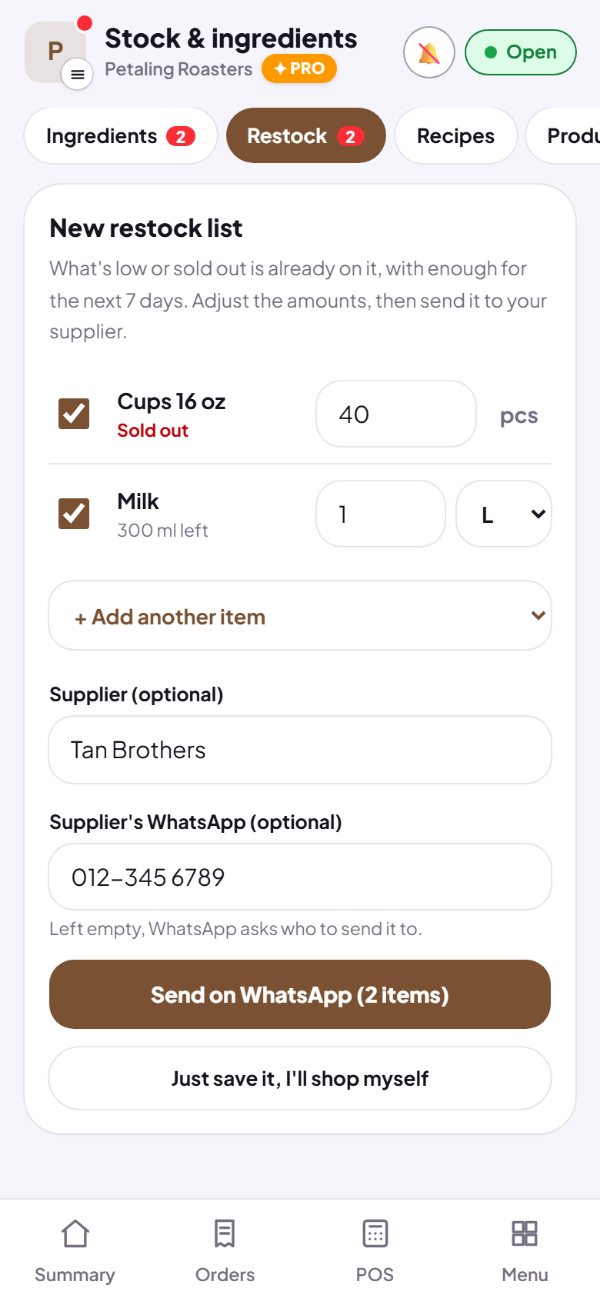
- Amounts are rounded to how you buy them, like kg, litres or pcs.
- Change any amount, and add other items.
- Untick anything you don't want to buy now.
How to use it: Dashboard → Stock & ingredients → Restock.
2. Send it to your supplier, or shop yourself
Add the supplier's name and WhatsApp number, then send. WhatsApp opens with the items and amounts, ready to go. Going to the market yourself? Just save it, and the list stays in your dashboard.
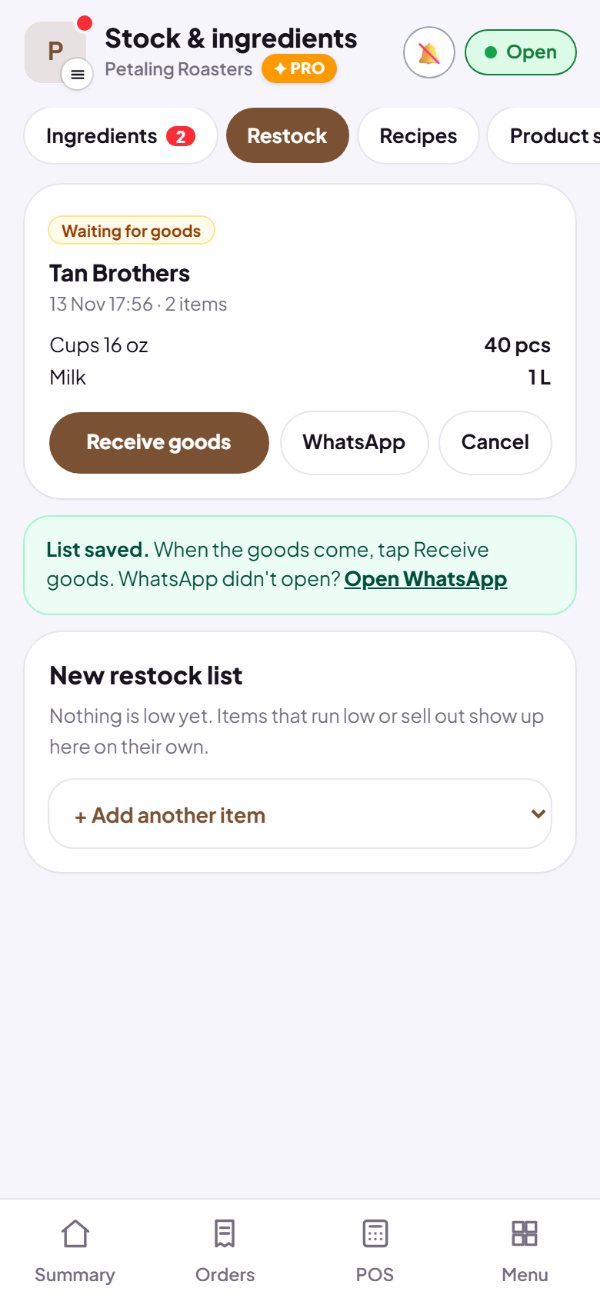
- The supplier's name and number are optional; left empty, WhatsApp asks who to send it to.
- A saved list waits until the goods arrive.
- Not buying after all? Cancel the list.
How to use it: Restock → Send on WhatsApp, or Just save it, I'll shop myself.
3. Goods arrive, one tap of Receive goods
When the goods come, tap Receive goods. Enter what actually came, and the price if you like, then save. Every line goes in as stock in and shows in History.
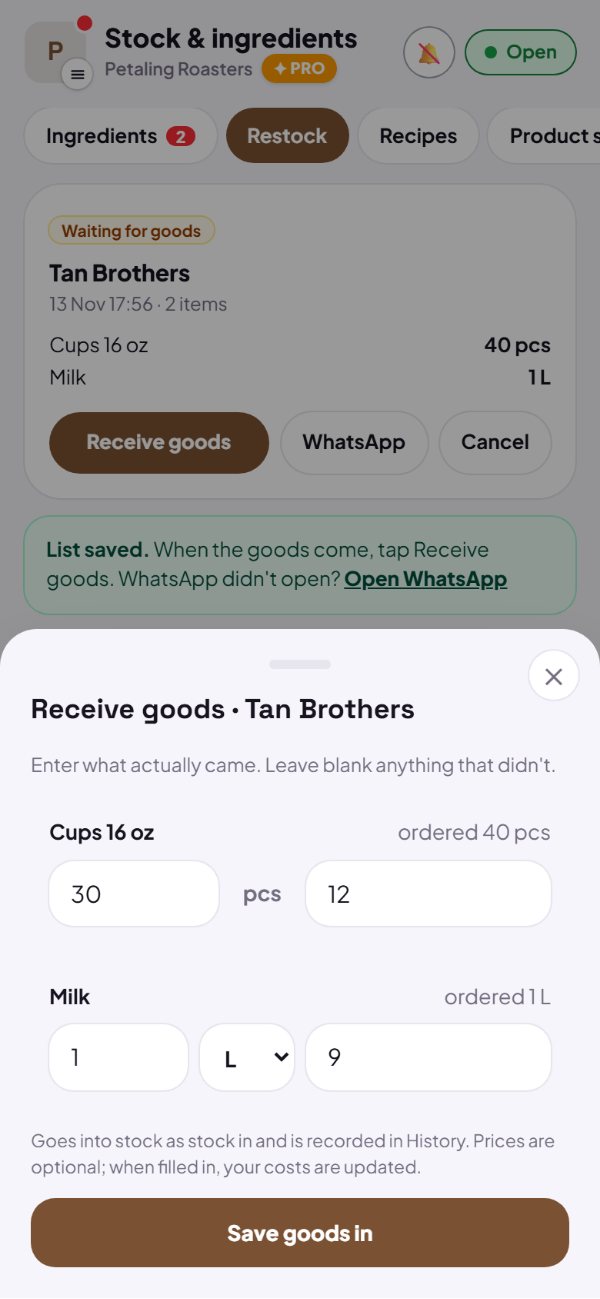
- Leave blank anything that didn't come.
- The price is optional; when you enter it, your costs update too.
- A list can only be received once, so stock never doubles.
- On Kedaify Business, restock lists are made and received per branch.
How to use it: Restock → Receive goods → Save goods in.
Questions about this release
Which plans have it?
Pro and Business, including the 14-day Pro trial. It's in Stock & ingredients, on the Restock tab.
Why isn't my item on the list?
Only ingredients and products whose stock is counted and has run low or sold out appear. Set the low-stock level in Stock & ingredients. You can still add any other item to the list yourself.
I buy from different suppliers. What then?
Untick the items from other suppliers, then send. Whatever isn't on a list yet shows up again on the next new restock list, for the next supplier.
Does it work for shops, not just cafés?
Yes. Products whose stock is counted go on the list, just like ingredients.