New feature · 4 min read
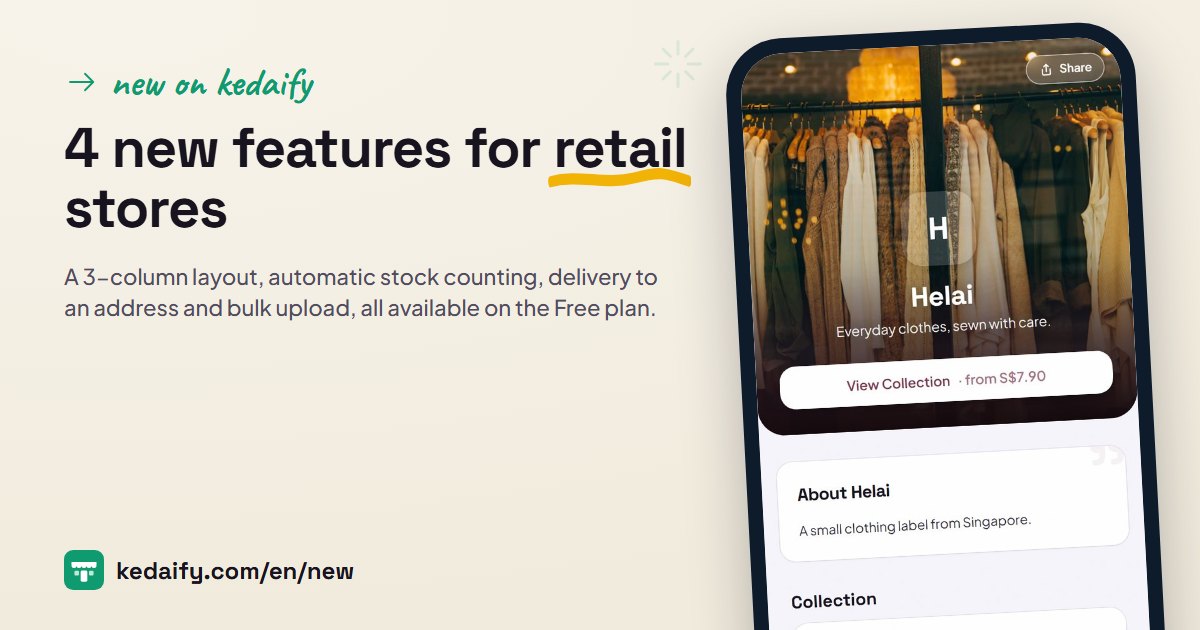
4 new features for retail stores
A 3-column layout, automatic stock counting, delivery to an address and bulk upload. All of them work on the Free plan, and they're already live in your store.
1. 3-column layout
Your catalogue looks like a shop window: big photos, three products per row, and a + button right on the photo. New fashion and retail stores start in 3 columns automatically; existing stores stay as they are until you choose.
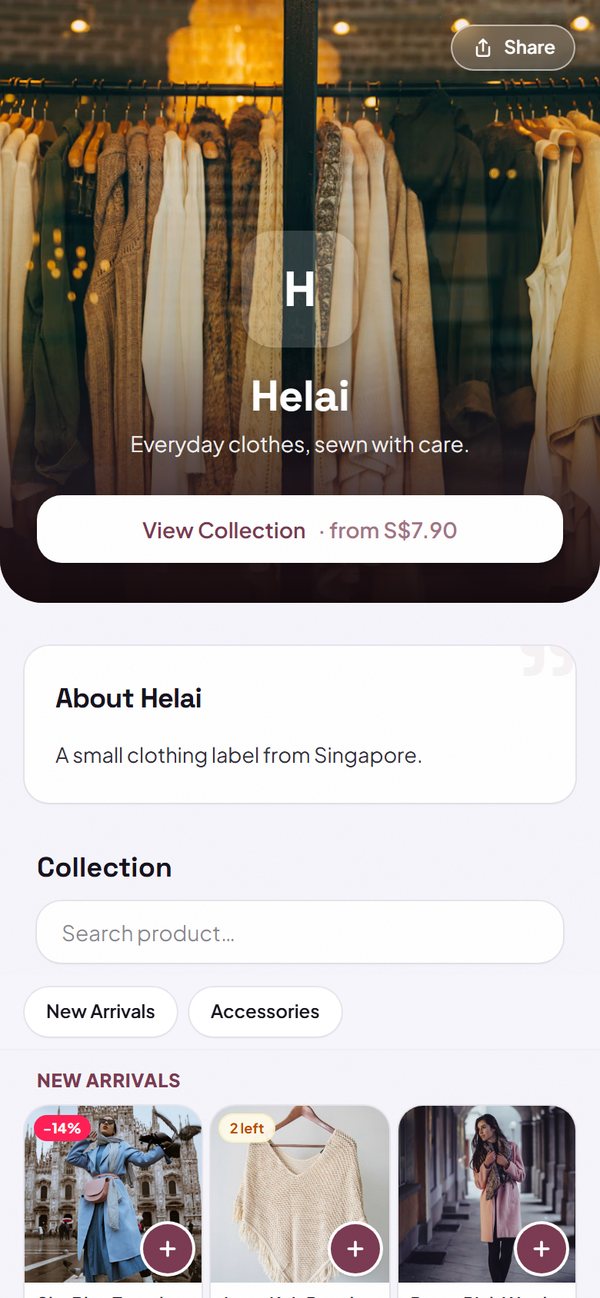
- Pick 1, 2 or 3 columns, and change it any time.
- Promo labels, stock left and SOLD OUT show on the photo.
- Products without a photo still look tidy with an icon.
How to use it: Dashboard → Settings → Store look → Catalog layout.
2. Automatic stock counting
Set the stock per product, or per size and colour. Stock goes down when an order is marked Paid or Done, and comes back if the order is cancelled. Sold-out items can't be ordered.
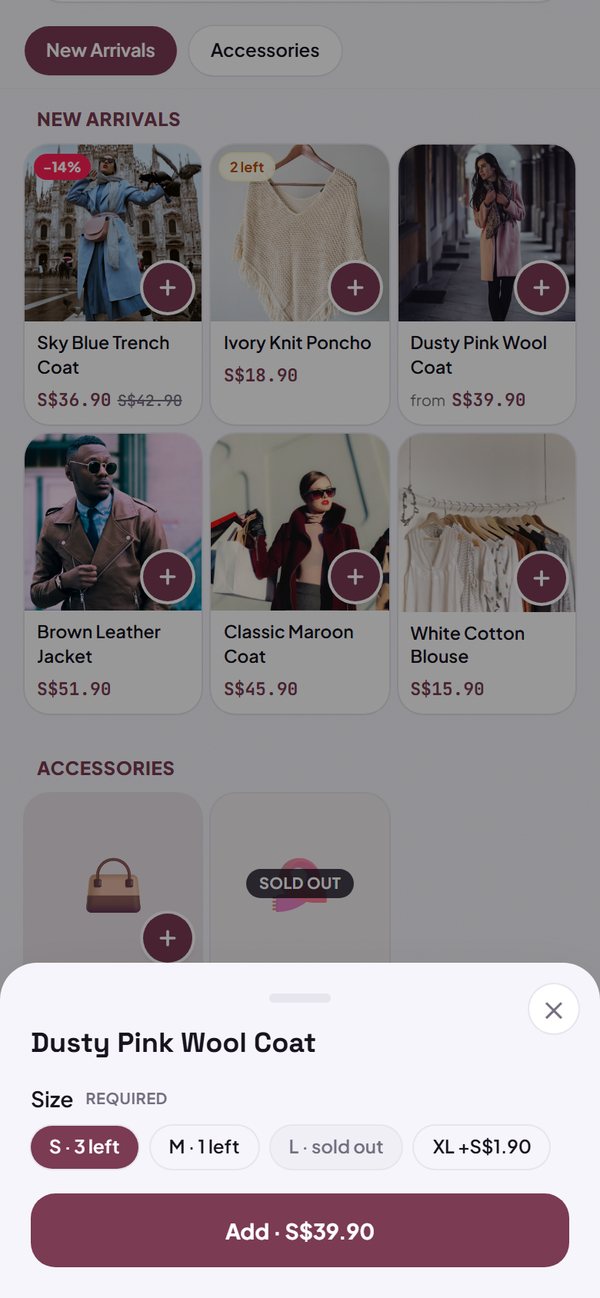
- An unpaid order holds its stock for 24 hours.
- A sale at POS lowers the stock straight away.
- A "low stock" filter in the Menu tab.
How to use it: Dashboard → Menu → tap a product → Track stock.
3. Delivery to an address
Buyers fill in their address in the cart: name, phone number, address, a landmark, and a map pin if they like. The address is saved on the buyer's phone, so next time they just pick it. You do the delivery: your own courier, a delivery app or a shipping company.
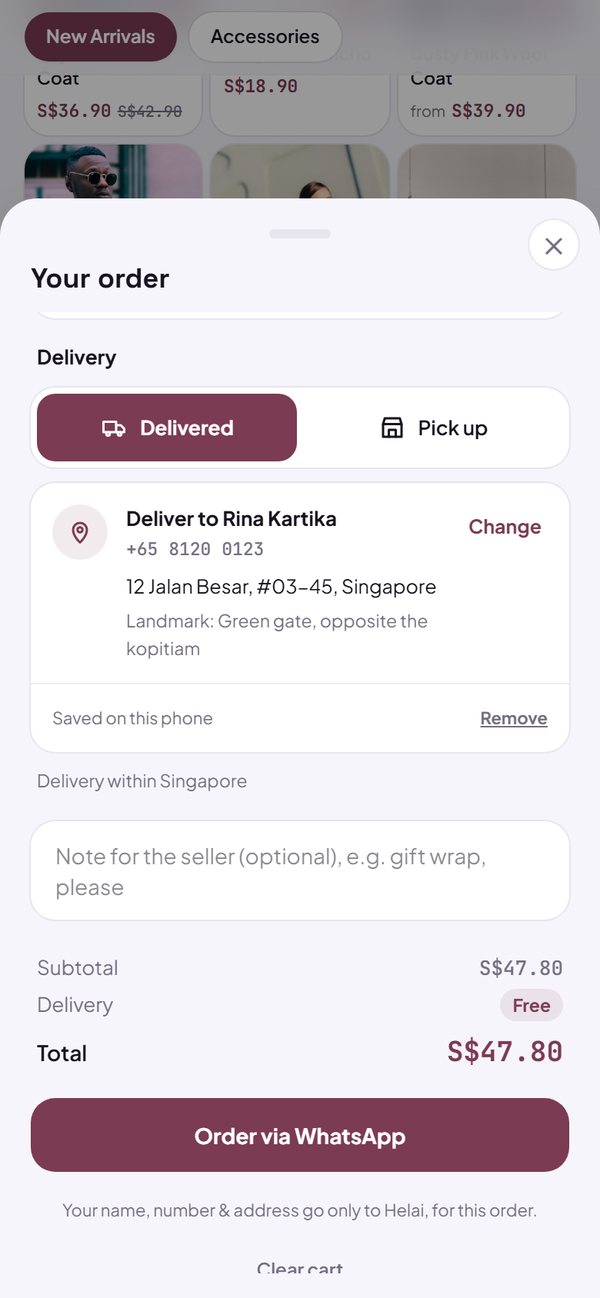
- You set the delivery fee: a fixed rate, free, or confirmed over WhatsApp.
- Free delivery can start from a set order amount.
- The address and a Maps link show in the order, ready to copy for the courier.
How to use it: Dashboard → Settings → How to order & pay → Delivery.
4. Bulk upload
Download your catalogue as a CSV file, change prices, stock and descriptions or add new products in Excel or Google Sheets, then upload it again. Every change is checked before it is saved.
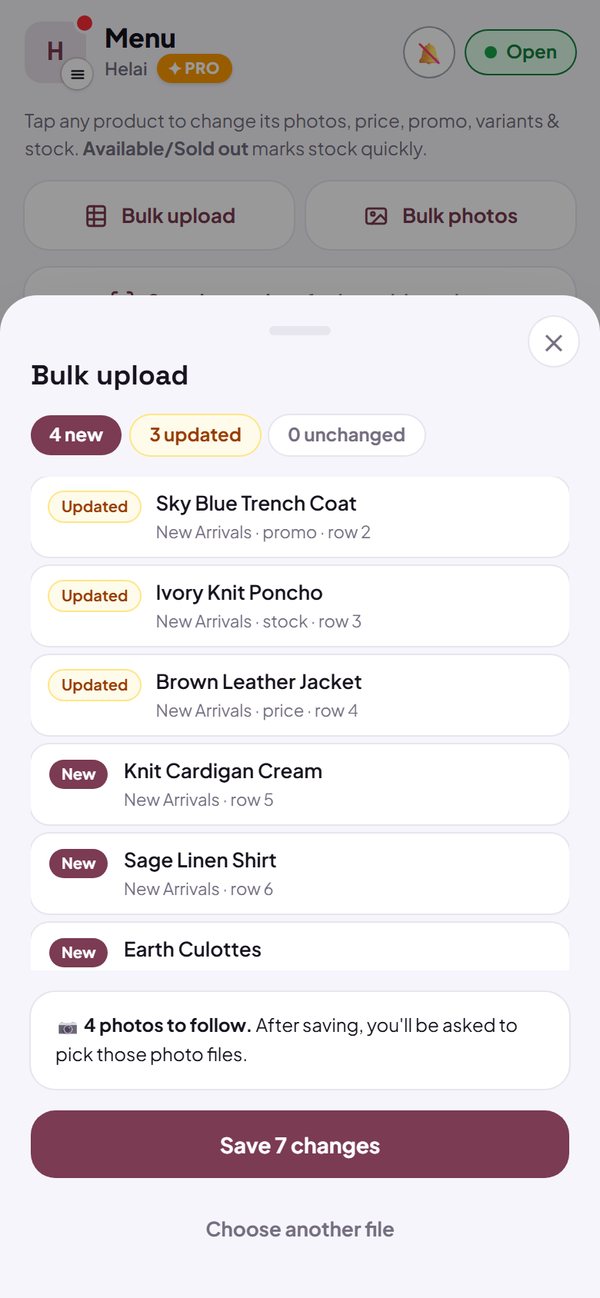
- Bulk photos: pick many photos at once and they go straight to their products.
- Write the photo file name in the photo column, and it is matched automatically after you save.
- Products that aren't in the file are not deleted.
How to use it: Dashboard → Menu → Bulk upload / Bulk photos.
Questions about this release
Are these new features paid?
No. The 3-column layout, stock tracking and delivery to an address are free on every plan. Bulk upload and bulk photos are also free for stores with up to 100 products; above that they are part of Pro.
My store is old. Will the layout change by itself?
No. Existing stores stay at 1 column until you choose 3 columns in Settings → Store look. New fashion and retail stores start in 3 columns, and you can change it any time.
When does stock go down?
When an order is marked Paid or Done. A new unpaid order holds its stock for 24 hours so it isn't sold twice. If the order is cancelled, the stock comes back. A sale at POS lowers the stock straight away.
Can I track stock per size or colour?
Yes, for one option group per product (for example Size: S, M, L). An option that is out of stock can't be picked by buyers.
Does Kedaify provide couriers?
No. You deliver the order yourself, with your own courier, a delivery app or a shipping company you choose. Kedaify adds the address form to the cart, works out the delivery fee by your rules, and shows the full address in the order.
Where is the buyer's address stored?
The address saved for next time lives on the buyer's own phone (up to 3 addresses). The delivery address on an order can only be seen by your store, and stays as long as your store is active. If a buyer asks for their address to be removed, contact us and we will remove it.
How do I add photos with bulk upload?
Photos can't go inside the CSV file. Write the photo file name in the photo column (for example IMG_2041.jpg), save, then pick those photo files. They go to the right products automatically. The limit is 1,000 photos per hour and 5 photos per product.
If I remove a product from the CSV file, is it deleted from my store?
No. Bulk upload only adds and changes products. To delete one, open the product in the Menu tab.