New feature · 2 min read
Log in with a code from your email
Signing up and logging in is easier, including from Instagram and Threads: use Google, or a 6-digit code sent to your email.
1. From Instagram, Threads, Facebook and TikTok
Many people open Kedaify from a link in a bio or a post. On Android, the Google button now opens Chrome, where your Google account is usually already saved, so you don't have to type your email and password in the app's browser. On iPhone, the email code option shows first because it's quicker.
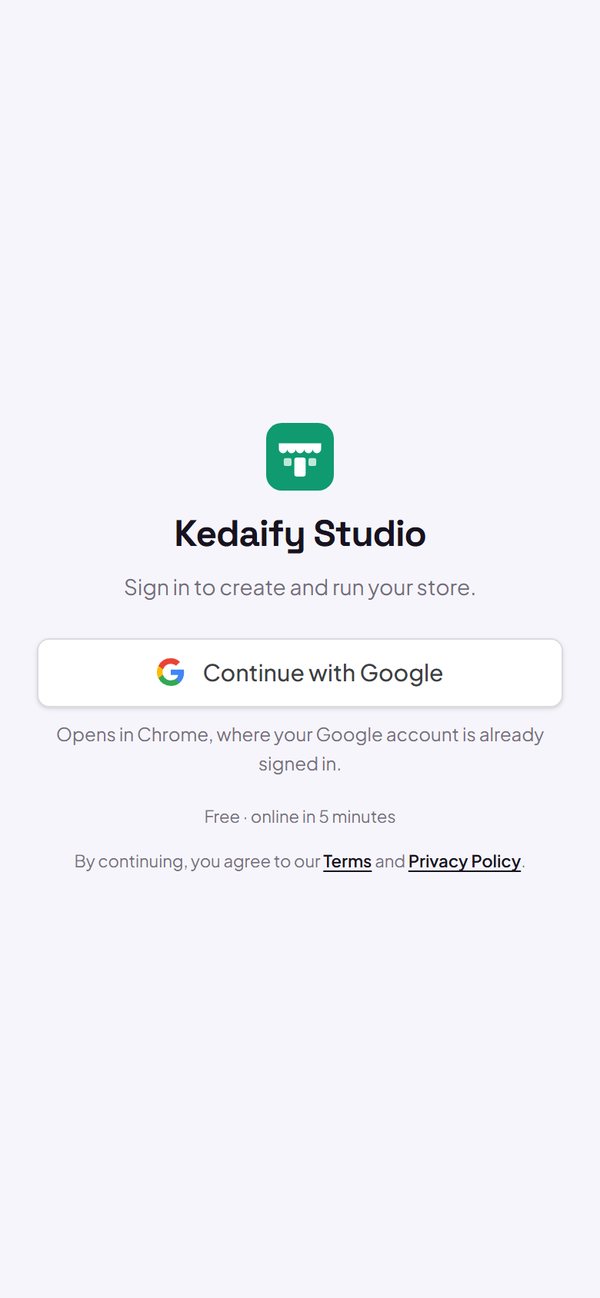
- Android: the Google button opens in Chrome.
- iPhone: the email code shows first.
- Works in Instagram, Threads, Facebook, TikTok and LINE.
How to use it: kedaify.com → Create a free store.
2. A 6-digit code from your email
Don't want to use Google? Enter your email, then type the 6-digit code Kedaify sends you. As soon as you type the sixth digit, you're in. The link in the same email works too.
- The code is valid for 10 minutes, the link in the email for 15 minutes.
- A code can only be used once.
- Temporary (disposable) email addresses can't be used.
How to use it: Sign-in sheet → enter your email → Send sign-in code.
3. One account per email
Sign in with Google or with a code from the same email and you get the same account. Your store doesn't split into two accounts.
- Google and the same email = one account.
- One account for one store.
How to use it: Automatic, nothing to set up.
Questions about this release
Why does the Google button open Chrome?
In an app's built-in browser, like Instagram's, Google often asks for your email and password from scratch. In Chrome your Google account is usually already saved, so you just pick the account.
The code didn't arrive in my email. What now?
Check your Spam or Promotions folder. You can ask for a new code after 60 seconds with "Change email or resend".