New feature · 2 min read
Booking slots for salons, clinics and garages
Buyers pick a service, a date and a free time that follows your opening hours. The booking arrives in WhatsApp and in your Leads tab.
1. Pick a date and time
Businesses like salons, barbershops, clinics, garages and guesthouses can take bookings. Buyers pick a service, then a date and a time from options built automatically from your opening hours. Times that have already passed are not shown.
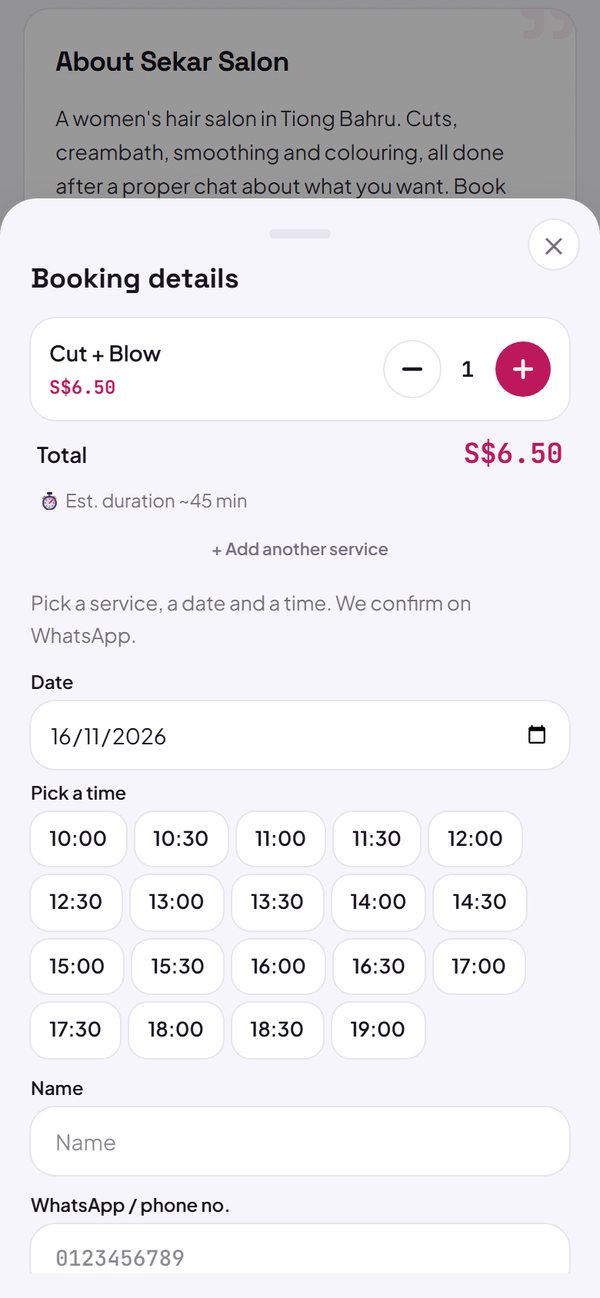
- The gap between time slots can be set, from 15 minutes to 2 hours.
- On a closed day, buyers are told and can still type a time themselves.
- The booking is sent through WhatsApp with the schedule included.
How to use it: Settings → Store info & opening hours → Opening hours, then Settings → How to order & pay → Booking.
2. Duration for each service
Add a duration to each service, for example a cut at 45 minutes or a hair treatment at 60 minutes. Buyers see the estimated duration on the booking sheet, and it is also written in the WhatsApp message.
- Shown as “Estimated duration” on the booking sheet.
- Duration is only information, it does not block your schedule.
How to use it: Menu → tap a service → Duration (minutes, optional).
3. Saved in the Leads tab
Every booking is saved in the Leads tab: name, phone number, service and schedule. Reply on WhatsApp with one tap, then mark it Contacted or Done.
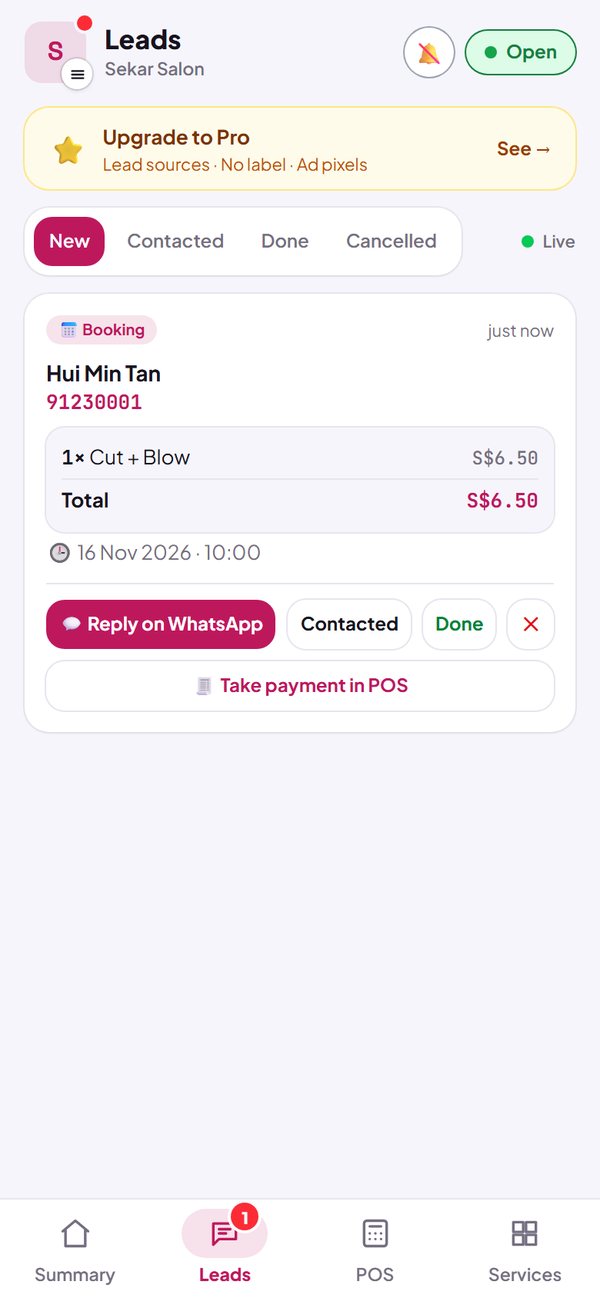
- You get a notification when a new booking comes in.
- You confirm the schedule over WhatsApp.
How to use it: Dashboard → Leads.
Questions about this release
Does Kedaify check for clashing bookings?
Not yet. Kedaify does not check whether the same time has already been booked by someone else, and there is no staff choice yet. Confirm the schedule over WhatsApp when you reply to the booking.
Why don't the time options show up?
The time options are built from your opening hours. Fill in your opening hours first in Settings → Store info & opening hours. While they are empty, buyers type their own time.
Is booking a paid feature?
No. Booking is free on every plan.