New feature · 4 min read
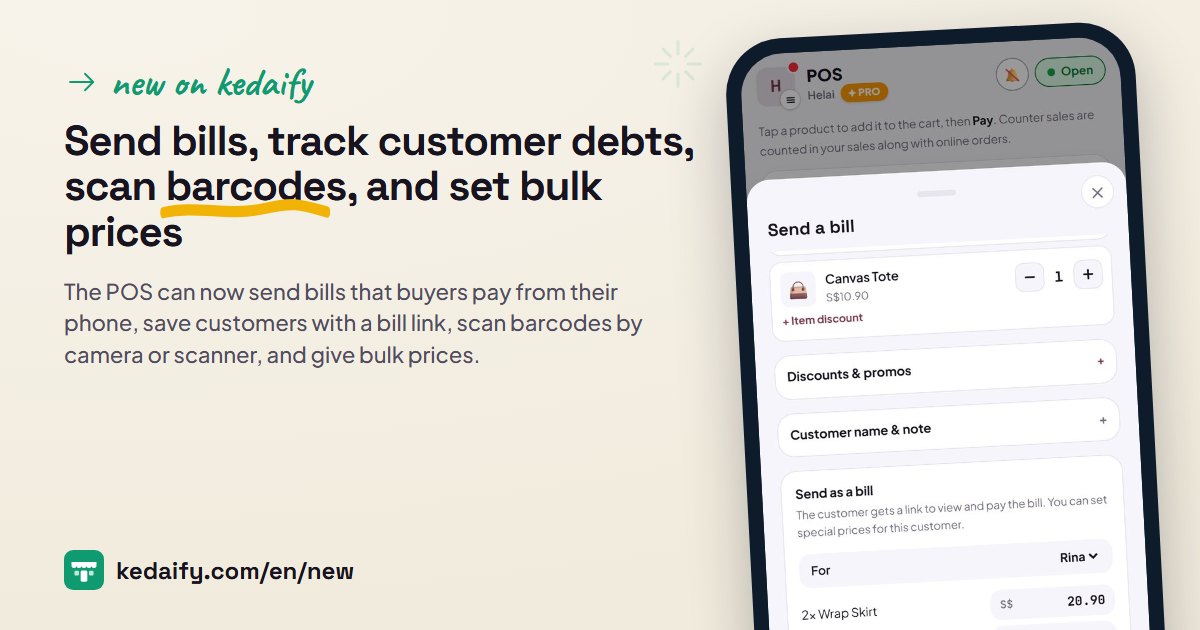
Send bills, track customer debts, scan barcodes, and set bulk prices
Buyers often order by chat, and regular customers often pay later. These four additions to the POS are for that: bills paid from the buyer's phone, customers with their own bill link, barcode scanning, and bulk prices. All of them work on the Free plan.
1. Send a bill, and the buyer pays from their phone
A buyer asks on WhatsApp? Add the items in the POS as usual, then tap Unpaid? Send as a bill. The buyer gets a link to see the bill and pay from their own phone.
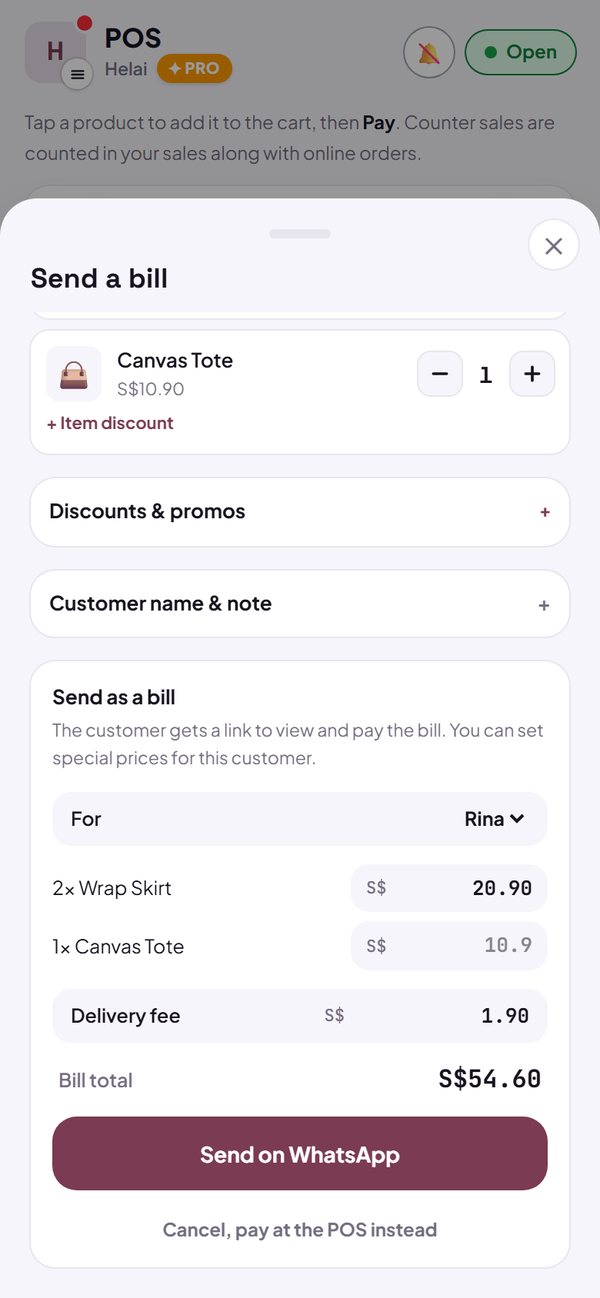
- You can change each item's price just for that buyer, and enter the real delivery fee.
- The bill goes into Orders as unpaid, and stock is held like any other unpaid order.
- The buyer pays to your QR payment code or bank account, then taps I've paid. You check the money, record it in Orders, and the bill becomes Paid.
- On Pro: part payments, an Unpaid list with totals, and one-tap WhatsApp reminders.
How to use it: POS → add the items → Unpaid? Send as a bill.
2. Customers, with their own bill link
Save the name and WhatsApp number of customers you often send bills to. Each customer gets one bill link that holds all their unpaid bills, with the total.
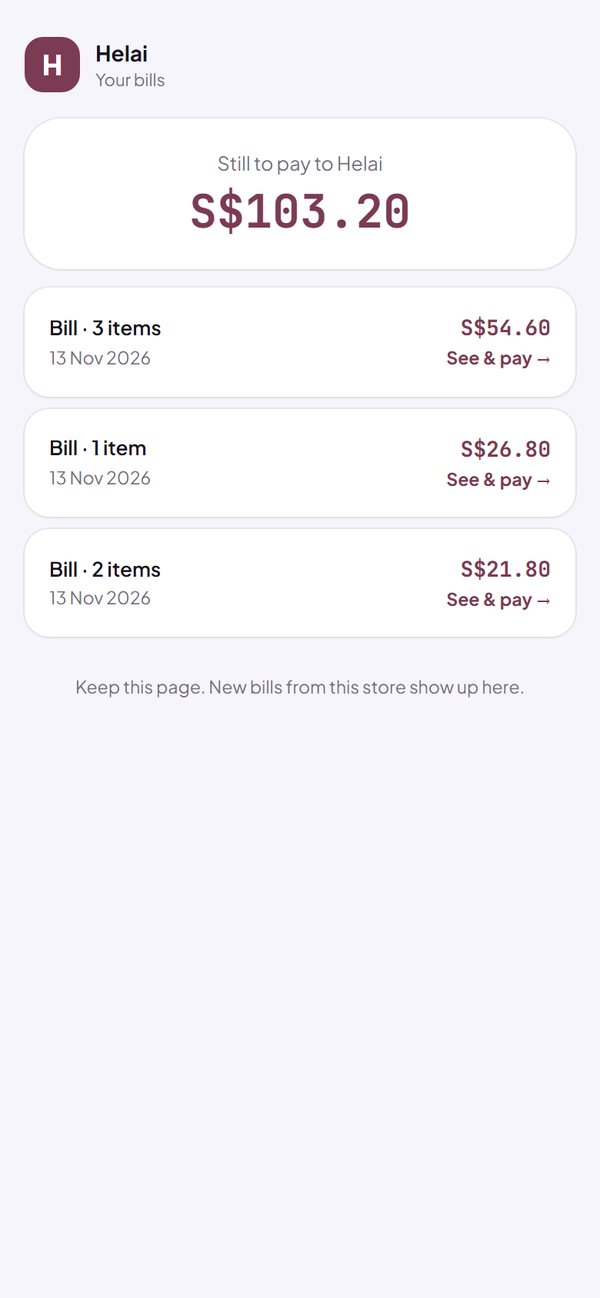
- When you send a bill, pick the customer in the For field. The bill goes straight to their number, and the message carries the bill link.
- You don't need to record debts separately. What's unpaid is just their open bills, so once a bill is marked Paid, the amount goes down by itself.
- The bill link doesn't show the customer's name or number, and doesn't appear on Google.
- On Pro: how much each customer owes, the total, a list sorted from the biggest debt, and reminders that name the amount.
- A customer is only deleted if you delete it, after two warnings.
How to use it: Dashboard → Customers → + Add customer. You can also add one from the For field when sending a bill.
3. Scan barcodes with the camera or a scanner
Enter the barcode on your product, then just scan it in the POS. Each scan adds one item to the cart, and stock goes down like a normal sale.
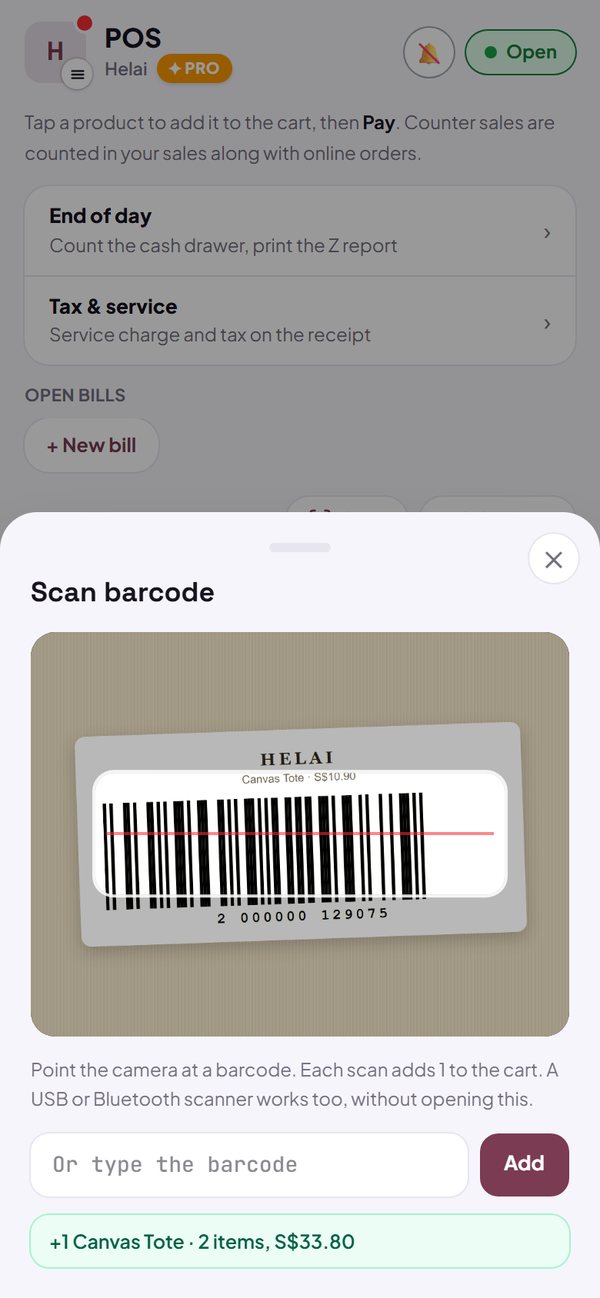
- A phone or laptop camera is enough. Tap Scan in the POS, then point it at the barcode.
- USB or Bluetooth barcode scanners work straight away, with no setup and nothing to open. Normal typing in a field isn't treated as a scan.
- Barcode not registered yet? The POS tells you how to add it. One barcode on two products? The POS asks which one.
- In Menu, Scan barcode opens the product with that code, or adds a new product with the barcode already filled in.
- Bulk upload has a barcode column. Long codes are stored so Excel doesn't turn them into 8.99276E+12.
- Barcodes are only used in the dashboard and POS, and buyers don't see them.
How to use it: Menu → open the product → Barcode. Then POS → Scan.
4. Bulk prices: the more they buy, the lower the price
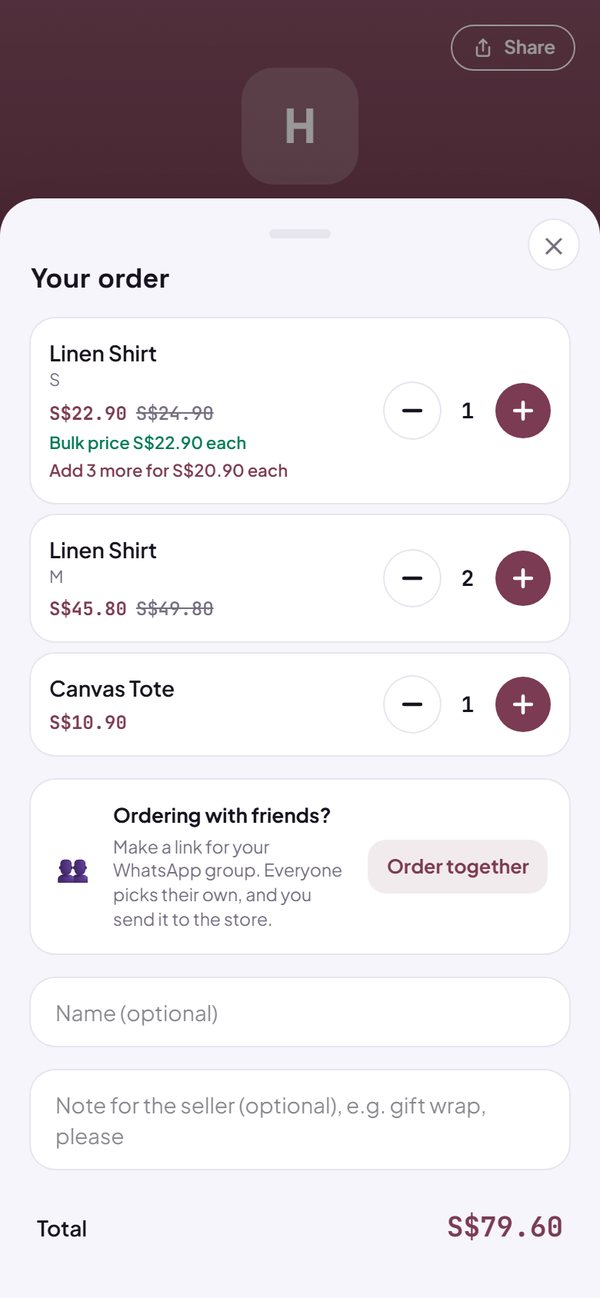
Give a lower price for bigger purchases, for example 10 or more at $4.50 each. The price changes by itself once the quantity is enough, in the online store and in the POS.
- Up to 5 bulk prices per product.
- All variants are counted together, so 5 red and 5 blue already get the 10+ price.
- Buyers see the bulk price in the catalogue and on the product page. In the cart, when they're close, it says how many more to add for the next price.
- The same price is used in the cart, POS, receipt, bill and WhatsApp message, which writes (bulk @$4.50) on the line.
- If the unit price or promo drops below a bulk price, that bulk price isn't used, so buyers never pay more.
- Bulk upload has a bulk price column, written like 10+ 4.50; 50+ 4.00.
How to use it: Menu → open the product → Bulk pricing → + Add bulk pricing.
Questions about this release
Is all of this free?
Sending bills, the customer list, bill links, barcode scanning and bulk prices are on the Free plan. Pro adds part payments, the Unpaid list, how much each customer owes, and reminders that name the amount.
Do I need to buy a barcode scanner?
No. A phone or laptop camera works. A USB or Bluetooth scanner makes scanning faster when the till is busy, and works with no setup.
Can I send a bill with no signal?
Not yet. Bills are created on the server so the link opens straight away for the buyer, so you need a connection. Normal POS sales are still saved when the signal drops, as long as the POS is already open.
Can buyers pay part of a bill?
Yes, if your store is on Pro. You record each payment, and the bill link shows the balance. On the Free plan, the bill is recorded when it is paid in full.
What is my customers' data used for?
Their name and WhatsApp number are saved for your store only, to send bills and bill links. The details are in the Privacy Policy.
Does bulk pricing work across different variants?
Yes. The quantity is counted across all variants of that product in one order, for example sizes S and M together.