New feature · 1 min read
Settings: one place to manage your store
Store look, info and opening hours, how to order and pay, even ads: all your store settings are now in the Settings tab.
All store settings now live in one tab: Settings, in your store's dashboard. At the top is the Store checklist, a list of what you haven't filled in yet, and each item takes you straight to its page. Below that the settings are grouped as Store, Sales, Grow, and Account & plan.
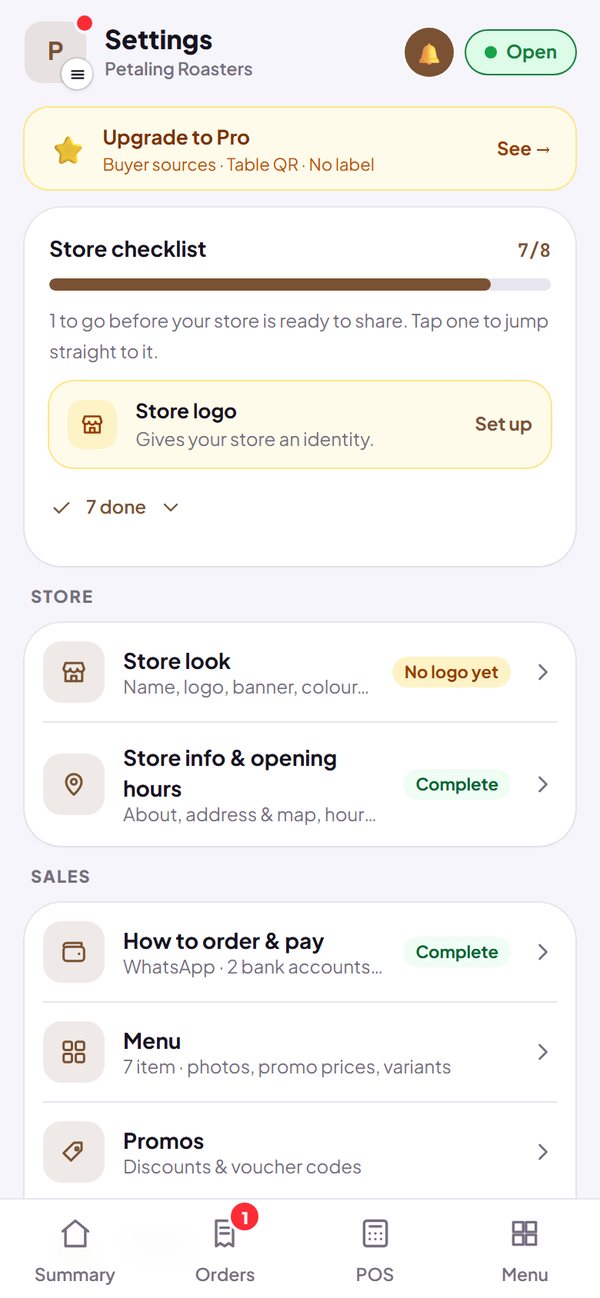
- Store look, store info and opening hours, how to order and pay, ads and tracking, SEO and your store story each have their own page.
- Each page only saves its own part.
- In the Menu tab, tap a product to change its photos, promo price, variants and category in one sheet.
How to use it: Dashboard → Settings.