New feature · 2 min read
Strikethrough prices, discounts and voucher codes
Set a sale price on a product, an automatic discount on the whole cart, or a voucher code. Free on every plan.
1. Strikethrough price on a product
Add a sale price to any product. The normal price shows crossed out, the sale price next to it, with a label showing the saving as a percentage.
- The sale price must be lower than the normal price.
- The “from” price on your store cover follows the sale price.
How to use it: Menu → tap a product → Sale price.
2. Discounts and voucher codes
Make a deal for the whole cart: a percentage or a fixed amount off, with a minimum spend and a maximum discount if you need them. Leave the code empty for an automatic discount, or add a code, for example PAYDAY, so it only works for buyers who enter it.
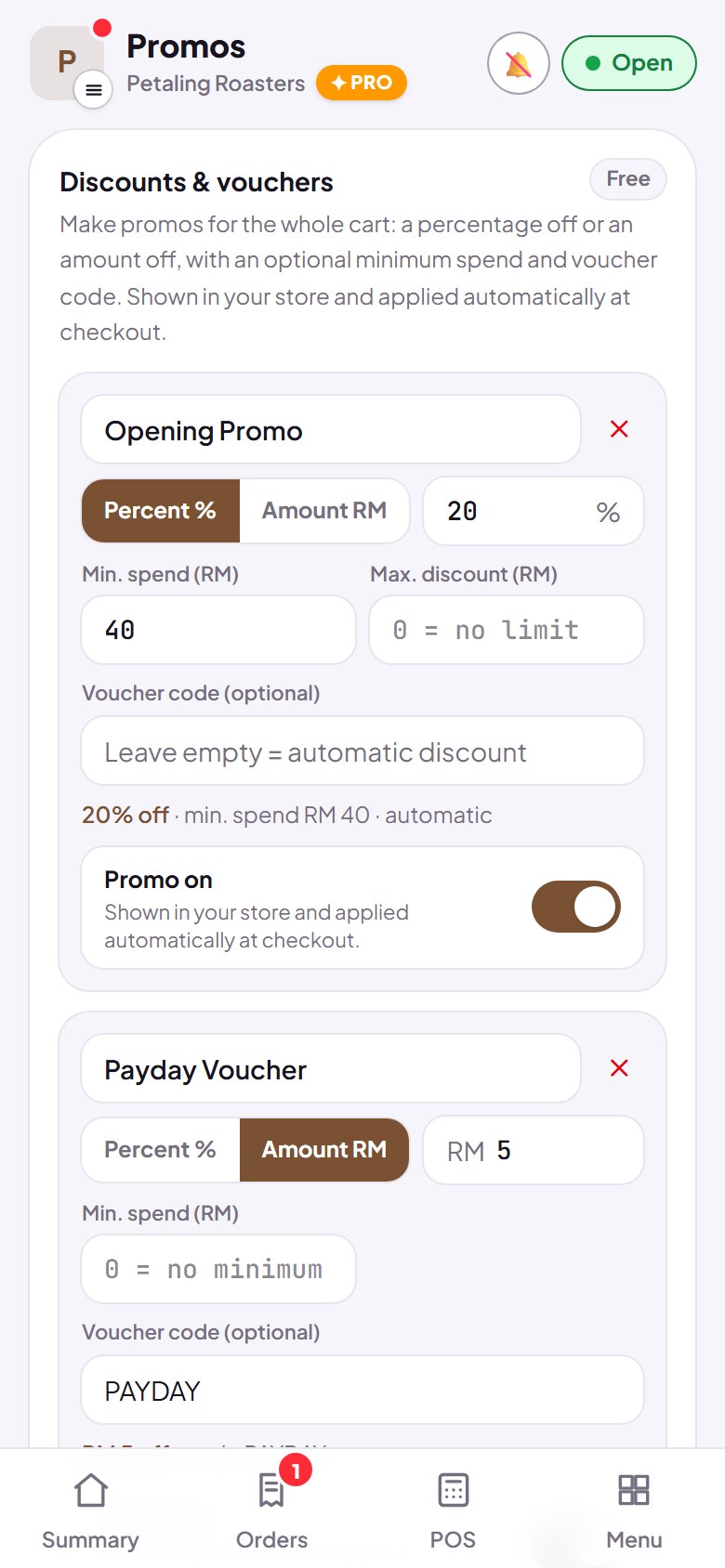
- A promo banner shows under your store cover.
- If you have several deals, only one is used: the one with the biggest discount.
How to use it: Dashboard → Promos → Add promo.
3. Worked out in the cart
As soon as the conditions are met, the discount shows in the cart under the subtotal and the total is already reduced. Orders that reach your dashboard are recorded with the total after the discount.
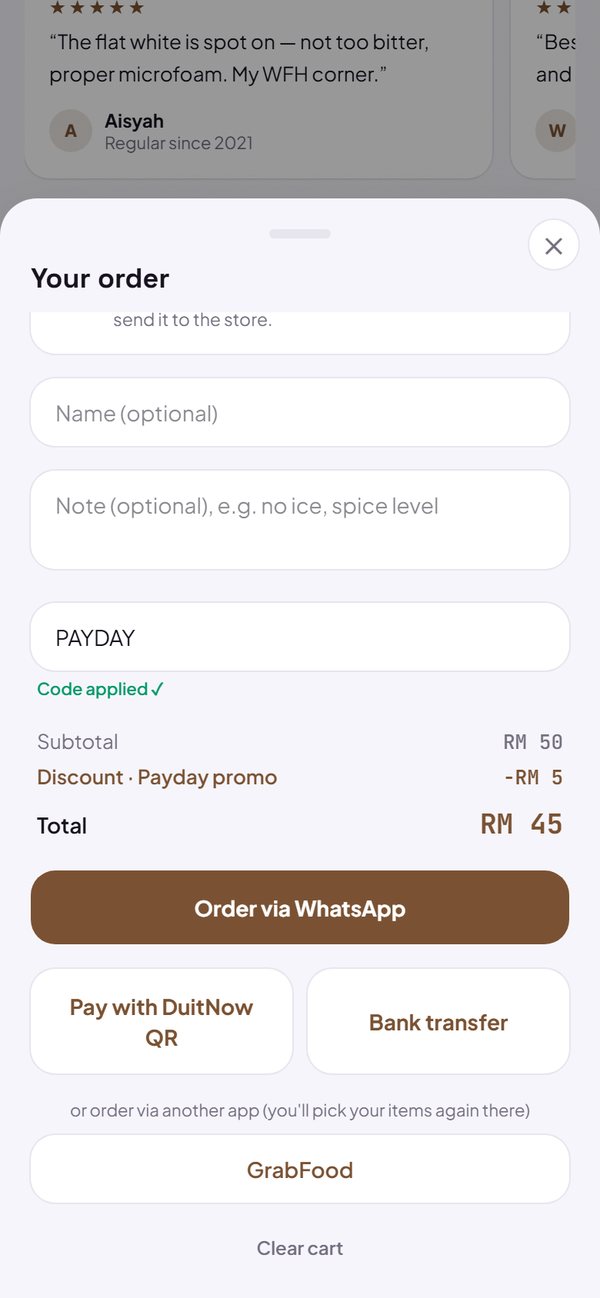
- Buyers enter the code in the Voucher code field.
- With a QR payment code, buyers type the amount after the discount.
How to use it: Buyer: cart → Voucher code (optional).
Questions about this release
Are promos a paid feature?
No. Strikethrough prices, discounts and voucher codes are free on every plan.
Can two promos be used together?
No. Only one promo applies to a cart: the one with the biggest discount.
Can service or booking stores use vouchers?
Strikethrough prices show in every store. Cart-wide discounts and voucher codes work in stores that take orders through the cart, not yet for the enquiry form or booking.