New feature · 3 min read
Order links: from chat to paid
Selling on WhatsApp is great, but once an order lands in a chat it's easy to lose track: has this been paid, has it been sent yet. Now every WhatsApp order carries one link that both of you use, from chat to paid.
1. The order link comes with the WhatsApp message
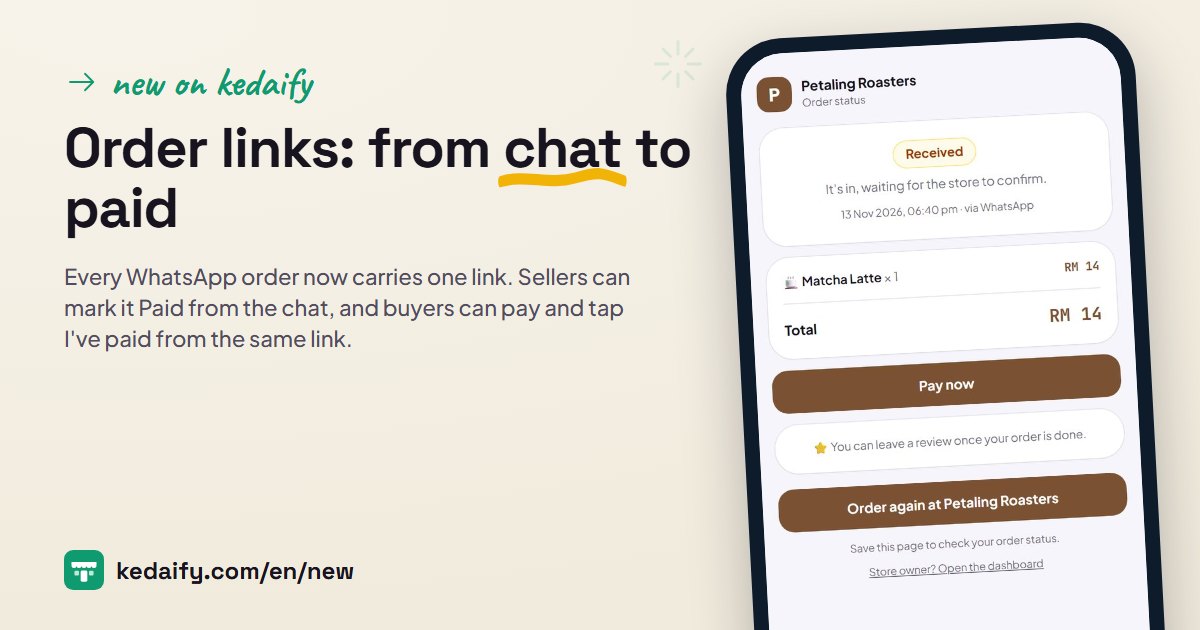
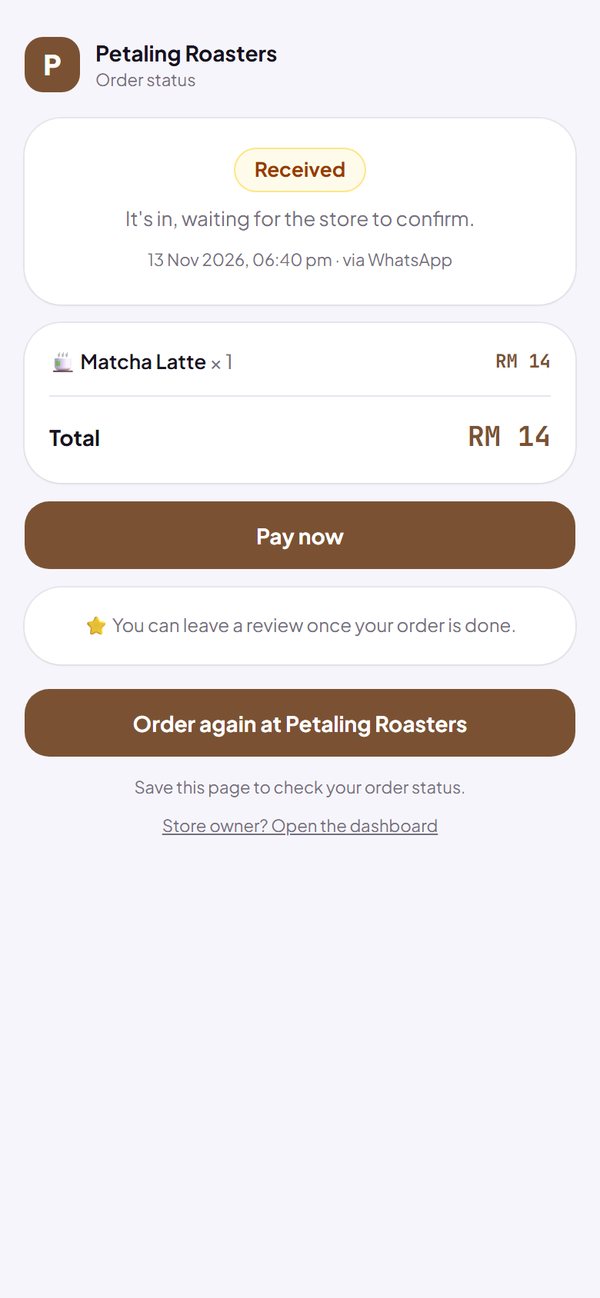
When a buyer taps the order button, the message that reaches you now ends with an order link. The buyer and you open the same page: what was ordered, the total, and the current status.
- It happens automatically for every WhatsApp order, with nothing to set up.
- The buyer's name, phone number and address don't show on that page.
How to use it: Nothing to set up. It is on every plan.
2. Mark it Paid right from the chat
Open the order link on the phone you normally use for the dashboard, and buttons for you appear under the status: Mark paid, Done, and Cancel order. Buyers don't see these buttons, so you can finish an order without switching to the dashboard.
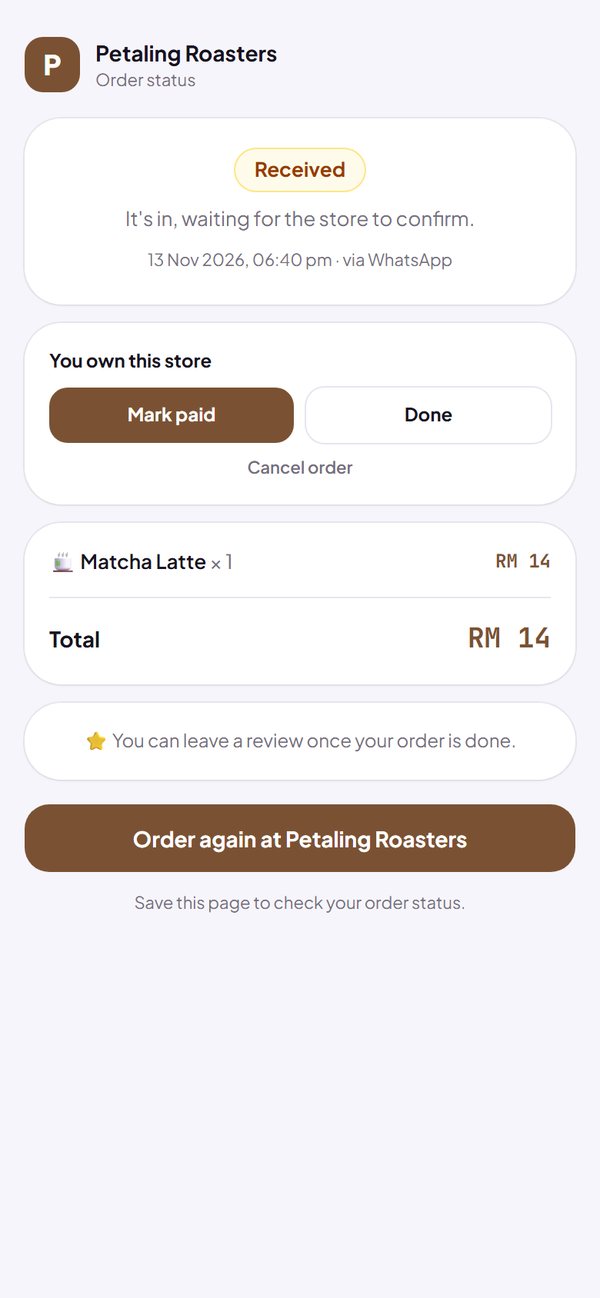
- Sales, stock and reports update, the same as from Orders.
- Cancel order always asks you to confirm first.
- Buttons not showing? Open the dashboard in that phone's browser first, then open the link in the same browser.
How to use it: Open the order link from the chat, on a phone that is signed in to the dashboard.
3. Buyers pay from the link
An unpaid WhatsApp order shows a Pay now button. The buyer sees your store's QR payment code or your bank account, plus the amount to pay, then taps I've paid.
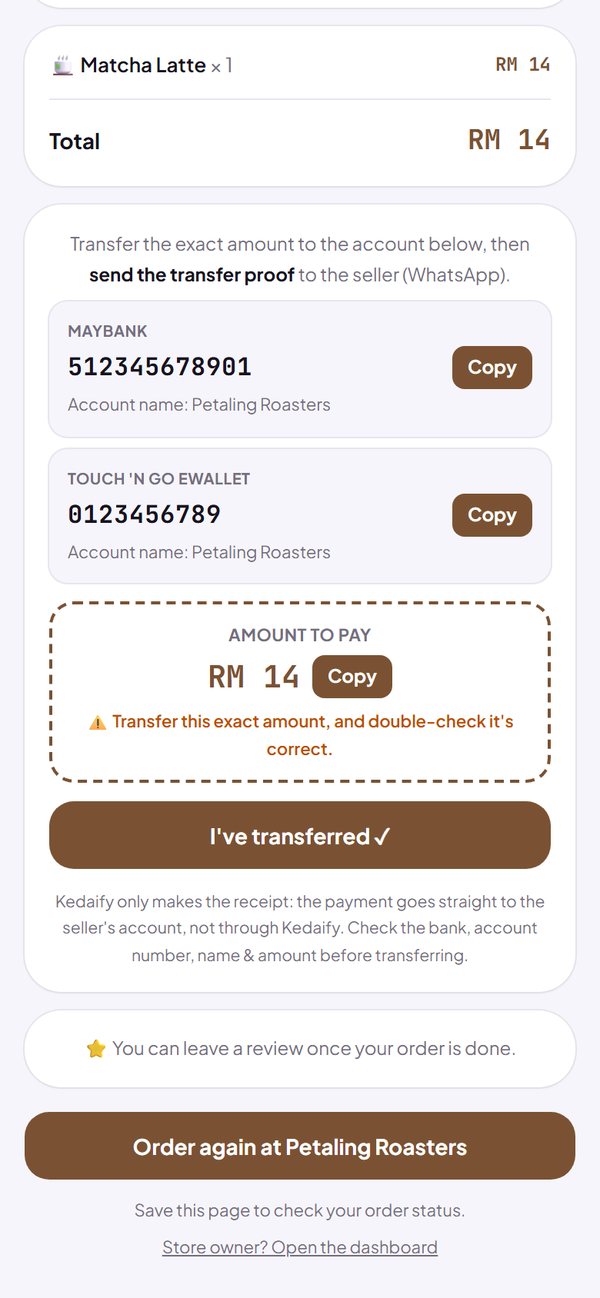
- The money goes straight to your QR payment code or bank account. Kedaify never holds it.
- It is still your store's own QR code, so the buyer types in the amount themselves.
- If the delivery fee is still waiting for your confirmation, the pay button doesn't show yet.
How to use it: Set up your QR payment code or bank account in Settings → How to order & pay.
4. Check payment: you just check, then mark it Paid
Once a buyer says they've paid, the order jumps to the top of Orders with a To check badge. Orders paid by QR code or transfer in the store land here too. Check your bank record, then tap Done & paid once.
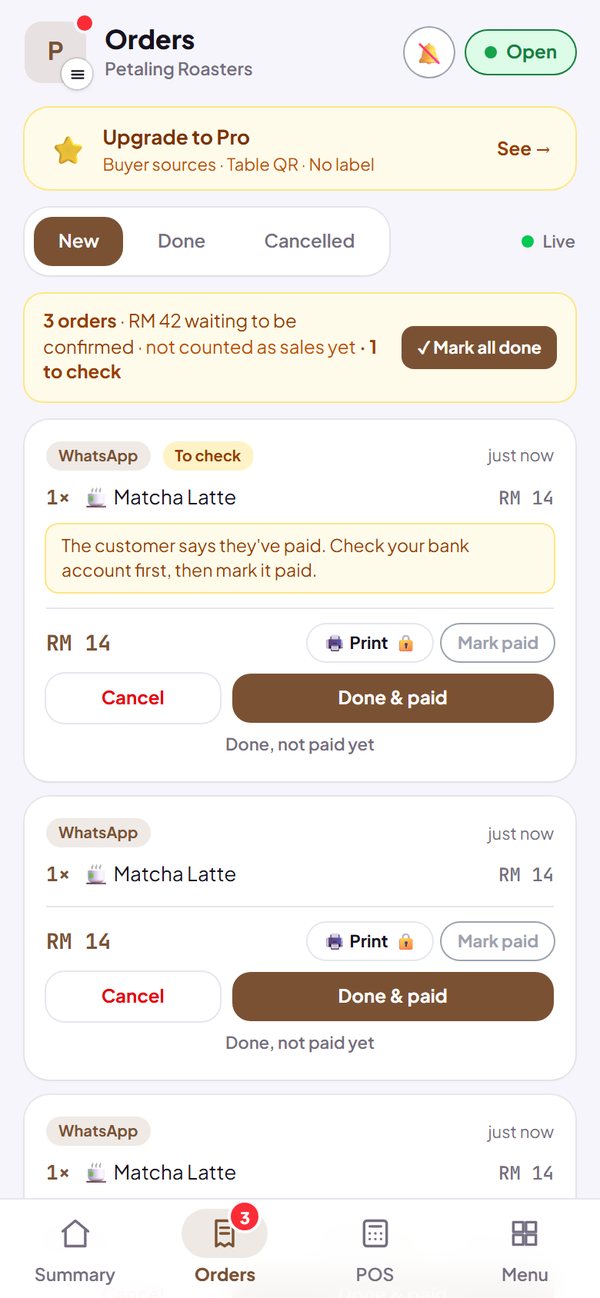
- I've paid is a message from the buyer, not proof. You are the one who marks it Paid.
- Phone notifications on? You are told straight away. The buyer can also message you on WhatsApp from that page.
- The buyer's page updates by itself as soon as you mark it Paid.
How to use it: Orders → New. It is on every plan.
Questions about this release
If the buyer taps I've paid, is it marked Paid automatically?
No. It is only a message from the buyer. Check your bank record or payment app first, then mark it Paid yourself.
Does Kedaify hold the money?
No. Buyers pay straight to your store's QR code or bank account, and Kedaify takes no commission.
Is the amount filled in on the QR code?
No. The buyer scans your store's QR code and types in the amount, as on the store's payment page. That's why the amount is shown large.
Who can open the order link?
Anyone who has the link, so share it with care. The page shows the order and the total, without the buyer's name, phone number or address.
Do I need Pro?
No. Order links, paying from the link and Check payment are on every plan.